AlmaLinux and Ubuntu are two popular Linux distributions used for server deployments, but they follow different development models and release strategies. AlmaLinux focuses on long-term stability and close alignment with Red Hat Enterprise Linux (RHEL), while Ubuntu emphasizes predictable releases, broad software availability, and strong cloud integration.
This guide will explain the key differences between AlmaLinux and Ubuntu and help you determine which server operating system fits your workload and infrastructure requirements.
What Is AlmaLinux?
AlmaLinux is a free, open-source Linux distribution for enterprise server environments. It is maintained by the AlmaLinux OS Foundation and developed with a strong focus on long-term stability, predictable updates, and compatibility with Red Hat Enterprise Linux (RHEL).
The distribution targets production workloads that require consistent behavior over time, such as web hosting platforms, databases, application servers, and virtualized infrastructure.
AlmaLinux follows a conservative update model. Package updates focus on security fixes and critical bug patches rather than new features, which maintain consistent system behavior and reduce the risk of regressions during routine maintenance.
AlmaLinux Features
AlmaLinux includes a set of core features designed for stable, long-running server workloads.
The table below outlines the most relevant AlmaLinux features and explains how each one affects server operation:
| Feature | Explanation |
|---|---|
| RHEL compatibility | Uses the same source packages and system layout as Red Hat Enterprise Linux, which allows consistent behavior across enterprise environments. |
| Long support lifecycle | Each major release follows the RHEL lifecycle and receives approximately ten years of maintenance, which reduces the need for frequent system upgrades. |
| dnf package manager | Provides reliable dependency resolution and controlled package updates suitable for production servers. |
| SELinux enabled by default | Enforces mandatory access controls (MAC) that limit the impact of misconfigured or compromised services. |
| Stable kernel updates | Kernel changes focus on security fixes and critical bug patches rather than new features. |
| x86_64 and ARM support | Runs on common server architectures, including modern cloud and bare-metal platforms. |
| No licensing or subscription | All features are available without paid subscriptions or usage restrictions. |
However, using AlmaLinux has specific benefits and drawbacks:
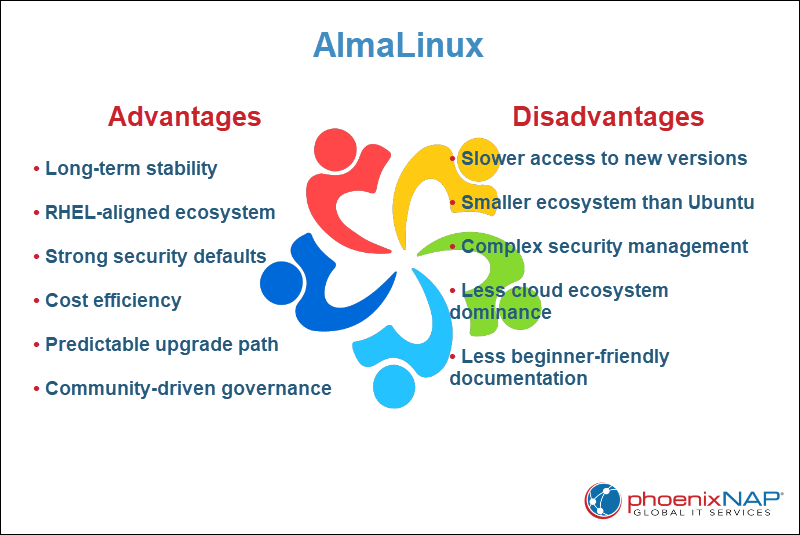
AlmaLinux Advantages
AlmaLinux offers several practical advantages for server environments that prioritize stability, long-term maintenance, and predictable behavior. These advantages make it a strong choice for production systems that require controlled change.
Key advantages of AlmaLinux are:
- Long-term stability. The conservative update policy preserves consistent system behavior across maintenance cycles, which reduces operational risk.
- RHEL-aligned ecosystem. Compatibility with RHEL-based tools and documentation simplifies migrations and allows the reuse of existing operational knowledge.
- Strong security defaults. SELinux is enabled and integrated by default, which improves baseline security for exposed services.
- Cost efficiency. The distribution provides enterprise-grade functionality without subscription fees, which lowers infrastructure costs at scale.
- Predictable upgrade path. Major version changes are infrequent and well-documented, which helps administrators plan upgrades with minimal disruption.
- Community-driven governance. Development is overseen by a non-profit foundation, which reduces vendor lock-in and ensures long-term project continuity.
AlmaLinux Disadvantages
Despite its strengths, AlmaLinux's limitations affect server use cases. These drawbacks are noticeable in environments that require rapid feature adoption or broad third-party software support.
Key disadvantages of AlmaLinux include the following:
- Slower access to new software versions. The conservative release model delays newer language runtimes and application versions, which limit flexibility for fast-moving workloads.
- Smaller ecosystem than Ubuntu. Fewer vendors and projects provide AlmaLinux-specific packages or instructions, which increases reliance on RHEL-compatible resources.
- More complex security management. SELinux provides strong protection, but it also adds administrative overhead and a steeper learning curve for less experienced teams.
- Less cloud ecosystem dominance than Ubuntu. While official cloud images are available for major providers, AlmaLinux receives less first-party cloud tooling integration than Ubuntu.
- Less beginner-friendly documentation. Official documentation is improved, but it remains less centralized and comprehensive than Ubuntu's, which slows troubleshooting.
What Is Ubuntu?
Ubuntu is a Linux distribution developed by Canonical and widely used for server, cloud, and container workloads. The server edition focuses on ease of deployment, broad software support, and regular release cycles.
Ubuntu uses a time-based release model, with Long-Term Support (LTS) versions released every two years. LTS releases receive five years of standard security maintenance. With Ubuntu Pro, Extended Security Maintenance (ESM) provides support for up to 10 years.
Ubuntu is commonly used for web servers, application hosting, container platforms, and cloud infrastructure, especially in environments that rely on modern DevOps tools and automation.
Ubuntu Features
This server includes features designed for flexible server deployments and modern application stacks. These features focus on ease of use, broad compatibility, and strong integration with cloud and automation tools.
The table below outlines the key Ubuntu Server features and explains their practical usage:
| Feature | Explanation |
|---|---|
| Time-based release model | New versions are released on a fixed schedule, with LTS releases, which provide extended maintenance and security updates. |
| apt package manager | Provides access to a large and actively maintained software repository with frequent updates. |
| Extensive software repositories | Includes a wide range of server software, development tools, and language runtimes without third-party sources. |
| Cloud-optimized images | Official images are available for major cloud platforms and are optimized for virtualized environments. |
| AppArmor enabled by default | Uses profile-based mandatory access control to limit application permissions. |
| Strong container support | Provides first-class support for Docker, Kubernetes, and related tools. |
| Broad architecture support | Supports x86_64, ARM, and additional architectures used in cloud and edge environments. |
Depending on your intended use, Ubuntu Server has certain advantages and disadvantages:
Ubuntu Advantages
Ubuntu provides several practical benefits for server environments that require flexibility and fast setup. These advantages are most relevant for cloud-based and application-driven workloads.
Key advantages of Ubuntu include:
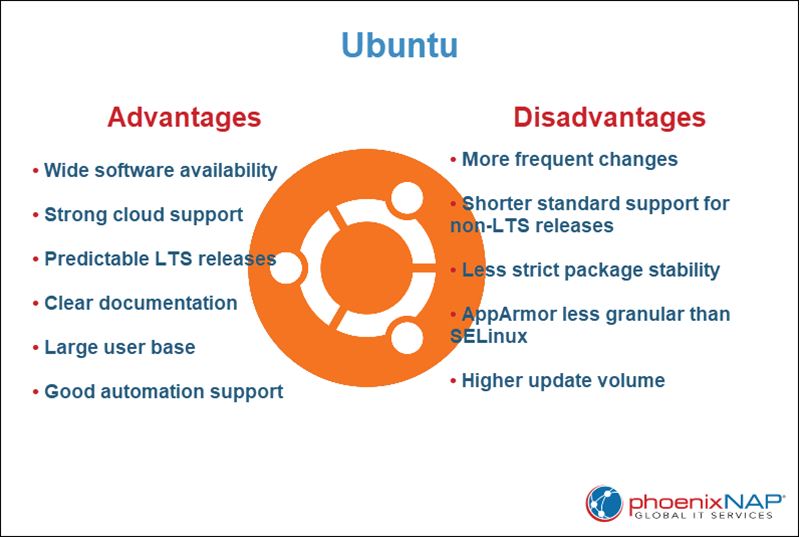
- Wide software availability. Official repositories include current packages for common server software and development tools.
- Strong cloud support. Ubuntu is widely available on major cloud platforms, with optimized images and good platform integration.
- Predictable LTS releases. Long-Term Support releases receive extended maintenance. However, they still offer newer software versions than conservative enterprise distributions.
- Clear documentation. Centralized and regularly updated documentation helps with installation, configuration, and troubleshooting.
- Large user base. A broad community and commercial backup provide access to guides, fixes, and third-party resources.
- Good automation support. Native compatibility with containers and configuration management tools fits modern server workflows.
Ubuntu Disadvantages
Although Ubuntu is flexible and widely supported, it also has limitations that affect certain server environments.
Key disadvantages of Ubuntu include:
- More frequent changes. Regular releases introduce new software versions, which increases the likelihood of behavioral changes between upgrades.
- Shorter standard support for non-LTS releases. Temporary releases receive updates for a limited time, which requires more frequent upgrades without the LTS versions.
- Less strict package stability. Newer software versions improve features but introduce compatibility issues in long-running production systems.
- AppArmor less granular than SELinux. AppArmor uses path-based profiles, while SELinux uses label-based mandatory access controls. SELinux allows more granular policy control, but AppArmor policies are generally simpler to manage.
- Higher update volume. Larger repositories and faster release cycles result in more frequent package updates, which increases maintenance workload.
AlmaLinux Vs. Ubuntu: Comparison
AlmaLinux and Ubuntu differ in their release models, software management, security approaches, and ecosystem focus. While both distributions are suitable for production servers, they target different operational priorities.
The table below summarizes the main differences:
| Category | AlmaLinux | Ubuntu |
|---|---|---|
| Package Management | Uses dnf with RHEL-aligned repositories focused on stability. | Uses apt with large repositories that include newer software versions. |
| System Requirements | Optimized for enterprise servers with conservative defaults. | Suitable for a wide range of server and cloud environments with flexible configurations. |
| Security | SELinux enabled by default with strict mandatory access controls. | AppArmor enabled by default with profile-based access control. |
| Performance | Stable performance with minimal feature-related variability. | Performance benefits from newer kernels and hardware enablement, particularly in non-LTS releases. |
| Hardware Compatibility | Strong support for enterprise server hardware. | Broad hardware support, including cloud and ARM platforms. |
| Software Availability | Focused repository set aligned with enterprise stability. | Large and frequently updated software repositories. |
| Software Update and Release Cycle | Follows RHEL release cycle with long maintenance periods. | Time-based releases with LTS every two years. |
| Stability and Long-Term Support (LTS) | Long lifecycle with emphasis on backward compatibility. | LTS releases with long-term support, but with a newer software stack. |
| Container and Virtualization Support | Strong Podman and KVM support aligned with the RHEL ecosystem. | Extensive Docker, Kubernetes, and virtualization support. |
| Enterprise and Cloud Adoption | Common in RHEL-based enterprise environments. | Widely adopted across public cloud platforms and enterprise DevOps environments. |
| Documentation Quality | Improved, but relies heavily on RHEL documentation. | Centralized and extensive official documentation. |
| User-Friendliness | Geared toward experienced administrators. | Easier initial setup and broader general-purpose appeal. |
| Support | Community support with optional commercial providers. | Community support with paid support from Canonical. |
| Community | Enterprise-focused community ecosystem. | Large global community with diverse contributors. |
Package Management
Package management controls how software is installed, updated, and maintained on a server. It directly affects system stability, dependency handling, and how easily administrators manage long-term maintenance.
The following sections outline how AlmaLinux and Ubuntu handle software management in production environments.
AlmaLinux
AlmaLinux uses the dnf package manager with RPM-based repositories aligned with RHEL. Updates prioritize stability, with limited feature changes during a major release lifecycle.

This approach supports controlled environments where consistency is more important than rapid software upgrades.
Ubuntu
Ubuntu uses the apt package manager with DEB-based repositories. The official repositories include a broad selection of server software and development tools.
Packages are updated more frequently, which provides access to newer versions but increases overall update activity.
System Requirements
System requirements determine hardware compatibility and resource expectations. They influence deployment, especially in virtualized or cloud-based environments.
The following sections describe how each distribution approaches hardware support and deployment flexibility.
AlmaLinux
AlmaLinux targets enterprise-grade servers and stable infrastructure environments. Default configurations favor predictable resource usage and minimal background services.
It is commonly deployed on dedicated hardware and long-term virtualized systems.
Ubuntu
Ubuntu Server supports a wide range of deployment models, including virtual machines and cloud instances. Official images are optimized for virtualized platforms.
This flexibility makes it suitable for both small deployments and scalable cloud environments.
Security
Security mechanisms define how the operating system isolates processes and protects system resources. The default security model affects both risk exposure and administrative complexity.
The sections below compare the default access control systems and update practices of each distribution.
AlmaLinux
AlmaLinux enables SELinux by default, which enforces mandatory access controls at the kernel level. Policies restrict interactions between services and system resources.
Security updates focus on vulnerability fixes while they preserve system consistency.
Ubuntu
Ubuntu enables AppArmor by default, which applies profile-based restrictions to limit application behavior. It provides effective service isolation with simpler policy management.
Regular security patches are delivered for supported releases, especially LTS versions.
Performance
Performance affects how efficiently the system uses CPU, memory, and storage resources. Update strategy and kernel selection influence long-term consistency.
The following sections describe how each distribution balances performance and update frequency.
AlmaLinux
AlmaLinux maintains stable performance across its lifecycle because it limits major changes within a release. Kernel updates focus on maintenance rather than feature expansion.
This reduces variability between minor updates.
Ubuntu
Ubuntu often includes newer kernels and system libraries, particularly outside LTS releases. These updates improve performance on newer hardware.
Faster release cycles introduce more variation over time.
Hardware Compatibility
Hardware compatibility determines how well the system supports different processor architectures and server platforms. It is especially important in mixed or evolving infrastructure environments.
The following sections compare the hardware focus of each distribution.
AlmaLinux
AlmaLinux aligns with enterprise hardware platforms validated for RHEL-based systems. It performs reliably on established server hardware.
This makes it suitable for environments with strict hardware certification requirements.
Ubuntu
Ubuntu supports a broad range of architectures, including x86_64 and ARM. Newer kernel versions improve compatibility with recently released hardware.
It is widely used in cloud and edge deployments.
Software Availability
Software availability affects how easily administrators deploy applications without external repositories. Repository scope influences flexibility and maintenance effort.
The following sections outline how each distribution approaches package selection.
AlmaLinux
AlmaLinux repositories emphasize stable, well-tested server software. Newer application versions are introduced cautiously.
Additional packages sometimes require you to enable supplemental repositories.
Ubuntu
Ubuntu provides large official repositories with current versions of many server applications. This reduces reliance on third-party sources.
Frequent updates expand support for modern frameworks.
Software Update and Release Cycle
Release cycles define how often new versions appear and how long they receive updates. This impacts upgrade planning and long-term maintenance strategy.
The following sections describe the release models used by AlmaLinux and Ubuntu.
AlmaLinux
AlmaLinux follows the major release cadence of RHEL. Each version receives extended maintenance, with minor releases focused on fixes rather than new features.
Major upgrades are infrequent and carefully planned.
Ubuntu
Ubuntu follows a time-based release schedule. LTS releases appear every two years and receive extended maintenance, while temporary releases provide newer features with shorter support periods.
Administrators choose release types based on stability needs.
Stability and Long-Term Support (LTS)
Long-term support determines how long a system remains secure without major upgrades. Stability within a release reduces operational disruption.
The following sections compare lifecycle expectations and system consistency.
AlmaLinux
AlmaLinux maintains consistent core libraries and system behavior throughout the lifecycle of a major release. This reduces upgrade pressure in long-running deployments.
It is well-suited for compliance-driven environments.
Ubuntu
Ubuntu LTS releases provide extended maintenance while including a newer software stack. Organizations balance stability and modern features when they select the appropriate release model.
Temporary releases prioritize feature access over longevity.
Container and Virtualization Support
Modern server environments rely heavily on containers and virtualization technologies. Native tools and ecosystem alignment affect deployment efficiency.
The following sections describe how each distribution supports containerized and virtualized workloads.
AlmaLinux
AlmaLinux integrates with Podman and enterprise Kubernetes platforms aligned with RHEL ecosystems. KVM virtualization support is stable and well-established.
This fits structured enterprise virtualization environments.
Ubuntu
Ubuntu offers strong support for Docker, Kubernetes, and related tools. Official cloud images are widely used in container-based deployments.
Virtualization tools are available from official repositories.
Enterprise and Cloud Adoption
Adoption patterns influence available tools, integrations, and third-party support. Enterprise and cloud presence reflect ecosystem maturity.
The following sections outline how each distribution is positioned in enterprise and cloud environments.
AlmaLinux
AlmaLinux is common in infrastructure environments that transition from CentOS or RHEL-compatible systems. It integrates well with existing enterprise processes.
Cloud support is available across major providers.
Ubuntu
Ubuntu is widely adopted across public cloud platforms and DevOps environments. It is frequently offered as a default cloud image.
Its environment supports cloud-first infrastructure strategies.
Documentation Quality
Documentation affects onboarding speed and troubleshooting efficiency. Clear and centralized documentation reduces operational overhead.
The following sections compare the documentation ecosystems of both distributions.
AlmaLinux
AlmaLinux documentation covers core administrative tasks. Advanced topics often reference RHEL-aligned materials.
Community guides supplement official resources.
Ubuntu
Ubuntu provides centralized documentation that covers server, cloud, and container use cases. Guides are regularly updated.
This simplifies deployment and maintenance.
User-Friendliness
Administrative usability influences how quickly teams deploy and manage systems. Defaults and tool design affect day-to-day operations.
The following sections describe the administrative experience of each distribution.
AlmaLinux
AlmaLinux assumes familiarity with enterprise Linux workflows. Configuration aligns with traditional RHEL-based practices.
It favors experienced administrators.
Ubuntu
Ubuntu Server offers streamlined installation and clear default configurations. Common tasks require minimal initial setup.
This benefits smaller teams and mixed-experience environments.
Support
Support options determine how organizations receive updates, fixes, and professional assistance. Commercial backing influences enterprise adoption.
The following sections outline available support models.
AlmaLinux
AlmaLinux provides community-based support and optional third-party commercial services.
It aligns with RHEL-compatible enterprise environments.
Ubuntu
Ubuntu offers community support and commercial support through Canonical. Paid options include extended security maintenance and enterprise services.
Organizations choose support tiers based on operational needs.
Community
Community size and focus affect ecosystem activity and available resources. Active communities often accelerate troubleshooting and development.
The sections below compare the scope of communities and their governance.
AlmaLinux
The AlmaLinux community centers on enterprise infrastructure users. Management is handled by a non-profit foundation.
Development decisions emphasize long-term continuity.
Ubuntu
Ubuntu has a large global community that spans server, desktop, and cloud users. Contributions include packages, documentation, and tools.
Its broad adoption supports an extensive ecosystem.
AlmaLinux Vs. Ubuntu: How to Choose
The choice between AlmaLinux and Ubuntu depends on operational priorities rather than raw capability. Both distributions support production workloads, but they target different maintenance strategies and infrastructure models.
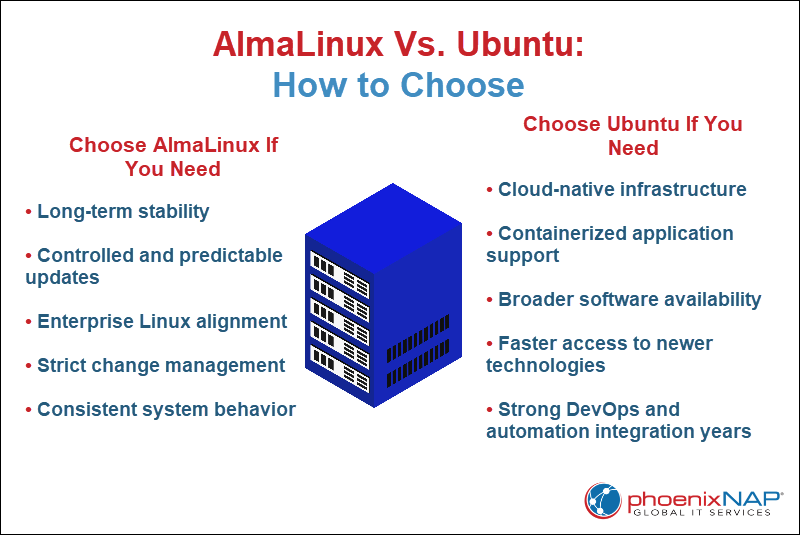
AlmaLinux is preferred in environments that prioritize long-term stability, controlled updates, and alignment with traditional enterprise Linux practices. It fits infrastructures where change management is strict, and system behavior remains consistent over many years.
Ubuntu is selected for cloud-native deployments, containerized applications, and environments that require broader software availability or faster access to newer technologies. It suits teams that value flexibility and strong integration with modern DevOps tools.
Use Cases for AlmaLinux
AlmaLinux is suited for environments that require long-term consistency and controlled change management. It is deployed in infrastructures where stability and enterprise alignment are higher priorities than rapid feature adoption.
Common use cases include the following:
- Enterprise data centers with strict change control. Systems that follow formal maintenance windows and require predictable behavior across long support cycles.
- RHEL-compatible production environments. Organizations that migrate from CentOS or maintain tools designed for RHEL-based systems.
- Legacy application hosting. Applications that depend on specific library versions and stable runtime environments over many years.
- Compliance-driven infrastructure. Regulated industries where minimal system drift and controlled updates simplify audits and validation processes.
- Long-term virtual machine deployments. Virtualized servers that are expected to run with minimal major upgrades.
Use Cases for Ubuntu
Ubuntu is well-suited for dynamic environments that prioritize flexibility and broad software access. It is selected for cloud-first and application-driven infrastructure.
Common use cases include the following:
- Cloud-native deployments. Public cloud servers that rely on official marketplace images and automation tools.
- Container-based platforms. Kubernetes clusters and Docker environments that benefit from strong ecosystem integration.
- Modern web and API hosting. Applications that depend on newer language runtimes or frequently updated frameworks.
- Startup and small team infrastructure. Environments where ease of setup and large community resources reduce operational overhead.
- Rapid development and testing environments. Systems that require frequent provisioning and shorter lifecycle instances.
Conclusion
This tutorial explained what AlmaLinux and Ubuntu are, their features, advantages, and disadvantages. It also performed an in-depth comparison between the two across several categories. Moreover, the text presented reasons to choose between two servers and outlined their use cases.
Next, read the ultimate Linux server guide.