openSUSE is popular among sysadmins, DevOps engineers, and power users who need to manage systems at scale. It's built for server and enterprise environments and includes versatile administration tools to speed up deployments.
Ubuntu, on the other hand, was the first distribution to make Linux truly accessible for everyday users. You could install it on older or budget hardware and expect everything to work right away.
Learn about the differences between openSUSE and Ubuntu in this short comparison.
OpenSUSE vs. Ubuntu: Overview
The following table provides a short overview of how openSUSE and Ubuntu differ:
| Feature | openSUSE | Ubuntu |
|---|---|---|
| Initial Release | 2005 | 2004 |
| Base | Independent distribution | Debian-based |
| Primary Usage | Servers, DevOps, and professional workstations. | Desktop users, beginners, and developers. |
| Desktop Experience | KDE Plasma or GNOME; customizable with advanced system tools. | GNOME (Ubuntu Desktop); User-friendly and familiar for new Linux users. |
| Preinstalled Apps | Fewer apps by default, the focus is on flexibility and customization. | General-purpose apps for office, media, and everyday use. |
| Package Manager | Zypper with RPM packages. | APT with DEB packages. |
| Release Models | Leap: Fixed, stable releases. Tumbleweed: Rolling release with the latest packages. | Regular releases + Long-Term Support (LTS) releases. |
| System Management Tools | Cockpit for system settings, and Myrlyn for software management. | Standard GUI tools and command-line configuration. |
| Filesystem Defaults | Native Btrfs for snapshots and rollback. | ext4 for desktops (Btrfs optional). |
| Enterprise Offering | SUSE Linux Enterprise (SLE). | Paid support from Canonical. |
| Security | AppArmor, Snapper rollbacks, and strong enterprise security tooling. | AppArmor and automatic security updates. |
OpenSUSE vs. Ubuntu: In-Depth Comparison
While both openSUSE and Ubuntu can run on desktops, servers, and development environments, they take different approaches to usability and system management.
Refer to the sections below for more details.
Ease of Use
openSUSE does not have the same level of mainstream presence as Ubuntu, but it remains very user-friendly, especially with the KDE Plasma desktop. Tools like Myrlyn, YaST, and Cockpit allow users to complete advanced configuration tasks from a single graphical interface.
Beginners can still enjoy openSUSE, but power users who want more control and customization options will feel right at home.
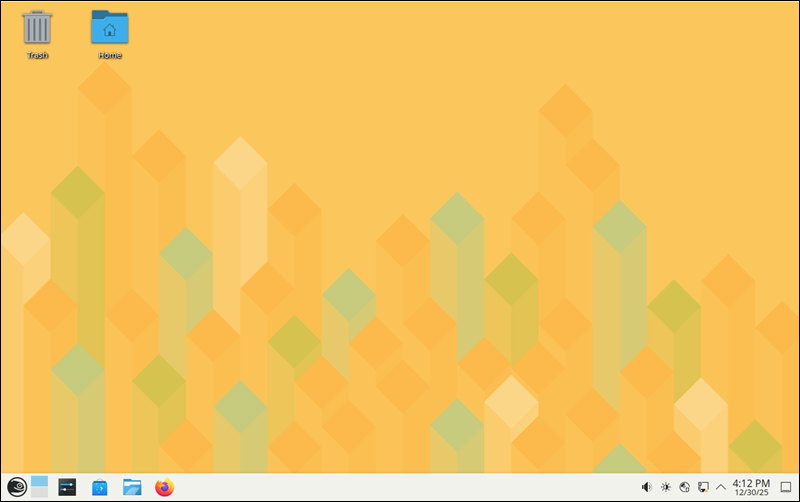
Ubuntu is often the go-to recommendation for people trying Linux for the first time. The GNOME desktop interface is clean and intuitive, and Windows users often settle in fast thanks to the familiar layout and navigation.
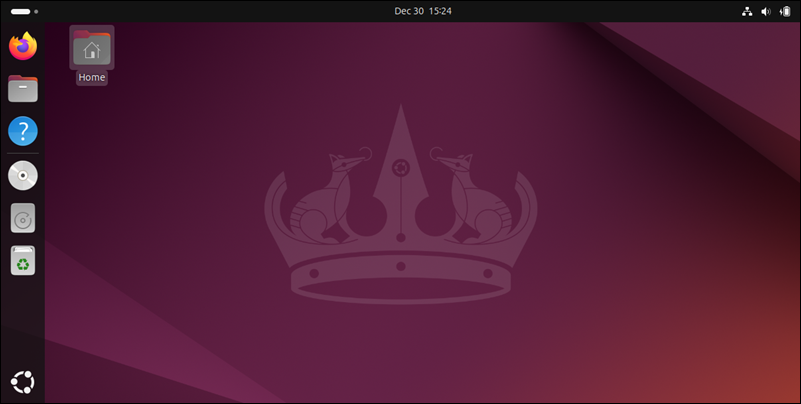
Most hardware works with minimal configuration, while software installation runs smoothly through the Ubuntu Software Center and its extensive official repositories.
Performance
openSUSE Leap is closely aligned with SUSE Linux Enterprise, the paid business version used in large organizations. As a result, it does not push new features aggressively, and everything is thoroughly tested before release. Performance is stable over the long term, and the system can handle sustained workloads extremely well. Leap is a strong choice for production servers and professional workstations.
KDE Plasma, the recommended desktop for openSUSE, is lightweight and fast. It uses significantly less memory than GNOME, helping the system stay responsive even on older systems with limited RAM.
Note: To keep your system fast and healthy, learn how to monitor memory usage in Linux (CLI and GUI).
The same applies to server-side deployments. openSUSE can run heavy workloads, such as databases, virtualization, or storage services, without performance drops. It is a set-it-up-once-and-let-it-run kind of system.
Ubuntu performs very well on modern desktops and laptops. Boot times and application responsiveness are strong, especially on SSD-based systems.
Note: Learn how to check CPU usage in Linux from the command line.
The default GNOME desktop feels modern, but it also consumes a lot of system resources. On modest hardware and older CPUs, performance can dip. However, Ubuntu does offer lightweight desktop flavors like Xubuntu and MATE, which run much better on lower-spec systems.
Ubuntu stands out in environments that demand speed, scalability, and frequent updates, such as servers and cloud platforms. It's a top choice for containerized workloads and cloud apps that use Docker and Kubernetes.
Use Cases
openSUSE is primarily used for systems that need to stay stable and reliable for a long time, including:
- Servers that host websites, virtual machines, and internal business applications.
- Computers that run demanding tasks for long periods without rebooting.
- IT and DevOps setups where administrators need to manage many systems simultaneously.
- Secure and tightly controlled environments.
- Custom workstations for users who like fine-tuning and complete control over how their system behaves.
Thanks to its quick deployment and user-friendly environment, Ubuntu is often used in:
- Personal computers and laptops for browsing, media, and office work.
- Developer workstations that need the latest tools and software packages.
- Learning Linux and coding thanks to a huge community and extensive documentation.
- Cloud deployments where scaling and automation are paramount.
- Lightweight servers and IoT devices using streamlined Ubuntu Server editions.
Installation Tools
openSUSE uses a package manager called Zypper. It provides the same functionality as tools like YUM, APT, and DNF on other Linux distributions. Most software installation and update commands will feel familiar to users with prior Linux experience.
Starting with openSUSE 16.0, system configuration has shifted to browser tools like Cockpit for managing system settings and services, while Myrlyn provides a graphical interface for software management.
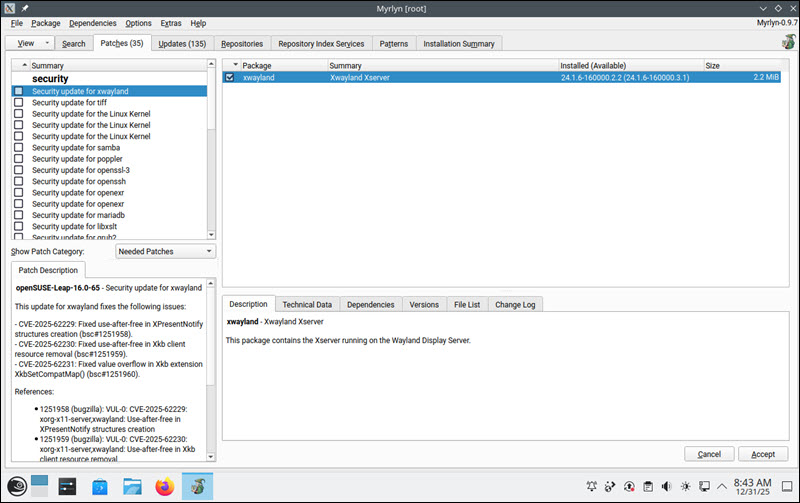
YaST is still available, but it is no longer the primary graphical toolset for desktop users.
Ubuntu uses APT as its main package manager for installing and updating software. On desktops, the Ubuntu Software Center provides an interface for browsing and installing applications with just a few clicks.
For automated installations, especially on servers or in cloud environments, Ubuntu uses cloud-init, which allows systems to configure themselves on first boot based on scripts or templates.
Updates and Releases
openSUSE has two release models depending on whether you value maximum stability or want access to the latest software:
| openSUSE Leap | A stable and thoroughly tested release based on the SUSE Linux Enterprise. Leap 16.0 will receive full maintenance and security support until July 31, 2034. |
| openSUSE Tumbleweed | A rolling-release version that receives updates as soon as new features are ready. Developers can test the latest kernels, drivers, and development tools before they are eventually incorporated into stable releases. |
Ubuntu also gives you a choice between stability and new features:
| LTS Releases | Long-Term Support versions like Ubuntu 24.04 LTS are released every two years and supported for up to five years. |
| Regular Releases | Released every 6 months, they include newer features and software but have a much shorter support period. It's best for power users who like to upgrade frequently and test new features. |
Both distributions let you choose what matters more: stability or cutting-edge updates.
Support
Most users rely on the openSUSE community for help, one of the most active and knowledgeable communities around. Users get free maintenance and security updates throughout openSUSE Leap's lifecycle.
If your needs grow, switching from openSUSE Leap to the paid SUSE Linux Enterprise is straightforward, allowing you to scale without reinstalling or significantly changing your environment.

Ubuntu offers a similarly flexible support model but leans more heavily towards beginners and small teams. The online community is huge, extensive documentation is readily available, and help is easy to find through platforms like Ask Ubuntu.
Canonical, Ubuntu's sponsor, also offers paid support plans and extended security maintenance, primarily for enterprise and cloud environments.
Cloud Integration
OpenSUSE is more commonly seen in private cloud or hybrid cloud setups where organizations want tighter control over their resources. Strong native administration tools, such as Myrlyn, YaST, and Btrfs snapshots, are ideal for controlled production environments.
While openSUSE is not the most common choice on major public cloud platforms, it still integrates well with virtualization technologies like VMware and KVM. It is frequently used in on-premises infrastructure where internal standards and stability are a priority.
Note: Find out why some companies are leaving the cloud in favour of on-prem infrastructure in a growing trend called cloud repatriation.
Ubuntu is used practically everywhere in the cloud. Providers like AWS, Microsoft Azure, and PhoenixNAP BMC offer one-click Ubuntu installations. When you create a new virtual machine, Ubuntu is often listed alongside Windows Server as the default Linux choice.
Many cloud providers offer pre-optimized Ubuntu images ready for DevOps and IaC tools such as Terraform, Pulumi, and Ansible.
Note: Find out how a Bare Metal Cloud IaC integration can help you simplify complex infrastructure deployments.
Due to Canonical's formal partnerships with many public cloud providers, deployment guides, templates, and automation examples are often written with Ubuntu in mind.
Security
openSUSE uses the AppArmor security framework to limit what applications can access on your system. If a program is compromised, for example by malware, AppArmor is designed to prevent it from spreading through files, networks, and hardware. SELinux is also available as an alternative security model for organizations in regulated industries such as finance and healthcare.
The distribution also includes Btrfs snapshots with Snapper. This feature allows you to roll back the entire system if an update or new configuration has issues. One reboot restores a working state, which is especially useful when configuring critical services like web servers or databases.
Note: A backup protects your data, but you still need a disaster recovery plan to ensure business continuity.
Ubuntu also uses AppArmor for application-level security. It includes automatic security updates, great for users who want a secure system with minimal maintenance. In addition, with such a large community behind it, Ubuntu vulnerabilities are usually patched very quickly.

Canonical offers a paid server feature called Livepatch. It applies kernel security fixes while the server is still running. This helps avoid downtime in environments where frequent reboots negatively impact applications and users.
Customization
openSUSE is a customization playground. It is ideal for users who want their system to work exactly the way they configure it. This level of flexibility requires intermediate to advanced technical knowledge, but you can fine-tune almost every component, from how the bootloader runs to how updates are applied.
During installation, openSUSE lets you choose from several customizable desktop environments, including KDE Plasma, GNOME, and XFCE.
Ubuntu also supports customization, but with a more beginner-friendly approach. There is no need to use a command-line interface (CLI) unless you want to. The GNOME desktop lets users change themes, extensions, and workflow layouts through simple graphical menus.
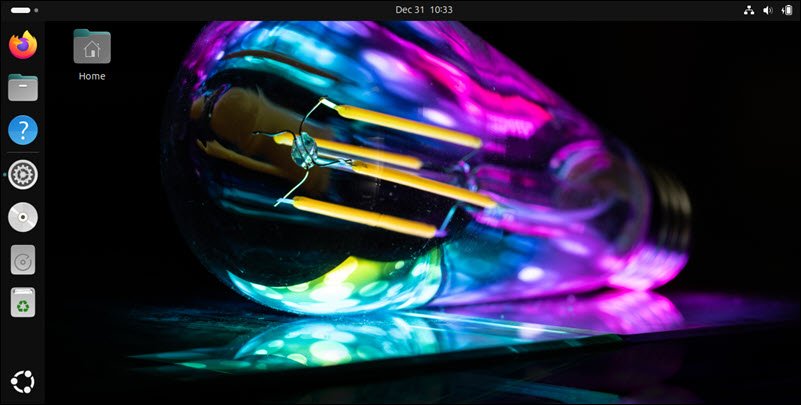
Users who want an alternative desktop environment can choose from official Ubuntu flavors like Kubuntu (KDE Plasma), Xubuntu (XFCE), and others.
How to Choose Between OpenSUSE and Ubuntu
openSUSE and Ubuntu are both great Linux distributions, just designed for different types of users. The choice between the two depends on what you need today and where you want to grow in the future.
Choose openSUSE if you:
- Manage servers or workstations and are looking for a long-term stable OS.
- Work in DevOps or IT and need strong system management tools, like YaST.
- Need robust rollback and recovery features such as Btrfs and Snapper.
- Want deep customization options and precise control over how your system behaves.
- Work in on-premises or hybrid cloud environments where stability is critical.
- Need enterprise-grade features that trickle down from the SUSE Linux Enterprise ecosystem.
Choose Ubuntu if you:
- Plan to move away from Windows and macOS and want a fast and simple transition.
- Prefer a hands-off experience where updates, drivers, and apps work out of the box.
- Develop software and want fast access to the latest stacks, tools, and DevOps automation.
- Plan to deploy workloads to the public cloud.
- Value a large community with extensive documentation and fast support.
Conclusion
This article outlined the similarities and key differences between openSUSE and Ubuntu. You now have a clearer picture of each system's strengths and are better equipped to choose the right platform for your organization.
To explore more Linux alternatives, read our in-depth comparison between Debian vs. Ubuntu servers or Rocky Linux vs. AlmaLinux.