HTTP status codes play a critical role in how browsers, users, and search engines understand what happens when a request reaches a server. Among them, the 401 Unauthorized and 403 Forbidden errors are often confused because both involve access restrictions. However, they signal different problems and require different fixes.
This guide will explain the differences between the 401 and 403 errors, why they occur, how they affect SEO, and how to identify and fix them correctly.
What Is 401 Status Code?
The 401 Unauthorized status code means the server received the request, but rejected it because authentication failed or was not provided. The resource exists, but the server requires valid credentials to grant access.
When returning a 401 response, the server provides instructions for the client to authenticate. It does this by sending a WWW-Authenticate response header, which specifies the authentication scheme the client must use, such as Basic authentication, bearer tokens, or a session-based login flow.
This status code differs from permission-related errors because access is not permanently blocked. Once the client provides valid credentials, the server often allows the request without any additional configuration changes.
401 Example
A 401 error appears when a client requests a protected resource without providing valid authentication credentials. The server recognizes the request but refuses to serve the content until the client proves its identity.
For example, a browser or API client sends a request to a private endpoint that requires authentication, but the request includes no authorization header or contains expired credentials. Instead of returning the requested content, the server returns a 401 status code.
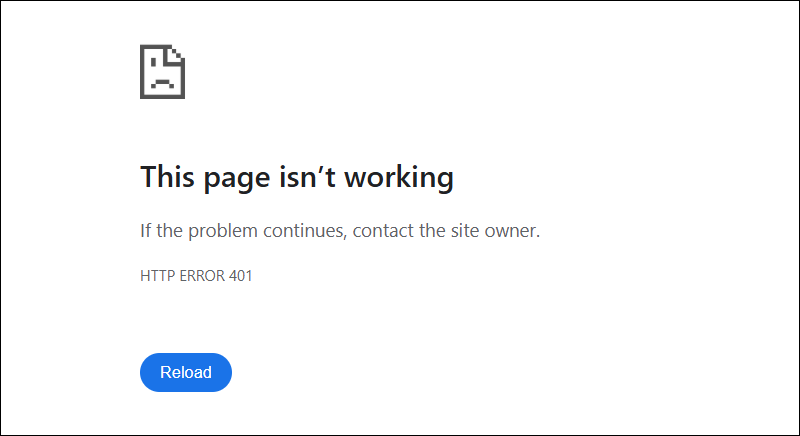
In web applications, the response depends on how authentication is implemented. Some applications redirect unauthenticated users to a login page, while others return a generic browser error page when no custom handling exists.
In API-based systems, the response is usually a structured error message that indicates authentication is required.
What Causes 401 Error?
A 401 error occurs when a request reaches a protected resource without successful authentication. The server requires the client to authenticate before it grants access.
Common causes of a 401 error include:
- Missing authentication credentials. The request is sent without any authorization information, even though the resource requires authentication.
- Invalid credentials. The client provides a username, password, token, or key that does not match the server's expectations.
- Expired credentials or tokens. Session cookies, access tokens, or API keys have expired and are no longer accepted by the server.
- Incorrect authentication configuration. The server is configured to require authentication for a resource, but the authentication mechanism is misconfigured or unavailable.
- Cleared or blocked cookies. In browser-based applications, authentication relies on session cookies that are missing due to client-side settings or cache clearing.
What Is 403 Status Code?
The 403 Forbidden status code means the server understood the request and the client's identity, but refuses to authorize access to the requested resource. Authentication is not the issue. However, the access is blocked due to permission or policy rules.
A 403 response indicates the server intentionally denies the request and does not expect the client to gain access by retrying with different credentials. The restriction is enforced by access control rules, security policies, or server configuration.
Unlike a 401 error, a 403 status code signals that authentication has already succeeded or is not required, but the client does not have permission to access the resource.
403 Example
A 403 error appears when a client successfully reaches a resource but is blocked by server-side access rules. The request is valid, and authentication is either already completed or not required, but the server refuses to return the content.
For example, a logged-in user requests a page restricted to a different role or permission level. The server recognizes the user but denies access because the account lacks the required privileges.
In web browsers, this often results in a static Forbidden page rather than a login prompt.
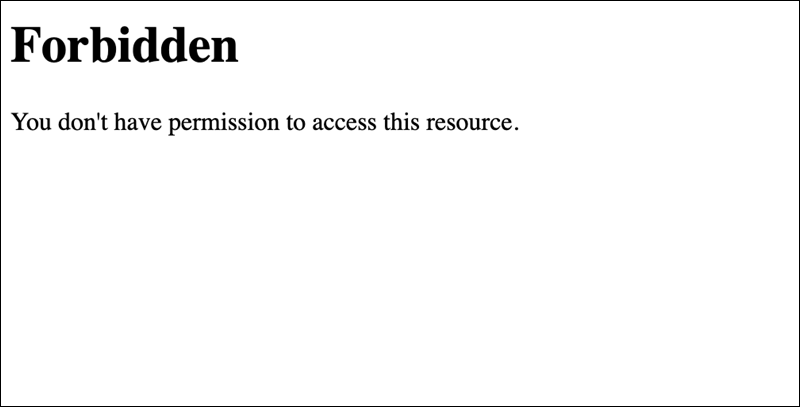
In API scenarios, a 403 response usually indicates the client is authenticated but lacks permission to perform the requested action on the resource.
What Causes 403 Error?
A 403 error occurs when the server enforces access restrictions that prevent the client from reaching a resource, even though the request itself is valid.
Common causes of a 403 error include:
- Disabled directory listing or restricted paths. The server is configured to block access to certain directories or internal paths.
- Insufficient permissions. The authenticated user or API client does not have the required access rights for the requested resource.
- IP-based access restrictions. The server blocks requests from specific IP addresses, regions, or networks.
- File or directory permission issues. The web server process does not have permission to read or execute the requested file or directory.
- Security rules or firewalls. Web application firewalls, security plugins, or server-level rules deny the request based on policy checks.
401 vs. 403: Differences and Similarities
Both 401 and 403 status codes are used to block access to a resource, but they represent different access control process stages.
The following table highlights the differences between these errors:
| Aspect | 401 | 403 |
|---|---|---|
| Primary issue | Authentication failure or missing credentials. | Authorization or permission restriction. |
| Authentication required | Yes. | Not necessarily. |
| Credentials provided | Missing, invalid, or expired. | Valid or not required. |
| Server expectation | Client should authenticate and retry. | Client is not allowed access. |
| Access after retry | Possible with valid credentials. | Not possible without permission changes. |
| Typical server response | Prompts for authentication. | Denies access without a login prompt. |
| Common use cases | Login-protected pages, private APIs. | Role-based access, IP restrictions, and restricted files. |
| SEO handling | Often treated as temporary. | Often treated as an intentional restriction. |
The following sections explain the most important distinctions and their practical implications.
Authentication vs. Authorization
Authorization and authentication represent two separate stages of access control, and the difference between them explains why 401 and 403 errors are not interchangeable.
Authentication verifies the client's identity. This process involves validating credentials such as usernames and passwords, session cookies, or API tokens. When authentication fails or is not performed, the server returns a 401 status code because the client has not been authenticated.
Authorization defines what an authenticated client is allowed to access. At this stage, the server applies permission rules, role checks, or policy restrictions. If the client lacks sufficient privileges to access the requested resource, the server returns a 403 status code.
A 401 error indicates authentication is required or has failed, while a 403 error indicates access is denied due to authorization rules.
Retry Behavior and Server Expectations
Retry behavior is another practical difference between 401 and 403 errors and influences how clients, applications, and users respond to access failures.
When a server returns a 401 status code, it expects the client to retry the request after it completes authentication. This often prompts the user to log in again, refresh an expired token, or resend the request with valid credentials. From the server’s perspective, access remains possible once authentication succeeds.
A 403 status code does not imply a retry path. The server explicitly denies access based on permission or policy rules, and resending the same request does not change the outcome. Access becomes possible only after server-side changes, such as permission modifications, access rule updates, or security policy adjustments.
Server Intent and Response Semantics
HTTP status codes communicate intent, not just failure. The difference between 401 and 403 responses signals how the server expects the client to interpret and react to the denial.
A 401 response indicates authentication is required to proceed. The server remains open to serving the resource once the client satisfies the authentication requirements. This behavior is explicit in the protocol and reinforced through authentication-related response headers.
A 403 response communicates a deliberate access restriction. The server processes the request but refuses to authorize it based on existing rules or policies. The response indicates the request is understood and final under the current conditions, without suggesting a corrective action on the client side.
401 and 403 and SEO
HTTP status codes influence how search engines crawl, interpret, and rank content. While 401 and 403 errors primarily serve as access control mechanisms, they also affect indexation decisions, crawl behavior, and the perceived site quality.
The following sections cover the main SEO impacts of these errors, which include page indexation, crawl budget, and user experience.
Page Indexation
Indexation is the process by which search engines add pages to their databases so they appear in search results. How a server responds to a request influences whether a page gets indexed or ignored.
A 401 response signals the resource requires authentication. Search engines treat these pages as temporarily inaccessible and do not index them.
A 403 response indicates access is intentionally forbidden. Search engines interpret this as a permanent restriction and exclude the page from the index. Returning 403 for content that should be publicly accessible results in lost visibility and ranking potential.
Crawl Budget
Crawl budget refers to the number of pages a search engine crawls on a website within a given timeframe. Efficient use of this budget ensures important pages are discovered and indexed promptly.
When a server returns 401 or 403 responses, search engines may waste crawl budget on pages they cannot access. Frequent 401 errors lead crawlers to delay revisiting protected content, while persistent 403 responses signal restricted resources the crawler should ignore.
User Experience
User experience is affected by 401 and 403 errors because they determine how visitors interact with restricted content.
A 401 error prompts the user to authenticate, often through a login form or credential request. Clear messages and functional authentication flows help minimize frustration and prevent users from abandoning the site.
A 403 error indicates access is permanently denied. Users who encounter this status code usually receive a clear explanation or alternative navigation options, as repeated forbidden responses without guidance lead to confusion and reduce trust in the website.
How to Check for 401 and 403 Errors
Identifying 401 and 403 errors requires a combination of search engine data, automated scanning, and server-level inspection. Each method provides a different perspective, from how search engines see the site to how the server processes individual requests.
The following sections present these methods.
Google Search Console
Google Search Console shows how Googlebot encounters access-related errors while crawling a website. In the Pages and Crawl stats reports, 401 and 403 responses appear when Google cannot access URLs due to authentication or permission restrictions.
This tool helps identify:
- Blocked pages that should be publicly accessible.
- Authentication issues that affect crawlability.
- Patterns that indicate misconfigured access rules.
Website Audit Tools
Website audit tools simulate crawler behavior and scan a site for HTTP errors, which include 401 and 403 responses. They help surface access issues across large numbers of URLs.
Commonly used tools include:
- Screaming Frog SEO Spider. Crawls websites and reports HTTP status codes, which allows you to filter by 401 and 403 responses.
- Ahrefs Site Audit. Identifies blocked or inaccessible pages and highlights their SEO impact.
- SE Ranking Website Audit. Flags authorization and permission errors and ties them to indexation and ranking signals.
- Semrush Site Audit. Detects forbidden and unauthorized pages and prioritizes them by severity.
Log File Analysis
Log file analysis examines raw server logs to see how requests are handled in real time. This method shows which clients receive 401 or 403 responses, which include browsers, APIs, and search engine crawlers.
By analyzing logs, site owners can:
- Confirm whether search engines encounter access restrictions.
- Identify recurring authentication failures.
- Trace permission issues to specific files, directories, or rules.
Log analysis provides the most accurate view of server behavior and is essential when diagnosing persistent or inconsistent access errors.
How to Fix 401 and 403 Errors?
Fixing 401 and 403 errors starts with identifying whether the problem lies in authentication or authorization. Although both errors block access, they require different corrective actions and are to be handled separately.
The sections below outline the most effective checks and fixes for each status code.
Fixing 401 Errors
401 errors are resolved by addressing authentication failures or misconfigurations.
Do the following to fix a 401 error:
- Verify authentication credentials. Confirm usernames, passwords, API keys, or tokens are correct and up to date.
- Check the token or session expiration. Renew expired access tokens, refresh sessions, or adjust token lifetimes where appropriate.
- Review authentication headers. Ensure the request includes the required authorization header and follows the expected format.
- Inspect authentication configuration. Check server or application settings for misconfigured authentication providers or disabled auth modules.
- Clear client-side session data. In browser-based systems, corrupted or missing cookies sometimes prevent successful authentication.
Fixing 403 Errors
403 errors require changes to server permissions or access policies.
To fix a 403 error, attempt the following:
- Review user roles and permissions. Confirm the authenticated user or API client has the necessary access rights to the requested resource.
- Check file and directory permissions. Verify the web server process is able to read or execute the requested files and directories.
- Inspect IP and network restrictions. Remove or adjust IP allowlists, geoblocking rules, or firewall restrictions if they block legitimate traffic.
- Review security rules and firewalls. Web application firewalls, security plugins, or server rules sometimes deny requests based on false positives.
- Validate access control configuration. Ensure access rules align with the resource's intended visibility and are not overly restrictive.
Conclusion
This tutorial explained what 401 and 403 status codes are, their causes, and their differences. It also elaborated on the effects of these errors on SEO and showed how to check for them. The text also provided fixes for both error codes.
Next, read our comprehensive guide on network troubleshooting.