Distributed cloud is changing how businesses use cloud computing. Instead of keeping all cloud services in one central data center, distributed cloud spreads resources across different locations closer to users and devices.
This helps companies improve speed, reduce delays, strengthen reliability, and meet local data regulations. It also gives organizations the flexibility of the cloud while keeping workloads where they perform best.
In this article, we will explore what distributed cloud is, how it works, and why more companies are adopting it.
What Is a Distributed Cloud?
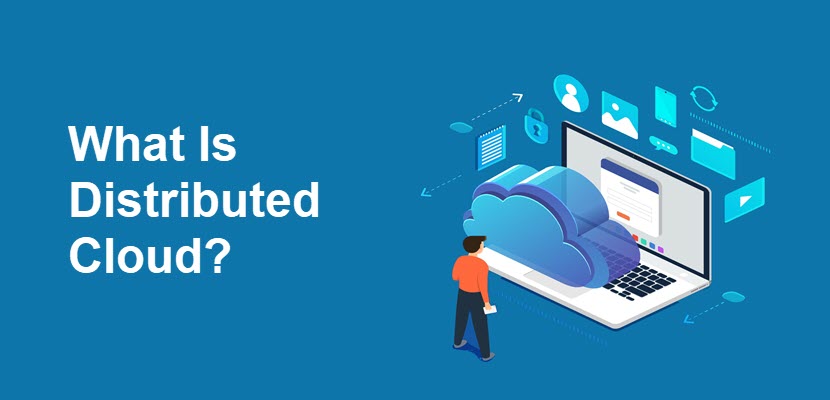
Distributed cloud is a cloud computing model where cloud services are spread across multiple physical locations instead of running from a single centralized data center. These locations can include public cloud regions, private data centers, edge locations, or facilities closer to users and devices.
Even though the infrastructure is distributed across geographical zones, it is still managed as one unified cloud environment. This centralized management allows organizations to monitor, deploy, secure, and scale their cloud workloads consistently across all locations while improving performance, reducing latency, increasing reliability, and supporting applications that require real-time processing closer to users or connected devices.
Read more about potential edge computing challenges your business might face along the line.
Distributed vs. Standard Cloud
Standard cloud computing relies mostly on centralized data centers where applications and data are hosted in a few large cloud regions. This approach is easier to manage and works well for general workloads, but performance can suffer when users are far from the cloud region. Distributed cloud spreads cloud resources across multiple locations closer to users, devices, or specific geographic regions. This reduces latency, improves reliability, supports real-time processing, and helps businesses meet local data regulations.
Distributed vs. Hybrid Cloud
Hybrid cloud combines private infrastructure with public cloud services, allowing businesses to move workloads between the two environments depending on their needs. The focus is mainly on integrating different types of infrastructure while keeping some resources on-premises and others in the cloud. Distributed cloud, on the other hand, focuses on spreading cloud services across multiple geographic locations while managing them as a single cloud environment.
Distributed vs. Multi-Cloud
Multi-cloud means using services from multiple cloud providers, such as AWS, Google Cloud, and Azure, at the same time. Businesses often choose this approach to avoid vendor lock-in, improve redundancy, or use the best services from each provider. However, each cloud environment is usually managed separately. Moreover, distributed cloud is different as it focuses on distributing cloud resources across many physical locations while managing them as one unified platform.
Learn more about the differences between multi-cloud and hybrid cloud to make an informed decision for your daily operations.
Distributed Cloud vs. Edge Computing
Distributed cloud and edge computing both bring computing resources closer to users and devices, but they are not the same thing.
Edge computing focuses specifically on processing data at or near the source where it is created, such as Internet of Things (IoT) devices, sensors, factories, or local edge servers. Edge computing is often used to handle real-time tasks with very low latency, while distributed cloud provides a broader cloud infrastructure that can include edge locations as part of its architecture.
In many cases, edge computing works together with distributed cloud to improve application speed and reduce the amount of data sent back to centralized cloud regions.
How Does Distributed Cloud Work?
Distributed cloud works by spreading cloud infrastructure and services across multiple physical locations while managing everything through a central cloud platform. Instead of relying on one large data center, workloads and data are placed closer to users, devices, or regional offices. This improves application performance, reduces delays, and helps businesses meet compliance and data residency requirements.
1. Deploying Infrastructure Across Multiple Locations
Cloud providers place infrastructure in different geographic locations, including public cloud regions, edge sites, local data centers, and partner facilities. These distributed locations allow applications and services to run closer to users and connected devices instead of depending entirely on a centralized cloud region.
2. Connecting Locations Through a Unified Network
All distributed cloud locations are connected through high-speed networks and managed as one environment. This allows workloads, applications, and data to move between locations when needed. Users can access services without needing to know where the resources are physically running.
3. Placing Workloads Closer to Users
The cloud platform automatically places applications and workloads in the most appropriate location. For example, video streaming, gaming, IoT systems, or AI applications run closer to end users, providing reduced latency, minimized service interruptions, and faster failover.
4. Managing Resources Centrally
Even though the infrastructure is distributed, administrators still manage everything from a central control platform. IT teams monitor systems, deploy applications, apply security policies, and scale resources across all locations from a single interface. This simplifies operations and reduces management complexity.
5. Synchronizing Data and Services
Distributed cloud environments continuously synchronize data, applications, and configurations between locations. This ensures systems stay updated and available even if one location experiences an outage. Businesses can maintain consistent performance and improve disaster recovery capabilities.
6. Securing Distributed Environments
Security tools and policies are applied across all distributed locations to protect data and applications. Cloud providers use the following methods:
- Encryption.
- Identity management.
- Network security.
- Monitoring systems.
This helps maintain consistent security standards throughout the environment, so businesses can safely run workloads across multiple regions and edge locations.
7. Scaling Resources Dynamically
Distributed cloud platforms can automatically scale resources up or down based on demand. If usage increases in a specific region, additional computing power and storage can be deployed closer to that location. This helps businesses maintain performance during traffic spikes without overprovisioning infrastructure.
Distributed Cloud Architecture
Distributed cloud architecture distributes compute, storage, networking, and platform services across geographically separated environments while maintaining centralized control planes, orchestration, and policy management. Deployments span public cloud regions, edge nodes, private data centers, colocation facilities, and on-premises infrastructure, allowing workloads to run closer to users, devices, or data sources.
Workloads are commonly deployed based on latency, bandwidth, resiliency, and regulatory requirements. Real-time and data-intensive applications are often placed at the edge or in regional locations to reduce round-trip latency, minimize backhaul traffic, and improve responsiveness. Less latency-sensitive workloads may remain in centralized cloud regions.
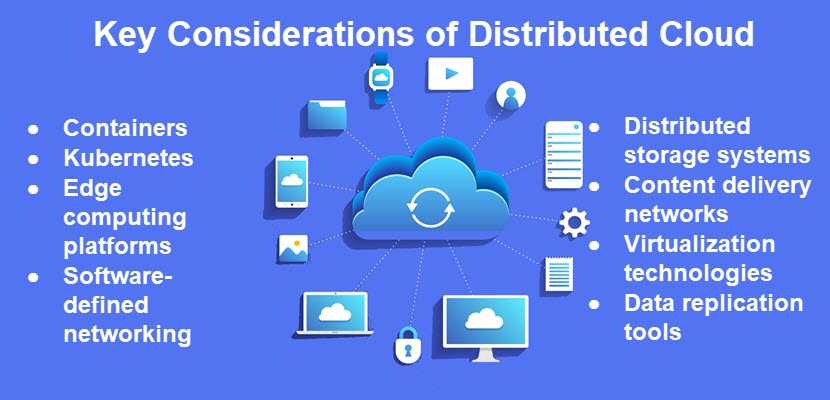
Centralized orchestration platforms manage workload scheduling, scaling, configuration, observability, identity policies, and lifecycle automation across all locations. Distributed cloud environments frequently rely on technologies such as containerized workloads, Kubernetes orchestration, software-defined networking (SDN), service meshes, distributed storage systems, and edge computing frameworks to maintain operational consistency across heterogeneous infrastructure.
The architecture also incorporates replication, failover, and synchronization mechanisms to support high availability and fault tolerance between locations. This enables organizations to operate globally distributed applications while maintaining consistent security controls, governance policies, and infrastructure management across multiple regions and deployment models.
phoenixNAP’s Bare Metal Cloud provides a dedicated and flexible infrastructure for cloud services automation. The architecture enables businesses to deploy workloads closer to user and application across the globe.
Distributed Cloud: Common Deployment Models
Distributed cloud can be deployed in several ways depending on business needs, performance requirements, and compliance goals. Some organizations focus on improving application speed closer to users, while others use distributed cloud to support remote locations, IoT devices, or regulatory requirements. The deployment model determines where workloads run and how cloud resources are distributed and managed.
Edge-Based Distributed Cloud
In this model, cloud resources are deployed at edge locations close to users, devices, or data sources. Applications process data locally instead of sending everything to a centralized cloud region. This approach is commonly used for IoT, autonomous systems, video streaming, gaming, and AI workloads that require very low latency and fast response times.
Regional Distributed Cloud
Regional distributed cloud places cloud infrastructure in multiple geographic regions to support low-latency access, geographic redundancy, and regional data governance requirements. Businesses run workloads closer to customers in different countries or cities while keeping centralized management.
On-Premises Distributed Cloud
With this deployment model, cloud services run inside a company’s own data center or facility while still being managed by a cloud provider. Businesses gain cloud-like scalability, automation, and centralized management while maintaining more control over infrastructure and sensitive data. This model is often used in industries with strict security or compliance requirements.
Multi-Cloud Distributed Cloud
This model distributes workloads across multiple cloud providers instead of relying on a single vendor. Organizations may use different providers for performance, availability, specialized services, or disaster recovery. A centralized management layer helps coordinate workloads and services across all cloud environments while maintaining flexibility and redundancy.
Hybrid Distributed Cloud
Hybrid distributed cloud combines public cloud, private infrastructure, and edge environments into one connected platform. Workloads can move between environments depending on performance, cost, security, or compliance needs. This model gives businesses flexibility to run sensitive applications privately while still taking advantage of public cloud scalability and global reach.
Distributed Cloud Benefits
Distributed cloud offers several advantages for businesses that need better performance, flexibility, and global scalability, including:
- Lower latency. Distributed cloud places workloads closer to users and devices, reducing the time it takes for data to travel. This improves application speed and responsiveness, especially for real-time services like gaming, AI, streaming, and IoT.
- Improved reliability. Because workloads run across multiple locations, services can continue operating even if one site experiences an outage. This improves uptime and helps businesses maintain service availability.
- Better scalability. Organizations can scale computing resources in different regions based on demand. This allows businesses to handle traffic spikes and growing workloads without relying on a single centralized location.
- Stronger compliance support. Distributed cloud helps businesses meet data residency and regulatory requirements by keeping sensitive data within specific geographic regions or local facilities.
- Enhanced user experience. Applications load faster and perform more consistently when resources are located closer to end users. This improves customer satisfaction and overall service quality.
- Support for edge computing. Distributed cloud works well with edge computing by allowing data processing near connected devices and sensors. This is important for industries that require real-time decision-making and low latency.
- Centralized management. Even though infrastructure is spread across many locations, businesses can still manage workloads, security, monitoring, and deployments from a single platform. This simplifies operations and reduces administrative complexity.
- Greater flexibility. Businesses can run workloads across public cloud regions, private infrastructure, and edge environments depending on performance, cost, or compliance needs. This makes it easier to adapt infrastructure to changing business requirements.
- Reduced bandwidth usage. Processing data closer to where it is created reduces the amount of information that needs to travel back to centralized cloud regions. This can lower network congestion and reduce bandwidth costs.
- Improved disaster recovery. Distributed cloud environments can replicate workloads and data across multiple locations. If one site fails, applications and services can continue running from another location with minimal disruption.
As businesses continue to adopt real-time applications, AI, and global digital services, distributed cloud provides the performance, flexibility, and reliability needed to support modern workloads at scale.
Distributed Cloud Challenges
While distributed cloud offers many advantages, it also introduces new technical and operational challenges, such as:
- Higher management complexity. Managing workloads, networking, storage, and security across multiple distributed locations can be more difficult than operating a centralized cloud environment.
- Increased security risks. More locations and connected systems create a larger attack surface. Businesses must secure data, devices, applications, and networks across all distributed environments.
- Network dependency. Distributed cloud relies heavily on stable and high-speed network connections between locations. Network outages or poor connectivity affect application performance and data synchronization.
- Data synchronization challenges. Keeping data consistent across multiple regions and edge locations can be difficult, especially for applications that process large amounts of real-time data.
- Compliance complexity. Although distributed cloud helps support compliance requirements, managing different regional regulations and data policies across countries can present a challenge.
- Higher infrastructure costs. Deploying and maintaining resources across many locations increases hardware, networking, and operational costs compared to using a centralized cloud model.
- Latency between regions. While local workloads benefit from lower latency, communication between distant cloud locations still introduces delays for certain applications and services.
- Limited standardization. Different cloud providers, edge platforms, and infrastructure environments may use different tools, architectures, and management systems, making integration more difficult.
- Monitoring and troubleshooting difficulties. Tracking performance issues and identifying failures across distributed systems becomes complex due to the large number of locations and moving parts involved.
- Skills and expertise requirements. Businesses may need specialized IT teams with knowledge of cloud architecture, networking, automation, security, and edge computing to successfully manage distributed cloud environments.
A successful distributed cloud strategy requires careful planning, strong security practices, reliable networking, and centralized management tools to reduce complexity and maintain consistent performance across all locations.
Distributed Cloud Use Cases
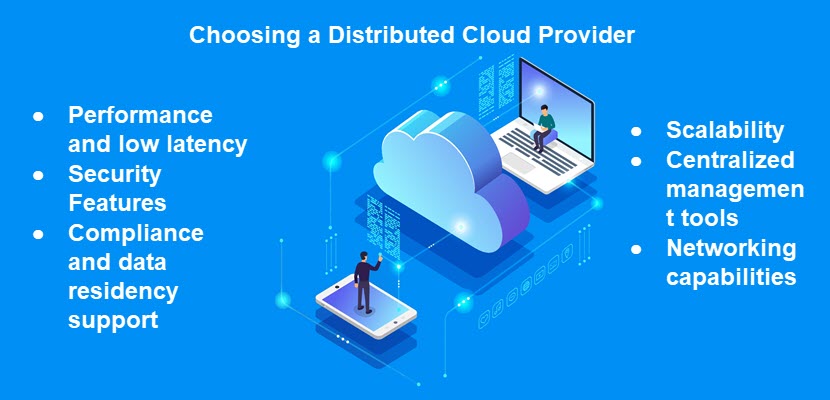
Distributed cloud supports many modern applications that require low latency, global scalability, real-time processing, and local data handling. Businesses use distributed cloud to improve performance, support remote operations, and deliver faster digital services closer to users and devices.
Content Streaming and Media Delivery
Streaming platforms use distributed cloud to deliver video, music, and live content from locations closer to viewers. This reduces buffering, improves playback quality, and helps services handle large numbers of users during peak traffic periods.
Internet of Things (IoT)
IoT devices generate massive amounts of data from sensors, machines, vehicles, and smart devices. Distributed cloud processes this data closer to where it is created, allowing faster responses, lower latency, and reduced bandwidth usage for real-time operations.
Artificial Intelligence and Machine Learning
AI applications often depend on low-latency processing, high-throughput data pipelines, and rapid inference execution. Distributed cloud environments support these requirements by placing compute and storage resources closer to users, devices, and data sources instead of relying only on centralized cloud regions. This architecture improves the performance of workloads such as real-time analytics, computer vision, automation systems, recommendation engines, and predictive modeling.
Online Gaming
Gaming platforms use distributed cloud to reduce latency between players and game servers. Lower latency improves responsiveness, reduces lag, and creates smoother multiplayer gaming experiences for users in different regions.
Retail and Ecommerce
Retail businesses use distributed cloud to support online stores, payment systems, inventory management, and personalized shopping experiences across multiple locations. Applications can respond faster during high-demand shopping periods while keeping services available globally.
Healthcare Systems
Medical applications and patient systems running on distributed cloud help medical staff access information more quickly and reliably. This improves response times for critical services, supports connected medical devices, and helps healthcare organizations maintain availability even during high-demand situations or local outages. Additionally, distributed cloud helps with compliance with relevant data protection regulations.
Smart Cities
Smart city infrastructure relies on distributed cloud to process data from traffic systems, surveillance cameras, public transportation, and environmental sensors. Local processing allows cities to respond faster to changing conditions and improve public services.
Manufacturing and Industrial Automation
Factories and industrial facilities use distributed cloud to support robotics, automation systems, predictive maintenance, and real-time monitoring. Processing data locally helps reduce delays and improves operational efficiency on production lines.
Financial Services
Banks and financial institutions use distributed cloud to support digital banking, fraud detection, real-time transactions, and trading platforms. Low-latency processing and regional data handling help improve security, performance, and compliance.
Remote Work and Collaboration
Distributed cloud helps businesses support remote employees by delivering applications and collaboration tools from locations closer to users. This improves application performance, video conferencing quality, and access to shared resources across global teams.
Distributed Cloud Security Considerations
Distributed cloud environments expand the security surface because applications, services, and data operate across multiple cloud regions, edge locations, networks, and on-premises environments instead of a single centralized infrastructure. Each distributed node, API endpoint, and interconnection introduces additional exposure that must be secured consistently across the environment. Organizations must protect workloads, data transfers, and management systems while maintaining unified security governance across geographically distributed infrastructure.
Common security measures include:
- Encryption.
- Identity and access management (IAM).
- Multi-factor authentication (MFA).
- Network segmentation.
- Zero-trust architecture.
- Firewalls.
- Secure API gateways.
- Endpoint protection.
- Continuous monitoring.
- Threat detection and response.
- Centralized logging.
- Security information and event management (SIEM).
- Vulnerability management.
- Patch automation.
- Backup and disaster recovery controls.
Maintaining visibility and regulatory compliance across distributed locations is also a major operational challenge. Organizations require centralized orchestration and security management platforms to enforce policies, monitor activity, detect threats, and manage updates across all regions and edge environments.
Distributed cloud deployments must often comply with data residency, sovereignty, and industry-specific regulations that restrict where sensitive data can be processed or stored. Automated policy enforcement, centralized governance, and continuous security auditing help reduce operational risk and maintain consistent protection across distributed infrastructure.
Read more about hybrid cloud security to learn how to protect sensitive data and operations.
Distributed Cloud: Best Practices
Distributed cloud best practices include:
- Using centralized management tools. Manage infrastructure, workloads, monitoring, and security from a single platform to maintain visibility and simplify operations across all locations.
- Implementing strong security policies. Apply consistent security controls across every distributed environment, including encryption, multi-factor authentication, identity management, and network segmentation.
- Adopting a zero-trust security model. Reduce the risk of unauthorized access across distributed systems by verifying every user, device, and application before granting access to resources.
- Optimizing workload placement. Deploy workloads closer to users and devices that need them most to reduce latency and improve application performance.
- Automating deployment and scaling. Use automation tools to deploy applications, manage updates, and scale resources dynamically based on demand across different regions and edge locations.
- Monitoring performance continuously. Track system health, application performance, network traffic, and resource usage across all distributed locations to quickly detect and resolve issues.
- Maintaining data consistency. Use reliable data replication and synchronization methods to keep information accurate and available across multiple locations.
- Planning for disaster recovery. Distribute backups and failover systems across different regions to maintain business continuity during outages or infrastructure failures.
- Designing for compliance requirements. Store and process sensitive data in approved geographic regions to meet industry regulations and local data residency laws.
- Standardizing infrastructure and tools. Use consistent platforms, configurations, and management practices across environments to reduce integration issues and simplify maintenance.
By following these best practices, businesses can build distributed cloud environments that are secure, scalable, reliable, and easier to manage as workloads and infrastructure continue to grow.
How to Implement a Distributed Cloud Deployment Model
Implementing a distributed cloud deployment model requires careful planning, reliable networking, centralized management, and clear workload placement. Businesses must decide where applications and data should run to improve performance, maintain security, and support scalability across multiple locations.
1. Assess Business and Technical Requirements
Start by identifying the business goals and technical needs for the distributed cloud environment. Evaluate application performance requirements, latency sensitivity, compliance obligations, geographic user distribution, and expected workload growth. This helps determine which workloads benefit most from distributed deployment.
2. Choose the Right Deployment Model
Choose the distributed cloud model that best fits the organization’s needs. Businesses may use edge, hybrid, multi-cloud, regional, or on-premises deployments depending on performance, compliance, and scalability requirements.
3. Select Infrastructure Locations
Determine where cloud resources should be deployed. These locations may include public cloud regions, private data centers, branch offices, or edge locations closer to users and connected devices. Proper placement helps reduce latency and improve application responsiveness.
4. Build Reliable Network Connectivity
Distributed cloud environments rely on strong and stable network connections between all locations. Businesses should implement high-speed networking, redundancy, secure communication channels, and traffic optimization to maintain performance and reliable data synchronization.
5. Deploy Centralized Management and Orchestration Tools
Use centralized tools to manage workloads, monitoring, automation, scaling, and security across the distributed environment. These platforms help simplify operations by allowing administrators to manage all locations from a single interface.
6. Implement Security Controls
Apply consistent security policies across every distributed location. This includes encryption, identity and access management, firewalls, network segmentation, zero-trust security practices, and continuous monitoring to protect workloads and sensitive data.
7. Optimize Workload Placement
Deploy applications and services in locations that offer the best mix of performance, cost, and compliance. Applications that need fast response times should run closer to users or devices, while less time-sensitive workloads can stay in centralized cloud regions.
8. Configure Data Replication and Synchronization
Set up systems that keep data synchronized across distributed locations. Reliable replication helps maintain consistency, improves availability, and supports disaster recovery if one location becomes unavailable.
9. Automate Scaling and Operations
Automation tools help manage deployments, updates, scaling, and resource allocation across the environment. Automated systems can quickly respond to traffic spikes and changing workload demands without requiring constant manual intervention.
10. Monitor and Continuously Optimize the Environment
Continuously monitor performance, security, costs, and network activity across all distributed locations. Businesses should regularly optimize workload placement, resource usage, and infrastructure configurations to maintain efficiency and improve long-term scalability.
The Future of Distributed Cloud
Growing demand for real-time processing, low-latency services, and geographically distributed applications is driving adoption of distributed cloud across industries that rely on AI, IoT, automation, content delivery, and data-intensive workloads.
As distributed architectures become more common, centralized management, observability, security automation, and workload orchestration platforms will play a larger role in simplifying operations across geographically dispersed infrastructure.
Although distributed cloud increases operational complexity, ongoing advances in automation, networking, and orchestration technologies are making large-scale distributed deployments more practical and scalable.