As organizations increasingly rely on virtual machines (VMs) to maximize hardware utilization and reduce hardware costs, they face growing challenges in managing these virtualized environments efficiently. Traditional approaches involve layering server virtualization software on top of a standard operating system (OS), which introduces unnecessary complexity, performance bottlenecks, and security vulnerabilities.
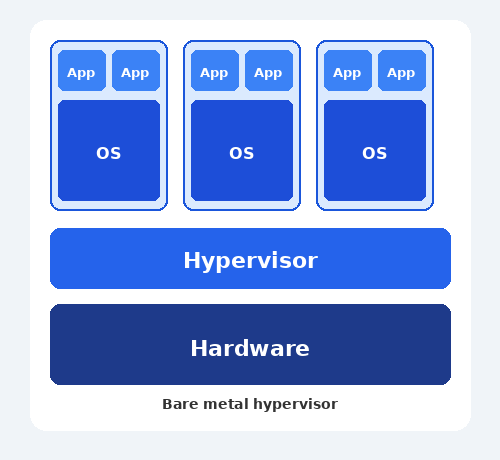
Bare metal hypervisors, also known as Type 1 hypervisors, offer a better solution. Bare metal hypervisors run directly on physical hardware without an intermediary OS. This lean, purpose-built approach delivers near-native performance, enhanced security, and greater stability for mission-critical workloads.
This article explains everything you need to know about bare metal hypervisors, including their benefits, drawbacks, and use cases.
What Is a Bare Metal Hypervisor?
A bare metal hypervisor is virtualization software that installs directly onto a computer's physical hardware. It manages and controls hardware resources without needing an underlying operating system. This allows a single machine to efficiently run multiple virtual machines.
This direct-to-hardware approach is crucial for modern data centers and enterprise environments. Eliminating the OS layer minimizes performance overhead and reduces potential points of failure. Organizations gain better resource utilization, stronger security through a smaller attack surface, and the ability to scale their virtualized infrastructure reliably.
Bare Metal vs. Hosted Hypervisor
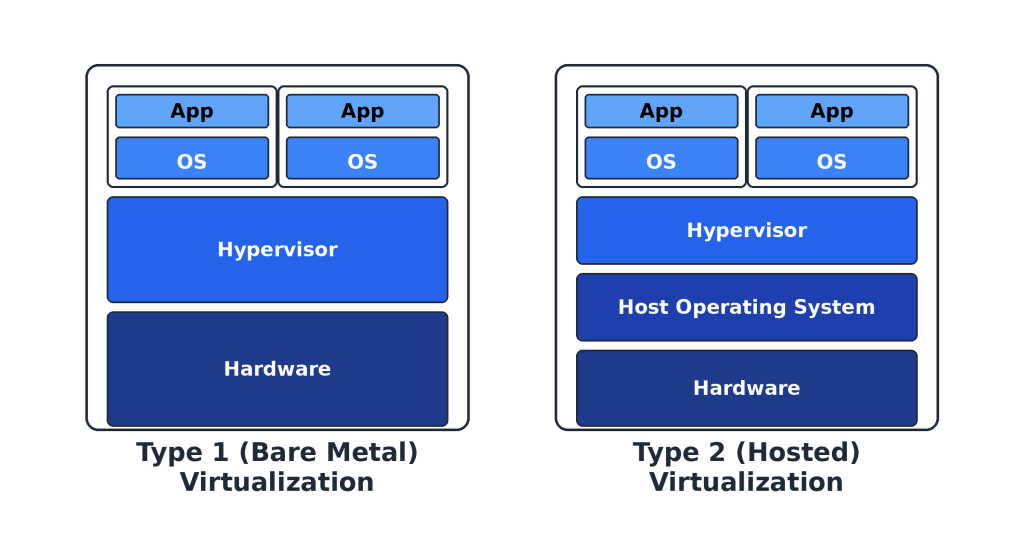
The following table provides an overview of key differences between bare metal (type 1) hypervisors and hosted (type 2) hypervisors.
| Point of Comparison | Bare Metal Hypervisor (Type 1) | Hosted Hypervisor (Type 2) |
| Installation | Directly on physical hardware | On top of a host operating system |
| Underlying OS | No underlying operating system required | Requires a host operating system |
| Performance | Higher performance due to direct access to hardware | Slightly slower due to the additional OS layer |
| Efficiency | Highly efficient resource utilization | Efficiency can be impacted by the host OS |
| Security | More secure because of a smaller attack surface | Less secure since the security is dependent on the hypervisor and the host OS |
| Scalability | Highly scalable; suitable for large-scale deployments | Less scalable; more suited for individual or small-scale use |
| Use Cases | Enterprise data centers, cloud environments | Development, testing, and small business environments |
Bare metal hypervisors run directly on physical hardware without an underlying operating system, giving them direct control over CPU, memory, storage, and network resources. This architecture delivers near-native performance, enhanced security through a minimal attack surface, and superior stability since there's no host OS that could crash or be compromised.
Solutions like VMware ESXi, Microsoft Hyper-V, and KVM dominate enterprise data centers and cloud infrastructure, where performance, reliability, and the ability to run hundreds or thousands of VMs efficiently are essential.
Hosted hypervisors operate as applications within an existing operating system like Windows, macOS, or Linux. This makes type 2 hypervisors easier to install and use, requiring no dedicated hardware or complex configuration. However, all VM requests must pass through the host OS, creating performance overhead and introducing additional points of failure.
Products like VMware Workstation, VirtualBox, and Parallels are ideal for development, testing, or running a few VMs on a personal computer, but they lack the efficiency and robustness needed for production environments.
How Does a Bare Metal Hypervisor Work?
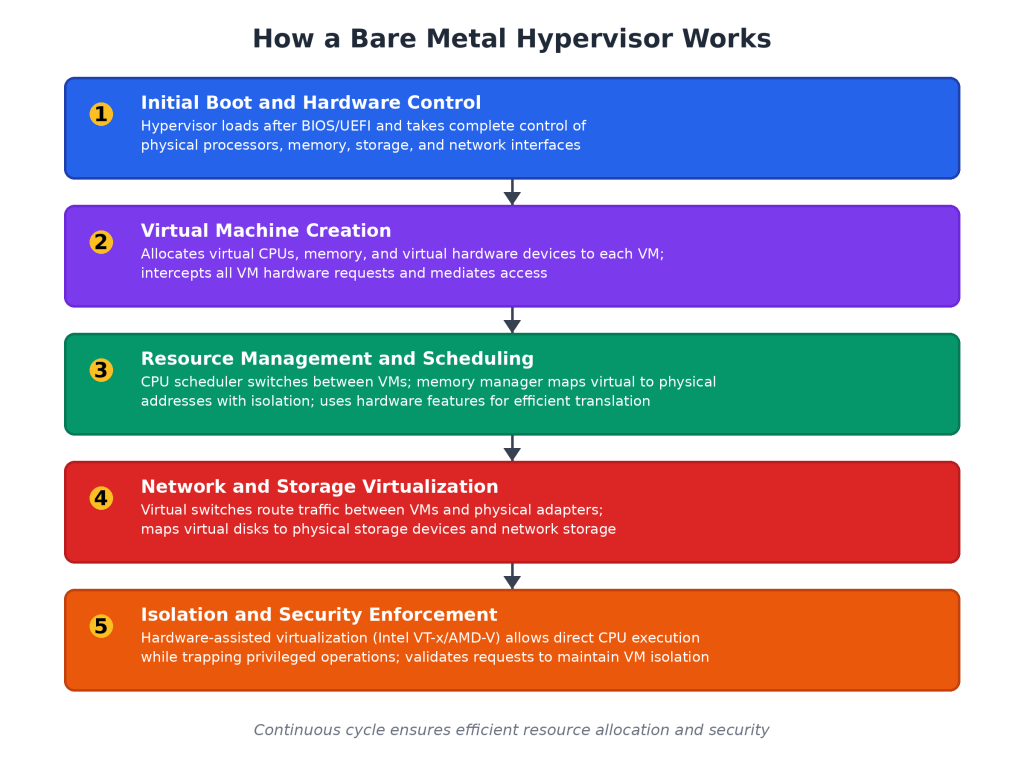
Bare metal hypervisors execute a precise sequence of operations from the moment a system they’re installed on powers on:
- Initial boot and hardware control. The bare metal hypervisor inserts itself as the first software layer immediately after the system firmware (BIOS or UEFI) initializes the hardware. During boot, it takes complete control of physical processors, memory, storage controllers, and network interfaces, establishing itself as the most privileged software on the system.
- Virtual machine creation. The hypervisor creates and manages virtual machines by allocating portions of physical resources to each VM. When a VM starts, it receives virtual CPUs, assigned memory ranges, and virtual hardware devices that its guest operating system can recognize. Each VM believes it has dedicated access to real hardware, but the hypervisor intercepts all requests and mediates access to actual physical components.
- Resource management and scheduling. The CPU scheduler rapidly switches between VMs to create the illusion of simultaneous execution, while memory management maps each VM's virtual addresses to physical RAM locations with strict isolation between VMs. Hardware capabilities like Extended Page Tables enable this address translation efficiently without performance overhead.
- Network and storage virtualization. Virtual networking operates through software switches that route traffic between VMs or out to physical network adapters. Storage virtualization maps virtual disks to physical storage devices, RAID arrays, or network attached storage, allowing flexible resource allocation across all VMs.
- Isolation and security enforcement. The hypervisor maintains complete isolation through hardware-assisted virtualization technologies like Intel VT-x or AMD-V. These processor extensions allow guest operating systems to execute most instructions directly on the CPU while automatically trapping privileged operations. When a VM attempts a privileged operation, the processor transfers control to the hypervisor, which validates the request, performs it safely, and returns control to the VM, ensuring no VM can escape its isolated environment.
Benefits of Bare Metal Hypervisors
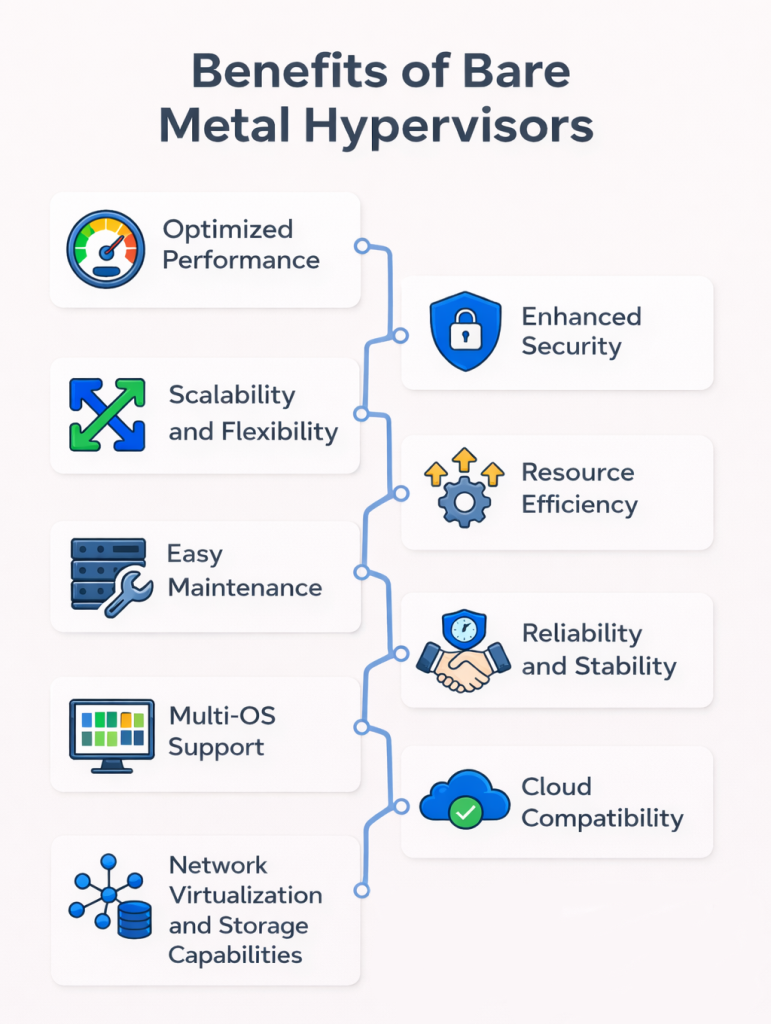
The following section explains key benefits of bare metal hypervisors.
Optimized Performance
Bare metal hypervisors deliver superior performance by giving VMs nearly direct access to physical hardware. Without a host operating system consuming resources, the thin virtualization layer adds minimal overhead, allowing VMs to run at speeds close to bare metal servers.
Modern processors include hardware-assisted virtualization that further boosts performance by handling certain tasks at the chip level. This efficiency means resource-intensive applications like databases and high-traffic web services can run virtualized without significant performance loss.
Enhanced Security
Bare metal hypervisors provide strong security through isolation and a reduced attack surface. Each VM operates in its own isolated environment, preventing compromised machines from affecting others on the same hardware.
Without an underlying operating system to exploit, attackers have fewer entry points and less code to target. This minimal software footprint, combined with built-in security features like encrypted VM storage and secure boot capabilities, makes bare metal hypervisors inherently more resilient.
Scalability and Flexibility
Through efficient resource management, bare metal hypervisors scale to support hundreds or thousands of VMs on a single physical server. Their direct hardware access enables rapid VM provisioning, live migration between hosts without downtime, and dynamic resource allocation that adapts to changing workload demands.
This flexibility allows organizations to scale infrastructure up or down quickly, consolidate servers to reduce costs, and respond to business needs without the constraints of traditional physical deployments.
Resource Efficiency
Bare metal hypervisors maximize resource utilization by eliminating the overhead of a host operating system that would otherwise consume CPU, memory, and storage. They allocate hardware resources directly to VMs with minimal waste, allowing organizations to run more virtual machines per physical server.
Advanced features like memory overcommitment, CPU scheduling optimization, and dynamic resource balancing ensure that available hardware is used efficiently. This reduces the number of physical servers needed and lowers costs for power, cooling, and data center space.
Easy Maintenance
Through centralized management interfaces, bare metal hypervisors simplify maintenance operations. Administrators can patch, update, backup, and monitor dozens or hundreds of virtual machines without touching individual operating systems.
Features like live migration allow VMs to move between physical hosts during hardware maintenance without downtime, ensuring continuous service availability. This centralized approach reduces the time and effort required compared to managing separate physical servers, while automated scheduling tools can perform routine tasks during off-peak hours with minimal human intervention.
Reliability and Stability
Bare metal hypervisors deliver exceptional reliability through their minimalist design and enterprise-grade features. With no underlying operating system to crash or require reboots, they provide a stable foundation for mission-critical workloads.
Built-in high availability features automatically restart failed VMs on healthy hosts, while fault tolerance capabilities maintain continuous operation even during hardware failures. Clustering and redundancy options ensure that if one physical server goes down, VMs seamlessly migrate to other hosts with minimal or no interruption. This makes bare metal hypervisors essential for applications that demand consistent uptime and business continuity.
Multi-OS Support
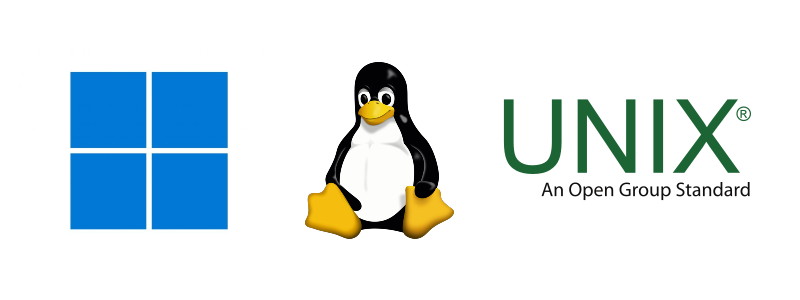
Bare metal hypervisors support running multiple different operating systems simultaneously on the same physical hardware. A single server can host Linux, Windows, and Unix VMs side by side, each running independently without conflicts.
This flexibility eliminates the need for separate physical machines for each OS, reducing complexity and hardware costs. Development teams can test applications across different platforms without maintaining multiple servers, while enterprises can consolidate diverse workloads onto shared infrastructure regardless of their underlying operating system requirements.
Cloud Compatibility
Modern cloud computing platforms, such as AWS, Microsoft Azure, and Google Cloud, rely on bare-metal hypervisors as their foundational infrastructure. These hypervisors efficiently divide physical servers into isolated virtual environments, enabling cloud providers to serve thousands of customers simultaneously.
Organizations can easily extend their on-premises infrastructure to the cloud or move workloads between environments. The consistent virtualization layer simplifies cloud migration by allowing VMs to transfer between on-premises and cloud infrastructure with minimal reconfiguration. This compatibility supports hybrid cloud strategies, letting businesses use the same management tools, security policies, and operational practices across both local data centers and cloud platforms.
Network Virtualization and Storage Capabilities
Bare metal hypervisors include advanced network virtualization features that create virtual switches, routers, and network segments within the physical infrastructure. VMs can communicate through software-defined networks that operate independently of the underlying hardware. This enables flexible network configurations, traffic isolation, and microsegmentation for security.
On the storage side, hypervisors support multiple storage protocols and can aggregate physical storage into virtual pools accessible by all VMs. Features like thin provisioning allocate storage space dynamically as needed rather than reserving it upfront, while storage migration allows data to move between devices without downtime.
This virtualization of network and storage resources gives administrators the flexibility to optimize performance, implement complex architectures, and respond quickly to changing infrastructure needs.
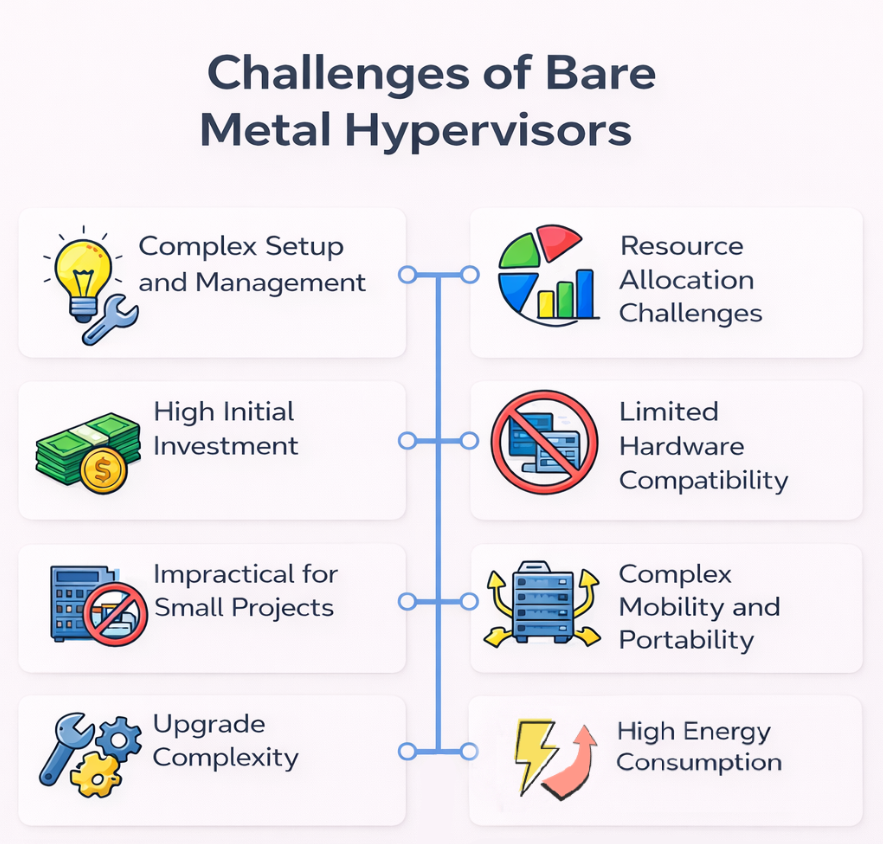
Challenges of Bare Metal Hypervisors
The following are the main drawbacks and challenges of bare metal hypervisors.
Complex Setup and Management
Bare metal hypervisors require specialized knowledge and dedicated infrastructure that many organizations struggle to implement. IT teams need deep expertise in virtualization technologies, storage protocols, and network design to configure these systems properly. This often necessitates hiring specialists or investing in extensive staff training.
Daily management creates significant operational challenges. Administrators must monitor resource allocation across virtual machines, troubleshoot performance issues, and maintain complex network configurations. Software updates require careful planning to avoid disrupting live systems, and hypervisor-level configuration errors can affect all hosted VMs simultaneously.
Small and medium-sized businesses often lack the resources for dedicated virtualization teams or enterprise-grade hardware. For organizations with limited IT expertise, the management complexity may outweigh the performance benefits, making hosted solutions or cloud services more practical alternatives.
High Initial Investment
Deploying bare metal hypervisors requires substantial upfront investment:
- Hardware costs. Organizations with existing servers often need upgrades to meet hypervisor requirements, while those renting dedicated servers face premium costs for virtualization-capable specifications.
- Software and equipment. Commercial software licenses, storage arrays, and networking equipment add significant expenses.
- Facility upgrades. On-premises deployments require improvements to cooling systems, backup power, and physical security.
- Consulting and implementation. Organizations need consultants to design and implement the infrastructure, with timelines spanning several months and no immediate operational benefits.
- Staff training. Certification programs cost thousands of dollars per employee.
For small businesses, startups, or organizations with limited capital and IT expertise, cloud services or hosted hypervisors provide more accessible alternatives without major upfront costs or infrastructure modifications.
Learn more about cloud computing costs.
Resource Allocation Challenges
Bare metal hypervisors struggle with efficient resource allocation when workload demands fluctuate or change unexpectedly. Administrators must manually configure CPU, memory, and storage limits for each virtual machine, often resulting in either overprovisioning that wastes resources or underprovisioning that causes performance bottlenecks.
While dynamic resource allocation features exist, they require careful tuning and monitoring to prevent conflicts when multiple VMs compete for the same physical resources. Organizations running diverse workloads with unpredictable patterns face constant rebalancing challenges, as static allocations made during initial setup become inefficient with evolving business needs.
Limited Hardware Compatibility
Bare metal hypervisors require specific hardware that meets stringent compatibility requirements, limiting deployment options and increasing costs. Not all server models, storage controllers, network adapters, or processors are certified to work with major hypervisor platforms like VMware ESXi or Microsoft Hyper-V.
Incompatible hardware can cause system instability, performance degradation, or complete failure to install, forcing businesses to replace functioning equipment or abandon certain hypervisor platforms entirely.
Before purchasing equipment, it is essential for organizations to consult hardware compatibility lists. Unfortunately, this often restricts them to more expensive enterprise-grade components from approved vendors.
Less Suitable for Small-Scale Projects
Resource overhead and complexity make bare metal hypervisors impractical for small-scale projects. The infrastructure required to efficiently run a bare metal hypervisor makes little economic sense for projects needing only a handful of virtual machines.
Organizations running simple workloads or testing environments gain minimal benefit from bare metal capabilities while still incurring the full setup and operational costs. For these scenarios, hosted hypervisors or direct installations on physical hardware deliver adequate performance without the virtualization overhead.
Complex Mobility and Portability
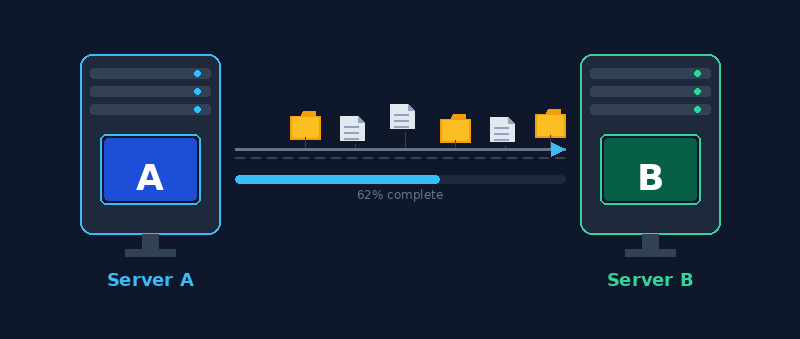
Moving virtual machines between different platforms or infrastructure environments presents significant challenges with bare metal hypervisors.
Each hypervisor platform uses proprietary formats for VM disk images, configuration files, and snapshots that are often incompatible with competing solutions. For example, migrating from VMware to Hyper-V or KVM requires conversion tools and extensive testing to ensure applications function correctly after transfer.
Moving on-premises VMs to cloud platforms introduces additional complexity, as cloud providers often use different virtualization technologies that require reformatting or reconfiguration. Live migration between physical hosts is limited to servers running the same hypervisor version within the same cluster, restricting flexibility during hardware upgrades or data center consolidations.
As a result, organizations become locked into specific vendor ecosystems, making it difficult and costly to switch platforms or adopt hybrid infrastructure strategies.
Upgrade Complexity
Upgrading bare metal hypervisors requires careful planning and often results in extended downtime for production systems.
Major version upgrades may introduce compatibility issues with existing VMs, requiring thorough testing in isolated environments before deployment. Organizations must verify that all hardware drivers, storage integrations, and network configurations remain compatible with the new hypervisor version.
The upgrade process itself can take hours or days depending on infrastructure size, during which administrators must migrate VMs to other hosts or accept service interruptions. Rolling upgrades across clustered environments reduce but don't eliminate downtime, and any failure during the upgrade process can leave the infrastructure in an unstable state requiring emergency rollback procedures.
High Energy Consumption
Bare metal hypervisors require dedicated physical servers that consume substantial electrical power and generate significant heat, even during periods of low virtualization demand.
This is especially challenging to organizations running self-hosted environments, since power and cooling requirements remain the same regardless of actual virtualization demand. Organizations cannot easily scale down physical hardware when workloads decrease, resulting in wasted energy during off-peak hours. Cooling systems required to maintain proper operating temperatures for these servers often consume as much power as the servers themselves. For organizations with fluctuating workloads or limited computing needs, this constant energy expenditure drives up operational costs without corresponding benefits.
Best Bare Metal Hypervisors
The following are the leading bare metal hypervisors:
- VMware ESXi. Industry-leading hypervisor with extensive features, robust management tools (vCenter), and widespread enterprise adoption. Offers advanced capabilities like vMotion for live migration and Distributed Resource Scheduler (DRS).
- Microsoft Hyper-V. Integrated with Windows Server ecosystem, providing strong compatibility with Microsoft environments. Offers features like live migration, replica, and clustering at competitive pricing.
- KVM (Kernel-based Virtual Machine). Open-source Linux-based hypervisor integrated into the kernel. Highly flexible and cost-effective, widely used in cloud infrastructure including OpenStack deployments.
- Citrix Hypervisor (formerly XenServer). Based on the Xen project, designed for virtual desktop infrastructure (VDI) and application virtualization. Strong integration with Citrix virtualization products.
- Proxmox VE. Open-source platform combining KVM for virtual machines and LXC for containers. Features web-based management interface and built-in backup and clustering capabilities.
- Oracle VM Server. Optimized for Oracle software stack and databases. Provides tight integration with Oracle applications and zero-cost licensing for Oracle software virtualization.
- Red Hat Enterprise Virtualization (RHEV). Enterprise virtualization solution based on KVM with comprehensive management tools. Strong support and integration with Red Hat ecosystem.
- Nutanix AHV. Hypervisor integrated with Nutanix hyper-converged infrastructure. Offers simplified management and no separate licensing costs.
Bare Metal Hypervisor Use Cases
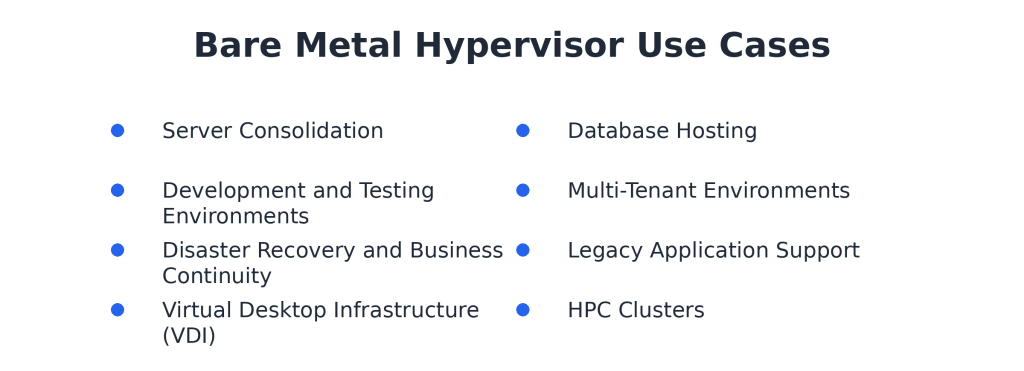
Bare metal hypervisors serve critical roles across diverse industries and operational contexts. The following use cases demonstrate how organizations leverage bare metal hypervisors and virtualization technology to address specific business and technical concerns.
Server Consolidation
Data centers and enterprise IT departments use bare metal hypervisors to consolidate dozens of physical servers onto fewer machines. Reducing physical servers lowers maintenance complexity and operational costs. IT teams can manage infrastructure more efficiently while supporting diverse business applications on standardized hardware.
Financial institutions and large corporations benefit significantly from consolidation, as they typically run numerous application servers that each use only a fraction of available hardware resources. Similarly, manufacturing and retail companies leverage server consolidation to streamline operations across multiple facilities.
Development and Testing Environments
Software companies and technology firms use bare metal hypervisors to create isolated development and testing environments without separate physical infrastructure. Developers quickly provision VMs with specific configurations, test code changes, and destroy environments when projects are completed. This accelerates development cycles and reduces the cost of maintaining dedicated testing hardware.
Enterprise IT departments use virtualized test environments to validate software updates before production deployment. Teams replicate production configurations in isolated VMs to identify compatibility and performance issues. This testing methodology reduces the risk of updates causing outages to critical business systems.
Disaster Recovery and Business Continuity
Healthcare and financial services organizations implement bare metal hypervisors as central components of disaster recovery strategies. VM snapshots and replication features enable rapid recovery from hardware failures, natural disasters, or cyber attacks. These industries face strict regulatory requirements for data availability, making robust disaster recovery essential.
Insurance companies and government agencies use hypervisor-based failover mechanisms to maintain service availability during infrastructure failures. VMs can be restored on different physical hosts within minutes, minimizing downtime for critical applications. Replicating entire environments to geographically distributed data centers provides additional protection against regional disasters.
Learn about the differences between failover and failback mechanisms.
Virtual Desktop Infrastructure (VDI)
Educational institutions and corporate enterprises deploy VDI solutions to provide consistent desktop experiences for students and employees accessing systems remotely. Centralized virtual desktops simplify software management, enhance security, and enable access from thin clients or personal devices. Universities particularly benefit by providing specialized software applications to students without requiring expensive lab computers.
Call centers and remote workforce organizations use VDI to support distributed teams while maintaining centralized control over data and applications. Employees access their virtual desktops from any location, reducing the need for company-owned hardware. This approach improves security by keeping sensitive data within the data center rather than on endpoint devices.
Database Hosting
Financial institutions and ecommerce platforms run mission-critical databases on bare metal hypervisors to optimize resource allocation and simplify management. Multiple database instances operate in isolated VMs on high-performance servers, preventing resource conflicts while enabling independent scaling. Banks and trading platforms require the performance and reliability that bare metal hypervisors provide for transaction processing.
SaaS providers and technology companies host customer databases in virtualized environments to support multi-tenant applications. Each customer's data resides in separate VMs with dedicated resources and security boundaries. This isolation protects customer data while allowing efficient use of underlying hardware.
Multi-Tenant Environments
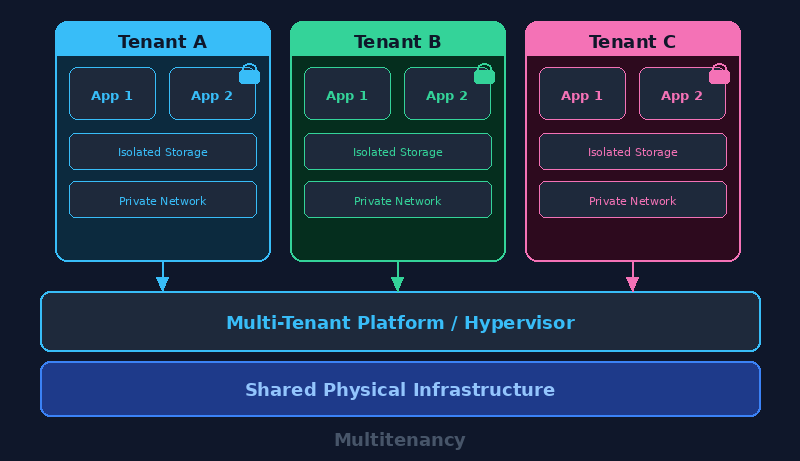
Managed service providers and web hosting companies use bare metal hypervisors to serve multiple customers on shared physical infrastructure. Each customer receives isolated VMs with guaranteed resources and security separation from other tenants. Cloud service providers build entire platforms on this model, enabling thousands of customers to share hardware while maintaining privacy and performance standards.
Telecommunications companies and colocation facilities offer virtualized hosting services where customers rent VMs instead of physical servers. This reduces customer costs while maximizing hardware utilization. The hypervisor enforces resource limits and security boundaries to ensure one customer's workload cannot impact others.
Legacy Application Support
Healthcare systems and government agencies maintain legacy applications that require outdated operating systems or specific software versions. Bare metal hypervisors allow these organizations to run old applications in isolated VMs while modernizing the underlying infrastructure. This extends application lifespans without the expense and risk of rewriting critical systems.
Manufacturing companies and utilities operate industrial control systems and specialized software that are difficult to upgrade. Virtual machines provide compatibility layers that allow legacy applications to run on modern hardware. This approach maintains operational continuity while gradually transitioning to updated systems.
High-Performance Computing (HPC) Clusters
Research institutions and universities deploy bare metal hypervisors to create flexible computing clusters for scientific simulations and data analysis. Virtual machines can be rapidly reconfigured with different software stacks to support various research projects without hardware changes. Academic labs share expensive computing resources across multiple research groups efficiently.
Pharmaceutical companies and engineering firms use virtualized HPC environments for computational modeling and simulation tasks. Teams allocate computing resources dynamically based on project requirements and deadlines. This flexibility accelerates research timelines while optimizing the utilization of high-performance hardware investments.
How to Choose a Bare Metal Hypervisor
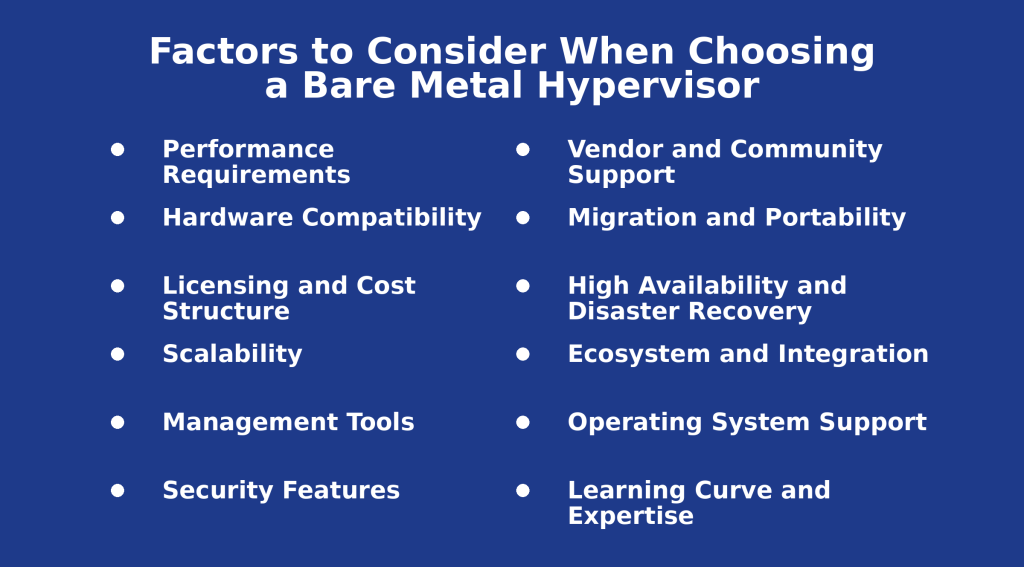
The following are the crucial factors to consider when choosing a bare metal hypervisor:
- Performance requirements. Evaluate CPU overhead, memory management efficiency, and I/O throughput capabilities to ensure the hypervisor can handle existing and future workload demands without significant performance degradation.
- Hardware compatibility. Verify that the hypervisor supports existing or planned server hardware, including processors, storage controllers, network adapters, and other components through vendor compatibility lists.
- Licensing and cost structure. Compare upfront licensing fees, per-socket or per-core pricing models, subscription costs, and support contract expenses to determine total cost of ownership.
- Scalability. Assess the hypervisor's ability to scale vertically (adding resources to hosts) and horizontally (adding more hosts) to accommodate future growth in VM count and resource demands.
- Management tools. Evaluate the quality and capabilities of management interfaces, automation features, monitoring tools, and integration with existing IT management systems.
- Security features. Review isolation mechanisms, encryption capabilities, security certifications, vulnerability patch frequency, and compliance with industry regulations relevant to your organization.
- Vendor support and community. Consider the availability of technical support, documentation quality, community resources, and the vendor's track record for addressing issues and releasing updates.
- Migration and portability. Examine tools for VM migration, compatibility with other hypervisors or cloud platforms, and the ease of moving workloads between environments.
- High availability and disaster recovery. Assess built-in features for automatic failover, live migration, backup integration, and replication capabilities to meet business continuity requirements.
- Ecosystem and integration. Evaluate compatibility with backup solutions, monitoring tools, storage systems, network management platforms, and other third-party software in your technology stack.
- Operating system support. Verify that the hypervisor supports all guest operating systems your organization needs to run, including specific versions and configurations.
- Learning curve and expertise. Consider the availability of trained staff, training resources, certification programs, and the complexity of deploying and managing the platform.
If you're setting up a bare metal hypervisor environment, phoenixNAP's Bare Metal Cloud provides single-tenant dedicated servers with on-demand provisioning and full hardware control. Explore bare metal cloud options today!
Unlocking the Potential of Bare Metal Hypervisors
Bare metal hypervisors stand out as a solution for organizations looking to achieve high performance, efficiency, and business continuity. When searching for the most suitable one for your business operations, consider your specific needs, such as consistent performance, direct hardware control, and robust security features. The right bare metal hypervisor will bolster your IT infrastructure and ensure your organization remains agile, secure, and ready to face today’s digital challenges.