Terraform configurations rarely contain hard-coded, static text. Hostnames, cloud-init scripts, and CIDR blocks often require advanced string manipulation, especially when provisioning multiple resources at once. Terraform's built-in functions handle these complex string cases without using a separate scripting layer.
This guide covers Terraform's string manipulation functions through practical examples built around phoenixNAP Bare Metal Cloud resources.

Prerequisites
- Terraform installed.
- (optional) phoenixNAP Bare Metal Cloud account and API keys (for running examples).
String Manipulation in Terraform Basics
Basic string manipulation in Terraform includes using multi-line strings, running basic string operations, and pattern matching/replacement using regex.
The sections below cover these basic functions.
String Interpolation Syntax and Multi-Line Heredoc (<<-EOT)
String interpolation embeds an expression's result in a string using ${} syntax. For example, build a resource name from two variables:
variable "environment" {
  type    = string
  default = "dev"
}

variable "role" {
  type    = string
  default = "arch"
}

locals {
  server_name = "${var.environment}-${var.role}-01"
}

output "server_name" {
  value = local.server_name
}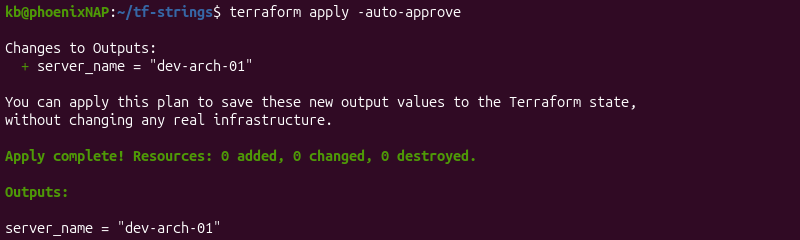
Terraform evaluates the var.environment and var.role variables and concatenates the result.
For multi-line text, use heredoc syntax instead of embedding \n escape sequences. For example:
variable "hostname" {
  type    = string
  default = "ubuntu"
}

variable "environment" {
  type    = string
  default = "test"
}

locals {
  message = <<-EOT
      Welcome to ${var.hostname}
      Environment: ${var.environment}
      EOT
}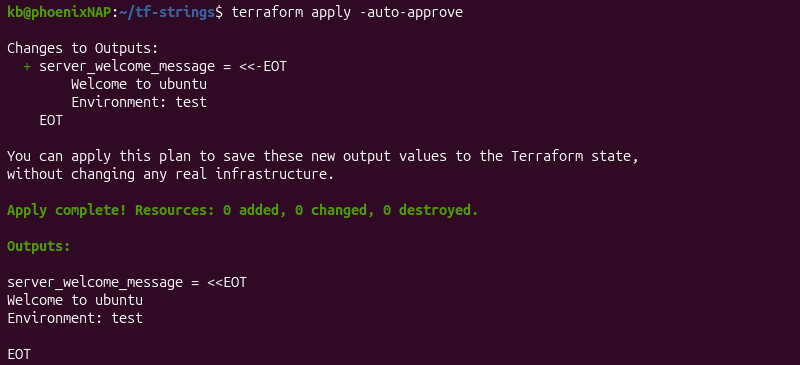
The <<-EOT marker removes leading indentation from each line so it doesn't appear in the resulting string.
Built-In Text Case Transformations (upper, lower, title)
Terraform has three case-transformation functions:
upper([string]). Converts all characters to uppercase.lower([string]). Converts all characters to lowercase.title([string]). Capitalizes the first letter of each word.
For example, enforce a lowercase hostname regardless of user input:
variable "hostname_input" {
  type = string
}
locals {
  hostname = lower(var.hostname_input)
}

output "input_hostname" {
  value = local.hostname
}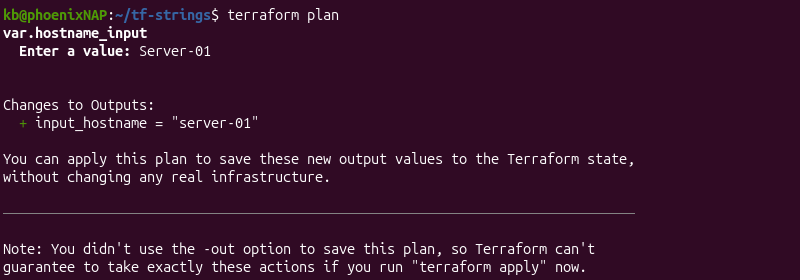
If var.hostname_input is "Sever-01", then hostname resolves to "sever-01".
Cleaning and Trimming Strings (trimspace, trim, chomp)
There are three functions to remove unwanted characters from strings:
trimspace([string]). Removes leading and trailing whitespace.trim([string],[cutset]). Removes any leading or trailing characters found incutset.chomp([string]). Removes a trailing newline if present.
For example, clean up a value from an external data source from potential stray whitespaces:
variable "raw_name" {
  type    = string
  default = " server 01 "
}

locals {
  clean_name = trimspace(var.raw_name)
}

output "clean" {
  value = local.clean_name
}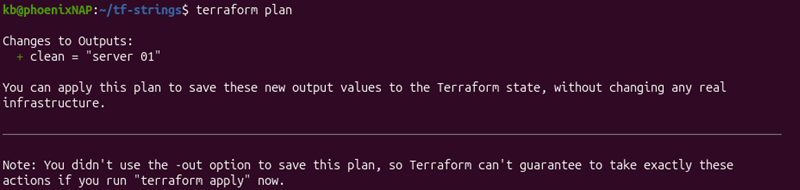
The trimspace function removes whitespace from the start and end, while keeping internal spaces.
Search and Replace Functions (replace, regex, regexall)
The following functions handle pattern matching and substitution:
replace([string],[substr],[replacement]). Replaces occurrences of a substring or regex pattern with the provided replacement string.regex([pattern],[string]). Returns the first regular expression match, or fails if there is none.regexall([pattern],[string]). Returns every occurrence of a regular expression as a list.
For example, remove a prefix from a resource name:
variable "resource_name" {
  type    = string
  default = "prod-server-01"
}

locals {
  trimmed_name = replace(var.resource_name, "prod-", "")
}

output "trim" {
  value = local.trimmed_name
}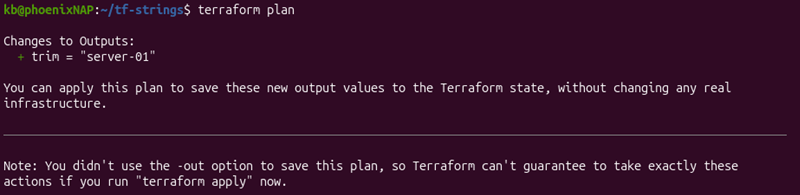
The trimmed_name variable resolves to "server-01" in the example above.
Note: The regex function fails a terraform plan if there is no match. Use regexall when a missing match is a valid outcome.
Splitting, Joining, and Parsing String Arrays
To manipulate strings further, use other complex operations and functions. This includes converting strings into arrays, encoding/decoding operations, and working with placeholders.
See the sections below for in-depth explanations and examples.
Converting Strings to Lists and Arrays (split, substr)
The following functions convert a string into an array, or treat the string as an array:
split([separator],[string]). Splits a string into a list using the provided separator.substr([string],[offset],[length]). Extracts a substring of a provided length starting at the provided offset.
For example, use split to convert a comma-separated string variable into a list:
variable "zone_list" {
  type    = string
  default = "PHX,ASH,NLD"
}

locals {
  zones = split(",", var.zone_list)
}

output "zones" {
  value = local.zones
}
The variable resolves to ["PHX", "ASH", "NLD"].
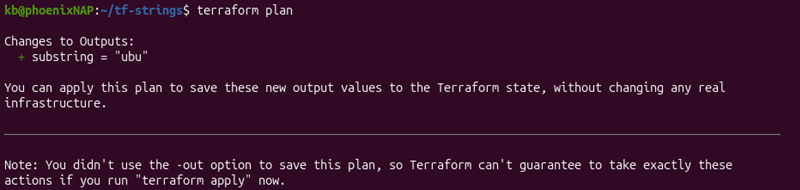
The substr function treats a string as a character array. Use substr to extract a fixed-length string piece:
variable "hostname" {
  type    = string
  default = "ubuntu"
}

locals {
  zone_code = substr(var.hostname,0,3)
}

output "substring" {
  value = local.zone_code
}
Joining Elements into Formatted Strings (join, concat)
To combine strings, use the following functions:
join([separator],[list]). Turns a list into a single string.concat([list1],[list2], ...). Merges lists into one list.
The two functions often work together. For example, combine two lists and join them into a comma-separated string:
variable "server_tags" {
  type    = list(string)
  default = ["DEV", "PROD"]
}

variable "billing_tags" {
  type    = list(string)
  default = ["HOURLY", "MONTHLY"]
}

locals {
  all_tags   = concat(var.server_tags, var.billing_tags)
  tag_string = join(",", local.all_tags)
}

output "tags" {
  value = local.tag_string
}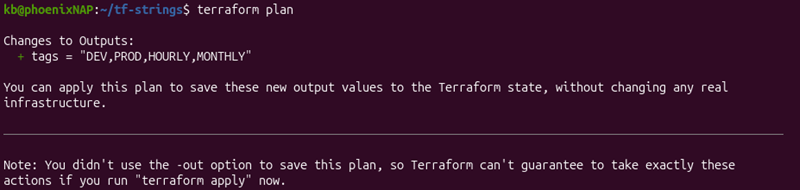
The concat function creates a unified list, while join converts that list into a comma-separated string.
Encoding and Decoding Operations (base64encode, jsonencode, urlencode)
Encoding functions in Terraform include:
base64encode([string]). Encodes a string in Base64 encoding.jsonencode([value]). Converts a Terraform value into a string in JSON format.urlencode([string]). Encodes a string with percent signs for safe use in URLs.
For example, encode a string for a field that expects a Base64 input:
variable "account_number" {
  type = string
  default = "c21104904"
}

locals {
  encoded_account = base64encode(var.account_number)
}

output "encoding" {
  value = local.encoded_account
}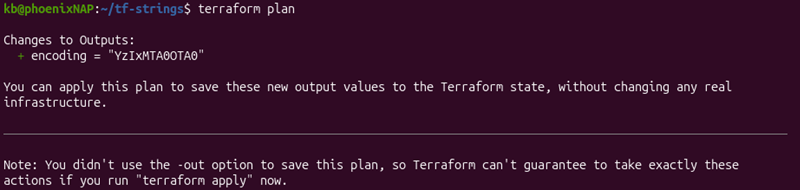
The function converts the result to a Base64 string.
Use jsonencode to build a JSON payload from Terraform values. For example:
variable "environment" {
  type    = string
  default = "dev"
}

variable "role" {
  type    = string
  default = "arch"
}

locals {
  metadata = jsonencode({
      environment = var.environment
      role        = var.role
    })
}

output "json_meta" {
  value = local.metadata
}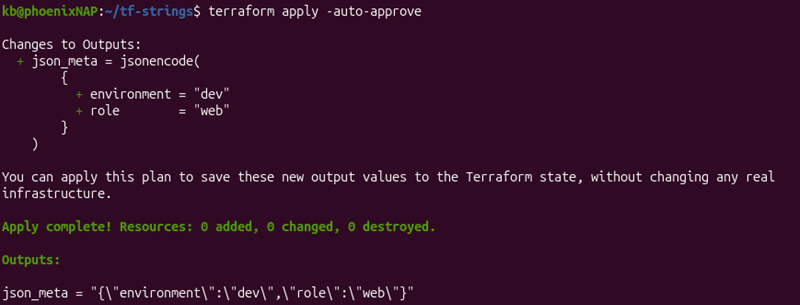
This method helps avoid hand-writing JSON syntax.
Formatting Complex Strings with Placeholders (format, formatlist)
format(spec,values). Builds a string using printf-style format specification.formatlist(spec,values...). Applies a format specification to a list. Returns a list of formatted strings.
For example, add leading zeros to an index:
variable "index" {
  type    = number
  default = 1
}

locals {
  server_name = format("worker-%02d", var.index)
}

output "name" {
  value = local.server_name
}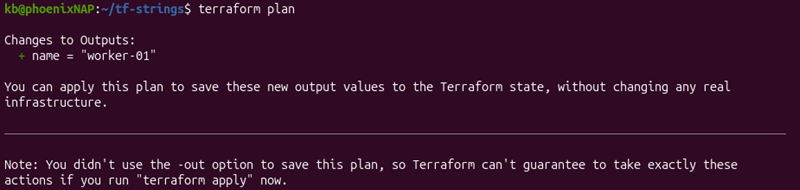
The name resolves to worker-01.
The formatlist function applies the same pattern to multiple values:
variable "indexes" {
  type    = list(number)
  default = [1, 2, 3]
}

locals {
  hostnames = formatlist("worker-%02d", var.indexes)
}

output "names" {
  value = local.hostnames
}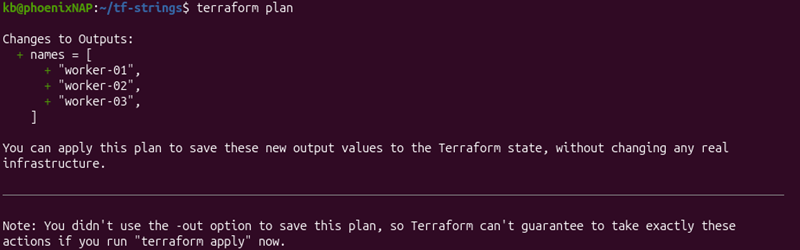
The hostnames list in the above example resolves to ["worker-01", "worker-02", "worker-03"].
Practical Examples with Bare Metal Cloud
The following sections use phoenixNAP's pnap Terraform provider to apply string functions and create Infrastructure as Code configurations. Check the billing models before provisioning real infrastructure.
Dynamic Hostname Naming Schemes & Resource Tagging
Generate a consistent hostname and tag set for each server in a cluster. For example:
variable "environment" {
  type    = string
  default = "staging"
}

resource "pnap_server" "worker" {
  count    = 3
  hostname = format("%s-worker-%02d", var.environment, count.index + 1)
  os       = "ubuntu/focal"
  type     = "s2.c1.medium"
  location = "PHX"
}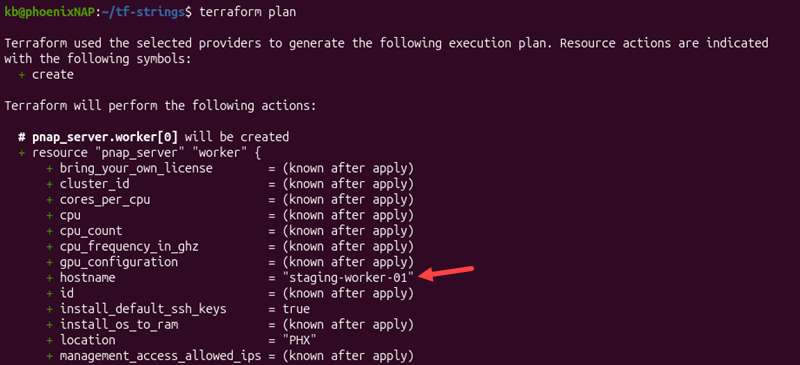
The example builds hostnames in the format "staging-worker-01" for all three servers (count = 3), starting at 1.
Templating Cloud-Init & User-Data Provisioning Scripts (templatefile)
The templatefile([path],[vars]) function reads a template file and substitutes variables into it. It returns the rendered result as a string.
Use it to render a cloud-init template with different values per server. For example:
locals {
  cloud_init  = base64encode(templatefile("${path.module}/templates/cloud-init.tpl", {
  hostname    = "worker-01"
  environment = var.environment
  }))
}
The template file cloud-init.tpl uses interpolation syntax for variables:
#cloud-config
hostname: ${hostname}
runcmd:
  - echo "Provisioned for ${environment}" >> /var/log/provision.log
This approach keeps provisioning logic in a separate, readable file. It avoids embedding a long heredoc inside a resource block.
Note: For more information on using cloud-init via the BMC portal and API, see our in-depth cloud-init on Bare Metal Cloud guide.
Parsing Network Subnets and CIDR Blocks from Input Strings
Separate a network prefix from a CIDR using the split function:
locals {
  cidr          = "10.0.0.0/24"
  network_ip    = split("/", local.cidr)[0]
  prefix_length = split("/", local.cidr)[1]
}
The split function returns ["10.0.0.0", "24"]. Each index pulls out one part of the CIDR notation.
To derive a usable address, use the cidrhost function:
locals {
  cidr            = "10.0.0.0/24"
  first_usable_ip = cidrhost(local.cidr, 1)
}

output "first_ip" {
  value = local.first_usable_ip
}
The function calculates a host address at a given offset in the CIDR block.
Encoding Startup Scripts for Bare Metal OS Provisioning
Encode a startup script before passing it to a provisioning argument. For example, the cloud_init block expects configuration in Base64 encoding:
locals {
  cloud_init = base64encode(<<-EOT
    #cloud-config
    hostname: worker-01

    runcmd:
      - apt-get update -y
  EOT
  )
}

resource "pnap_server" "worker" {
  hostname = "worker-01"
  os       = "ubuntu/jammy"
  type     = "s1.c1.medium"
  location = "PHX"

  cloud_init {
    user_data = local.cloud_init
  }
}
The example combines heredoc with base64encode to keep the script readable in the configuration while providing an encoded string.
Troubleshooting Common String Manipulation Errors
String manipulation errors occur when working with string functions. These errors often stem from incorrect assumptions about strings or the expected input value format.
The following sections cover how to identify and resolve common string manipulation errors.
Resolving Substring and Slicing Errors
The substr function extracts part of a string based on a provided offset and length. With variable string lengths, the function can produce unexpected outputs.
Use length() to determine a string's size before calculating the offset or subtracting length. Use negative length to extract characters from a specific position through the end. For example:
locals {
  hostname = "worker-01"
  suffix   = substr(local.hostname, 7, -1)
}
The negative length returns the remainder of the string from the specified offset.
Fixing Regex Pattern Matching Failures and Unescaped Characters
If a regex pattern doesn't match, the entire Terraform plan can fail. A common reason is an unescaped special character becauase Terraform's regex functions follow a different dialect (RE2 rules) than most scripting languages.
Test the pattern against a sample input with terraform console. Characters such as ., *, and + require escaping with a backslash for literal matches.
Debugging Type Mismatch Errors Between Strings, Lists, and Maps
A type mismatch error often happens when a join function receives a wrong data type, such as a string instead of a list, or when split output is added somewhere that expects a string.
Use type() in terraform console to confirm a value's type before passing it into a function.
Handling Missing, Unset, or null String Input Variables
Passing null values into string functions often results in an error. This happens with optional variables that default to null.
Use coalesce() to substitute a fallback value to avoid passing a null value:
locals {
  safe_hostname = coalesce(var.hostname, "default-server")
}
The coalesce function returns the first non-empty, non-null argument. It falls back to "default-server" when var.hostname is null.
Best Practices for String Operations in Terraform
The best practices for string operations include:
- Use templatefile instead of heredocs. A separate template file is readable and testable. It is independent of the Terraform configuration.
- Avoid manual string parsing. Prefer functions like
cidrhost. Parsing IP addresses withsplitandsubstris error-prone. - Validate regex patterns. Use
terraform consoleto verify patterns before deploying them. A regex that fails under certain conditions is easy to miss during a review. - Avoid null values. Use
coalesceor a variable default to prevent a null value from reaching a function that cannot read it. - Keep format strings simple. A
formatcall with many placeholders is harder to debug than two smallerformatcalls. - Avoid chains. Long string function chains (
replace(trim(lower(...)))) are hard to read and debug. Break the chain down into named locals instead.
Use these practices to keep Terraform code error-free and easy to debug.
Conclusion
This guide covered Terraform's string manipulation functions. Using the right built-in function simplifies configurations and reduces errors.
Next, learn more about Terraform data sources.