As more businesses move their systems and data to the cloud, having a reliable way to connect becomes important. A cloud on-ramp helps by creating a direct and high-speed connection between your infrastructure and a cloud provider.
Instead of using the public internet, it provides a private path that is more secure, faster, and more consistent. This makes it easier to access cloud resources and move data without delays or interruptions.
This article explains what a cloud on-ramp is, how it works, and why many organizations use it.
What Is Cloud On-Ramp?
A cloud on-ramp is a private connection that links on-premises systems or colocation setups directly to a cloud provider. It avoids the public internet, allowing data to travel through a dedicated and controlled network path. This leads to more stable connections and better performance, especially for applications that need fast response times or handle large amounts of data.
Cloud on-ramps usually work with services like private circuits or virtual connections offered by cloud providers. These connections make access to cloud resources more secure and reliable. Because of this, cloud on-ramps are often used in hybrid and multi-cloud setups, where data and workloads need to move smoothly between different environments.
Learn more about hybrid cloud adoption strategies to find the best fit for your organization.
How Does a Cloud On-Ramp Work?
A cloud on-ramp creates a private path between an organization’s systems and a cloud provider. This ensures that data travels in a controlled and predictable way:
- Create a connection. The process starts by connecting a data center or colocation setup to a network provider. This forms the entry point into a private network.
- Reach the cloud edge. The connection is extended to a cloud provider’s edge location, which brings the network closer to the cloud.
- Set up a private link. A dedicated connection is created between the network and the cloud. This keeps data separate from public internet traffic.
- Define routing rules. Traffic is configured so that all cloud-bound data uses the private connection instead of the internet.
- Connect to cloud resources. The link is integrated with cloud networks, allowing systems and cloud workloads to communicate directly.
- Apply security controls. Security measures like encryption and access rules are added to protect data.
- Monitor performance. The connection is continuously monitored to ensure it stays fast, stable, and reliable.
To better understand how this process comes together, it’s important to look at the key components that make a cloud on-ramp possible.
Cloud On-Ramp Components
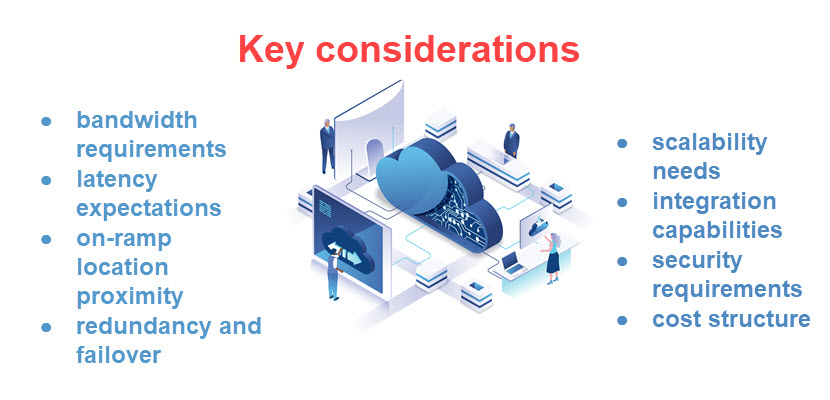
Cloud on-ramps consist of a few key components that work together to connect an organization’s systems to the cloud. Each element has a simple job, like creating connections, directing traffic, or keeping data secure. When these pieces work together, they help ensure the connection is fast, reliable, and safe.
Physical or Virtual Connection
This is the first link between an organization’s infrastructure and a network provider. It can be a physical cable or a virtual connection. Its purpose is to move traffic into a private network instead of the public internet.
Different forms of physical connection are:
- Dedicated physical circuit. A fiber cross connection in a collocation facility, which is one of the most common low-latency setups.
- Leased line (private circuit). A dedicated line from an office or data center to a provider’s network. It offers guaranteed bandwidth and consistent performance, independent of internet traffic.
- MPLS connection. A private WAN connection managed by a telecom provider. It connects multiple sites and can extend into a cloud on-ramp location.
- Direct connection to cloud provider (e.g., AWS Direct Connect location). A physical port connection at a cloud provider’s edge site or partner facility, providing a direct path into the cloud network.
Examples of a virtual connection are:
- Site-to-site VPN. An encrypted tunnel over the public internet that securely connects the network to the cloud. It’s quick to set up but less predictable than physical links.
- Virtual circuit (VLAN-based connection). A logically isolated connection created over shared physical infrastructure, often provisioned through cloud exchanges or network providers.
- Cloud provider virtual interface (e.g., AWS Direct Connect VIF). A virtual connection layered on top of a physical link, allowing access to specific cloud services or networks.
- Software-defined networking (SDN) connections. Connections created and managed through software platforms, enabling dynamic routing of traffic between infrastructure and multiple clouds.
- Network-as-a-Service (NaaS) platforms (e.g., Megaport). These platforms let organizations spin up virtual connections to cloud providers on demand without managing physical infrastructure.
The choice between a physical or a virtual connection defines components such as the location, access controls, and monitoring tools for a cloud on-ramp. Many organizations combine both approaches, using physical connections for critical workloads and virtual ones for more flexible, on-demand needs.
Cloud On-Ramp Location (Edge Site)
This is where the organization’s connection meets the cloud provider’s network. These locations are usually placed near major network hubs to reduce delays and improve performance. Organizations reduce latency and gain proximity to cloud infrastructure by connecting at these locations. This also significantly improves performance.
Private Circuit or Virtual Interface
This is the dedicated path between the network and the cloud. It ensures data travels securely and consistently with minimal interference from external traffic.
Depending on the provider and their setup, it usually works in one of the following ways:
- Dedicated private circuit (Layer 2 connection). A physical link is provisioned between the network and cloud provider. Traffic flows directly over this circuit without touching the public internet, providing consistent bandwidth and low latency.
- Virtual interface on top of a physical link. A single physical connection is split into multiple logical connections (virtual interfaces). Each interface can connect to different cloud services or environments, allowing better traffic separation and control.
- VLAN-based segmentation. Virtual interfaces use VLAN tags to separate traffic over the same physical connection. This allows multiple isolated networks (for example, production and staging) to share one circuit without interfering with each other.
- Private IP routing (private virtual interface). The connection uses private IP ranges to link on-premises networks directly to cloud virtual networks. This makes cloud resources appear as part of the internal network.
- Public service access (public virtual interface). A virtual interface can also provide access to public cloud services (like object storage) through a private path, avoiding exposure to the public internet.
- Dynamic routing with BGP. Border Gateway Protocol (BGP) is used to automatically exchange routes between an organization’s network and the cloud. This enables failover, load balancing, and more flexible traffic management.
- Redundant connections for high availability. Multiple circuits or virtual interfaces are configured across different paths or locations. If one fails, traffic is automatically rerouted to maintain uptime.
Choosing between a private circuit and a virtual interface helps define how configurations, integrations, and connectivity models will be implemented across the environment. This decision influences factors such as provisioning workflows, access controls, monitoring approaches, and how easily the connection can scale or integrate with additional services over time.
Routing Configuration
Routing decides how traffic moves between an organization’s systems and the cloud. It makes sure cloud traffic uses the private path. This way, other traffic continues to use standard network routes and prevents interference or bottlenecks on the network. Additionally, it helps keep important data flowing smoothly and reduces delays. As a result, applications run more reliably and users experience fewer slowdowns.
Cloud Networking Integration
This connects the on-ramp to cloud networks like virtual networks or subnets. It allows systems and cloud resources to work together as one environment.
Here are several ways to achieve cloud networking integration:
- Connect to a Virtual Private Cloud (VPC/VNet). Link the on-ramp to a cloud virtual network so on-premises systems can communicate directly with cloud resources as if they are on the same network.
- Use private IP addressing. Extend internal IP ranges into the cloud to enable seamless communication without exposing services to the public internet.
- Configure routing between environments. Define routes so traffic between on-premises and cloud networks flows through the private connection, ensuring predictable and controlled data paths.
- Set up private endpoints. Access cloud services (like storage or databases) through private IPs instead of public endpoints, keeping traffic within the private network.
- Implement network peering. Connect multiple cloud networks (VPC-to-VPC or VNet-to-VNet) to allow communication between different environments without routing through the internet.
- Use DNS integration. Configure DNS so cloud and on-premises systems can resolve each other’s hostnames correctly, enabling smooth application communication.
- Integrate with load balancing services. Distribute traffic across cloud resources while maintaining connectivity with on-premises systems, improving availability and performance.
These methods ensure secure integration through all stages. Also, they create a solid ground for implementing future security controls.
Security Controls
Security controls make sure that data is protected by overseeing who can use the connection. The most common security controls are:
- Encryption.
- Network segmentation.
- Traffic filtering.
- Identity-based access rules.
Their purpose is to safeguard sensitive data and ensure that only authorized users and systems access cloud resources.
Monitoring and Management Tools
These tools track performance and help detect issues. They ensure the connection stays reliable over time. Administrators play a huge role in monitoring on-ramp connection health by tracking metrics. These metrics include latency, throughput and error rates.
Not sure how to approach monitoring and management of your cloud infrastructure? Check out our article on best cloud testing tools to begin strong.
Cloud On-Ramp Benefits
The benefits of cloud on-ramps are:
- Better performance. Faster and more consistent application response times.
- Higher reliability. Fewer interruptions compared to internet-based connections.
- Stronger security. Data stays on private networks with stricter controls.
- Predictable behavior. Stable bandwidth and consistent performance.
- Supports hybrid and multi-cloud. Easier to connect different environments.
- Scales easily. Bandwidth can grow with your needs.
- Cost efficiency. More predictable and efficient data transfer reduces costs.
Cloud on-ramps significantly improve daily operations, allowing organizations to focus on growth and expansion.
Cloud On-Ramp Use Cases
On-ramps are useful in situations where speed, security, and reliability matter. They help organizations connect to the cloud in a way that works better than the public internet. Looking at these use cases makes it easier to understand when and why cloud on-ramps are needed.
Hybrid Cloud Integration
Organizations use cloud on-ramps to connect on-premises systems with the cloud. This allows both environments to work together smoothly, as if they were part of the same network. Data can move between them quickly and reliably without going over the public internet. This makes it easier to run applications across both environments and keep everything in sync.
Data Migration and Replication
Cloud on-ramp provides a fast and stable connection for moving large amounts of data to the cloud. This reduces transfer time and lowers the risk of failure.
Latency-Sensitive Applications
Applications like financial systems or real-time analytics need fast response times. Cloud on-ramps reduce delays and keep performance consistent. This means data moves quickly and results are delivered almost instantly. Users get a smoother experience and systems can handle time-sensitive tasks more reliably.
Disaster Recovery and Business Continuity
Cloud on-ramps help keep backup systems in sync with on-premises systems. Also, if something fails, workloads can quickly switch to the cloud.
Multi-Cloud and Inter-Cloud Connectivity
Organizations using multiple cloud providers can connect them through on-ramps. This allows data and workloads to move easily between clouds. The goal is to avoid vendor lock-in while also lowering costs and improving performance. Also, this gives teams more flexibility to choose the best cloud for each task. This way, they optimize both performance and spending without being tied to a single provider.
Secure Access to Cloud Services
Cloud on-ramps secure sensitive data online. These types of data include healthcare, financial systems, and other personal data. Accordingly, organizations must follow strict compliance standards to ensure secure connectivity and storage, such as GDPR, PCI DSS, and SOC 2.
Cloud On-Ramp Challenges
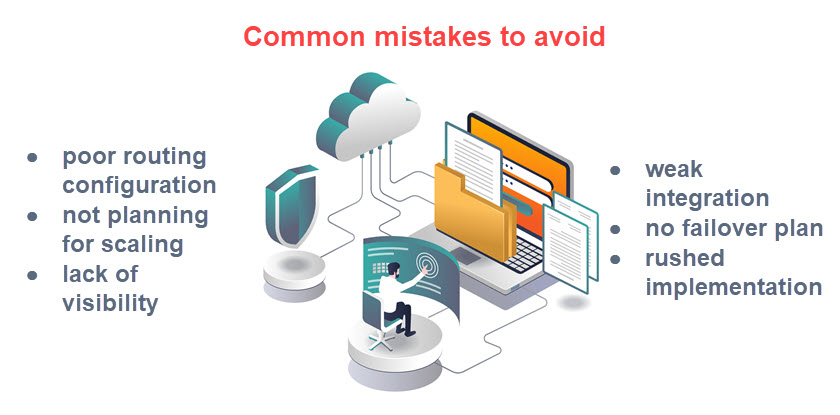
Cloud on-ramps also come with some challenges that need to be considered, such as:
- Higher upfront cost. Dedicated connections can be expensive to set up.
- Complex setup. Requires coordination between providers and teams.
- Limited locations. On-ramps are not available everywhere.
- Vendor dependency. May lead to reliance on specific providers.
- Capacity planning. Organizations must plan bandwidth in advance.
- Ongoing management. Requires monitoring and maintenance.
- Integration effort. Can be difficult to fit into existing systems.
These challenges can be addressed by right-sizing capacity to control costs, standardizing deployment to reduce complexity, using carrier-neutral and multi-cloud setups to avoid location and vendor constraints, and applying consistent monitoring and management to maintain performance and integration.
phoenixNAP’s Cloud Connect integrates with Bare Metal Cloud, enabling organizations to deploy dedicated servers on demand and extend them into public cloud environments with full control and reduced dependency on any single provider.
Cloud On-Ramps: A Reliable Way to Connect to the Cloud
Cloud on-ramps are becoming an essential part of modern IT environments as they provide a secure and stable way to connect your infrastructure to the cloud. By reducing delays, improving performance, and giving you more control over how your data moves, they provide a reliable foundation for building scalable, secure, and high-performing cloud systems.