Most people reuse the same few passwords across dozens of accounts. One breach at a single website then exposes every other account you own, and modern cracking tools (some now powered by AI) break weak passwords faster than ever. Strong password ideas solve part of this problem, but a truly secure account also depends on length, multi-factor authentication, and how those credentials are stored.
This article explains what makes a password secure, provides practical strong password ideas, and outlines techniques for creating and managing passwords safely.
Why Are Strong Passwords Still Important in 2026?
Despite the growing use of passkeys, biometric authentication, and multi-factor authentication, passwords remain a primary authentication method for many online accounts and systems. Weak or reused passwords can expose multiple accounts if attackers obtain credentials through phishing, data breaches, or password-guessing attacks. Strong, unique passwords make these attacks more difficult and remain an important security layer, especially when combined with MFA.
The July 2025 revision to NIST's SP 800-63B guidelines dropped mandatory character-complexity rules in favor of a 15-character minimum and blocklist screening against known breached passwords, while still recommending MFA wherever possible. It also eliminated forced periodic password changes, since resets are now only called for when there’s actual evidence a password has been compromised. It also formally requires systems to support passwords of at least 64 characters, which accommodates the long passphrases recommended below.
This shift reflects a simple principle: length and uniqueness now matter more than complexity, and MFA remains the safety net either way.
For broader context on how attackers operate, review our guide for types of cybersecurity attacks.
How to Create a Strong Password (with Examples)
Creating a strong password is easier when you use a repeatable method rather than trying to invent a complicated string on the spot. The best approaches produce passwords that are long, unique, difficult to predict, and still practical to remember.
The following methods show different ways to build stronger passwords, with examples that should be treated as patterns rather than passwords to reuse directly.
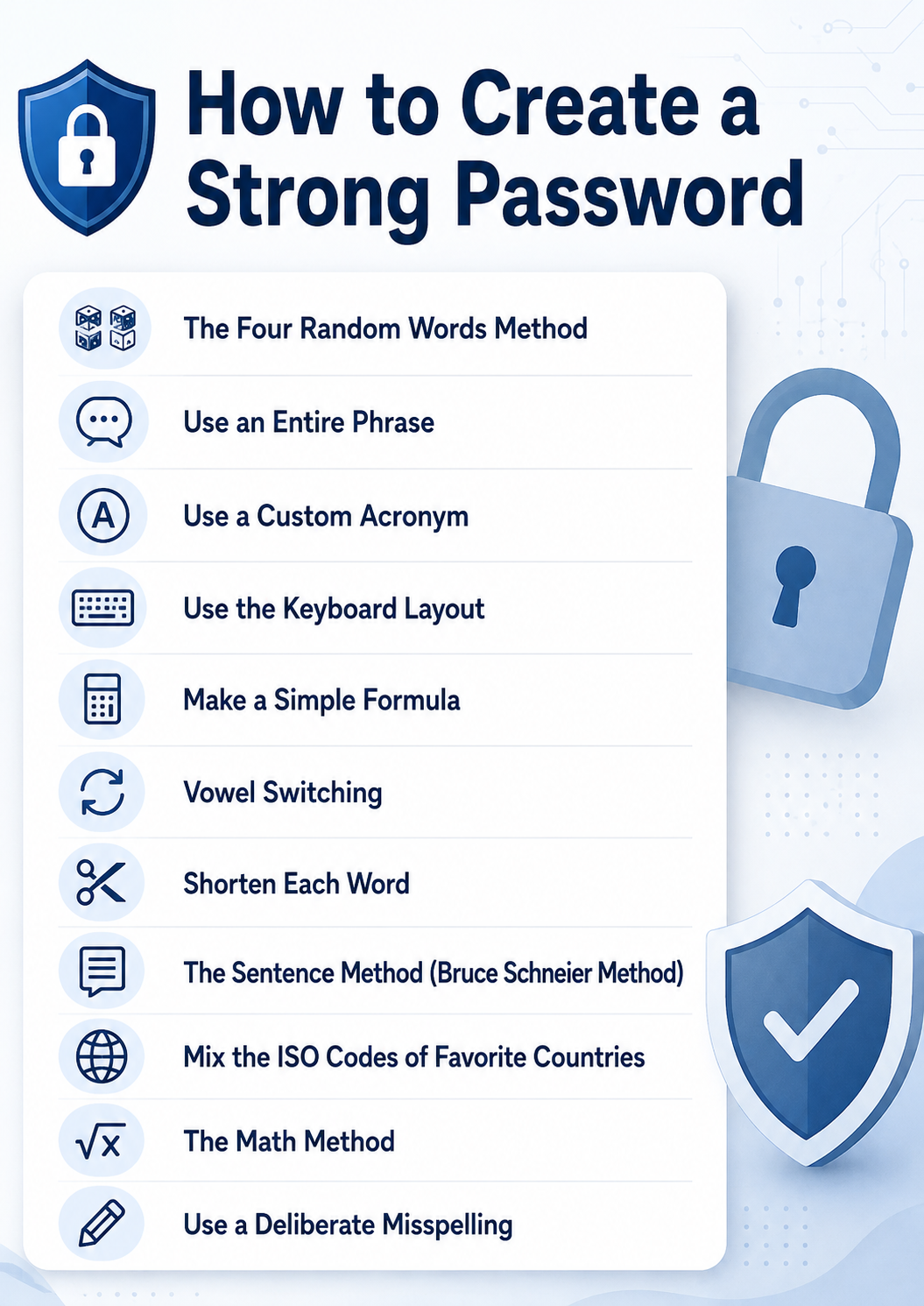
The Four Random Words Method
Choose four unrelated words and combine them into a long passphrase, optionally separating them with punctuation or numbers. For example, Cactus-River-Lantern-47 is easier to remember than a random string of characters while still benefiting from its length and unpredictability.
Three rules help preserve the passphrase’s entropy:
- Choose words randomly. Use dice or a trusted generator instead of selecting words by association, since human choices tend to come from a much smaller and more predictable pool.
- Avoid grammatical patterns. Do not arrange the words into a natural sentence or familiar phrase, as predictable syntax can make the sequence easier to model and guess.
- Exclude personal information. Avoid references to pets, employers, travel history, or other details that attackers could discover through publicly available information.
Together, these practices reduce predictable patterns and make the resulting passphrase significantly harder to guess or crack.
Generate credentials locally rather than through a web page. Our password generator produces high-entropy strings in the browser for one-off use.
Use an Entire Phrase
A longer phrase can provide strong protection because password length significantly increases the number of possible combinations. For example, a phrase such as MyTrainLeavesBeforeSunrise! is easier to remember than a short complex password.
Avoid famous quotations, song lyrics, common sayings, and phrases connected to publicly available information about you.
Use a Custom Acronym
Create a sentence that is meaningful to you and turn its first letters into an acronym, then add numbers or symbols where appropriate. For example, “My first apartment was on Pine Street in 2018” could become MfawoPSi2018!.
Two adjustments can make this method more resistant to guessing attacks:
- Use a longer source sentence. A sentence with ten or more words produces a longer sequence of characters and increases the number of possible combinations.
- Avoid using years as numbers. Choose random digits instead of dates or years, since attackers commonly prioritize predictable year ranges during password cracking.
Keep the source sentence outside public reach, because addresses and employment dates appear in property records and social profiles.
Use the Keyboard Layout
A keyboard pattern can be used as the starting point for a password by following a movement across the keys and combining it with other characters. However, simple patterns such as qwerty, 123456, or straight keyboard sequences are widely known and easy to guess. If you use keyboard position as a memory aid, combine it with unrelated words, symbols, and other elements rather than relying on the pattern alone.
Make a Simple Formula
Create a personal formula that combines several password components in a consistent but non-obvious way. For example, you might combine two unrelated words, a symbol, and a modified number to produce something like Falcon!28Harbor.
Two principles significantly decrease the security of formula-based passwords:
- Using predictable account-specific variations. Adding a website name or changing a single digit makes other passwords easier to predict if one credential is exposed.
- Not keeping the formula private and unpredictable. Once a password formula is known or publicly documented, attackers can incorporate its structure into targeted guessing attempts.
Reserve formulas for accounts already covered by MFA and never derive one credential from another.
Vowel Switching
Replace selected vowels in a word or phrase with other characters to make the result less recognizable. For example, MountainRiver might become M0unt@inRiv3r. Vowel switching changes the appearance without altering the strength of the password.
Because vowel switching adds minor variation, it should never be a password's primary defense. Common substitutions like a → @ or o → 0 are already built into most cracking dictionaries. Use it only as a small addition to a long, random passphrase.
Shorten Each Word
Start with a memorable phrase and shorten each word using a rule you can remember. For example, “Purple bicycle beside the old library” could become PurBicBesOldLib!. Because shortening reduces password length, this method works best when the original phrase contains several words and the resulting password is still long enough to resist guessing attacks.
The Sentence Method (Bruce Schneier Method)
The sentence method starts with a memorable sentence and transforms parts of it into a password using initials, punctuation, numbers, or other substitutions. For example, “When I was 12, I visited Rome twice!” could become WIw12,IvRt!.
The approach allows you to remember the original sentence instead of memorizing the resulting character sequence, but the sentence should not be a familiar quotation or easily discoverable personal fact.
Mix the ISO Codes of Favorite Countries
Country codes can provide memorable building blocks for a longer password. For example, combining ISO country codes such as RS, JP, and CA with unrelated words, numbers, and punctuation could produce RS!Comet-JP47CA.
Avoid using only a sequence of country codes, especially when your travel history, nationality, or favorite destinations are publicly known.
The Math Method
Build a password around a mathematical expression that is easy for you to remember but difficult for someone else to predict. For example, 17x6=102!River combines an equation with an unrelated word and symbol. Simple equations alone provide little protection, so the mathematical component should be only one part of a longer, unique password.
Use a Deliberate Misspelling
Intentionally misspelling words can make a password less predictable while keeping it relatively easy to remember. For example, BluuElefantRuns!47 modifies familiar words without making the result difficult to recall.
However, the effectiveness of this method depends on how predictable the spelling changes are:
- Predictable errors. Doubled letters and common phonetic substitutions (accurate -> acurate, accommodation -> acomodation), are often included in password-cracking rule sets, limiting the additional protection they provide.
- Obscure errors. Unusual spelling changes can increase unpredictability but making them too complex may make the password harder to remember and undermine the main benefit of the method.
Deliberate misspellings are most effective when combined with sufficient length and unrelated elements, since common substitutions and predictable spelling mistakes can still be tested by password-cracking tools.
How to Improve an Existing Password
An old password does not need a full replacement to become more secure. Small, deliberate changes can turn a weak or aging password into one that resists modern cracking methods, without forcing users to memorize something entirely new. This approach works well for accounts where switching to a password manager right away is not practical.
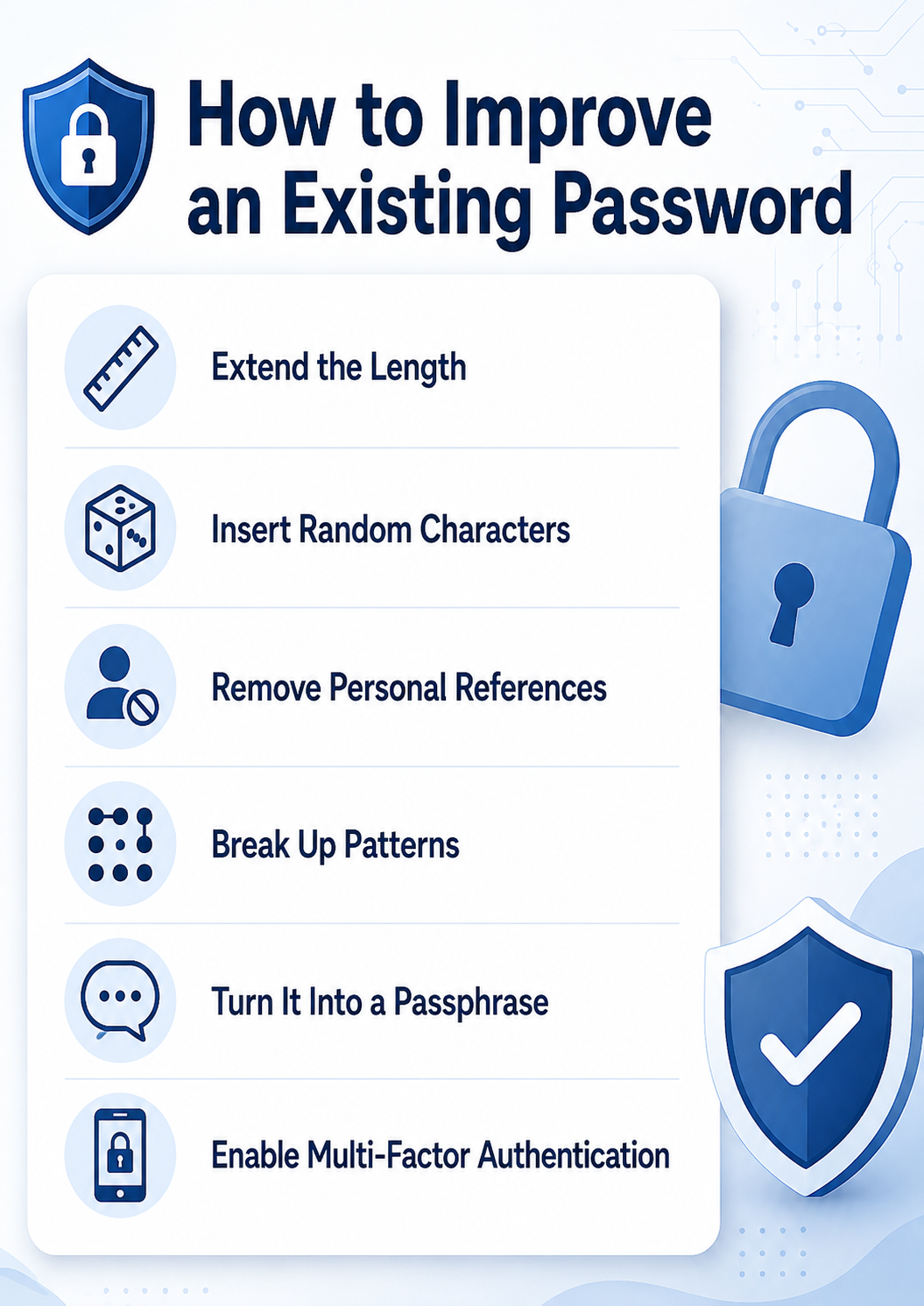
Apply the following changes to strengthen an existing password:
- Extend the length. Add extra characters to push the password past 15 characters, since length has the biggest impact on crack time.
- Insert random characters. Add numbers and symbols in unpredictable spots, not just at the start or end, where attackers expect them.
- Remove personal references. Replace any names, dates, or other identifiable details with unrelated words or characters.
- Break up patterns. Rearrange repeated letters or keyboard sequences so the password no longer follows a recognizable structure.
- Turn it into a passphrase. Combine several unrelated words into a long string, which is both easier to remember and harder to crack.
- Enable multi-factor authentication. Pair the improved password with a second verification step to add a layer of protection beyond the password itself.
These adjustments raise the bar for attackers while keeping the update process manageable for the user.
What to Avoid when Choosing a Password
A weak password gives attackers an easy way into an account, no matter how strong the surrounding security setup is. Many people default to information that is easy to remember, but that same information is often easy to guess or find. Common mistakes weaken a password's resistance to both automated attacks and manual guessing, so identifying these habits is the first step toward better password protection.
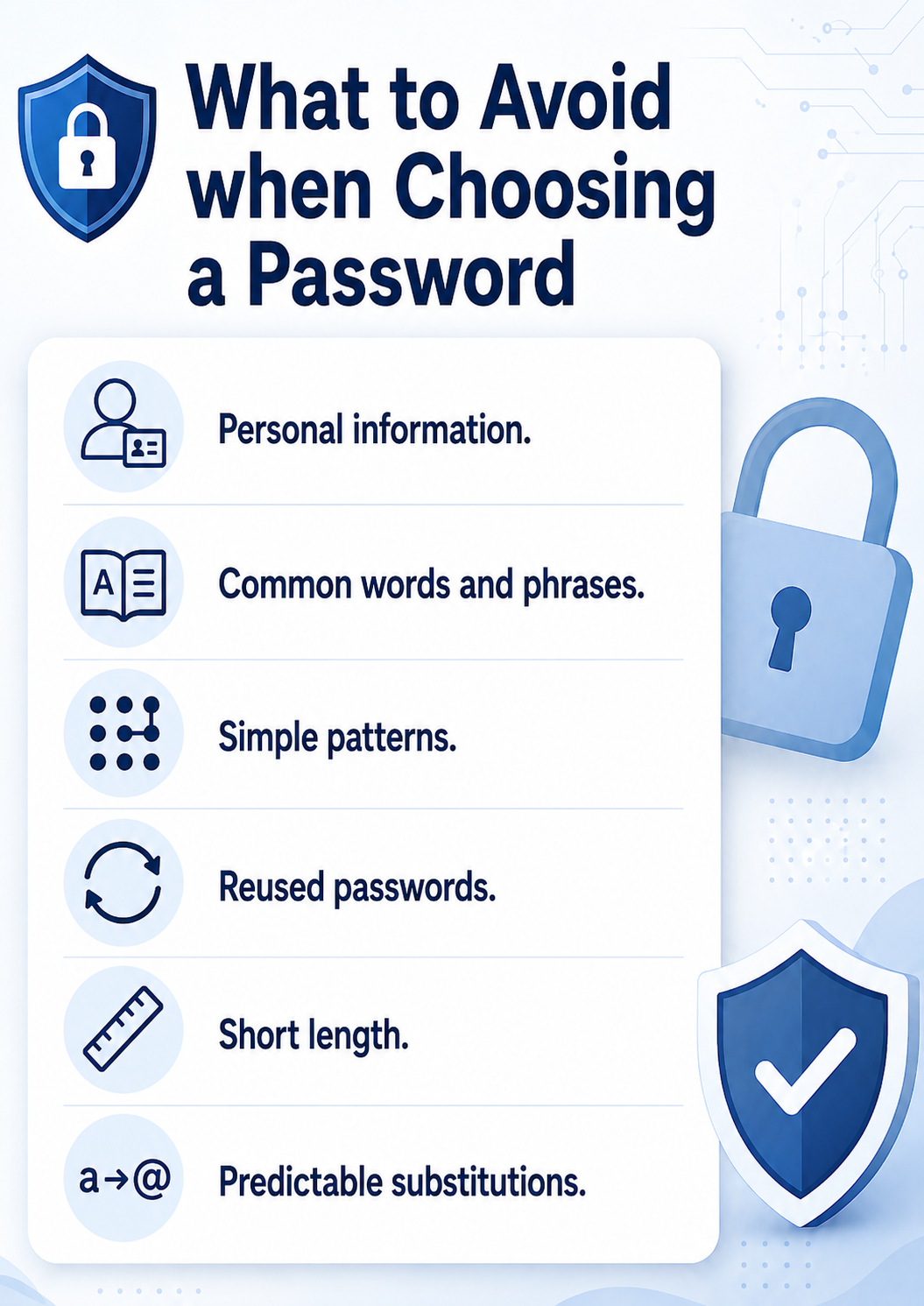
Avoid the following when creating a password:
- Personal information. Do not use names, birthdates, or addresses, since attackers can find these details on social media or public records.
- Common words and phrases. Avoid dictionary words, popular phrases, or song lyrics, as these fall quickly to dictionary attacks.
- Simple patterns. Skip sequences like "12345" or "qwerty," which appear at the top of every cracking tool's list.
- Reused passwords. Do not use the same password across multiple accounts, since one breach then exposes every linked account.
- Short length. Avoid passwords under 15 characters when a password is your only line of defense. NIST's 2025 guidance treats this as the floor for password-only authentication, with a shorter 8-character minimum allowed only when MFA is also enabled.
- Predictable substitutions. Swapping letters for similar-looking numbers or symbols (e.g., "P@ssw0rd") no longer fools modern cracking software on its own.
Steering clear of these habits narrows the paths an attacker can take to compromise an account. The one exception is the vowel switching method covered earlier, which works only as a minor addition to a long, random passphrase, not as a password's primary defense.
The Impact of AI on Password Security
Artificial intelligence has changed the speed and scale at which attackers can break passwords. Machine learning models can now analyze leaked password databases to predict likely variations, patterns, and substitutions that humans commonly use. AI-powered tools also automate credential-stuffing attacks, testing millions of stolen username-password combinations across different sites within minutes. This shift means that passwords once considered safe due to their complexity alone can fall much faster than before, since AI does not rely on brute force in the traditional sense but instead targets human predictability.
AI also plays a defensive role in password security. Security systems use machine learning to detect unusual login patterns, flag credential-stuffing attempts, and identify passwords that closely resemble ones exposed in previous breaches. Some platforms use AI to guide users toward stronger passwords in real time, scoring password strength based on patterns seen in actual attacks rather than simple character-count rules. As AI capabilities grow on both sides, the practical response is to combine long, unpredictable passphrases with multi-factor authentication, since this combination remains resistant to both automated guessing and pattern-based prediction.
Adopting AI-driven attack methods means passwords alone are no longer enough. Read our two-factor authentication guide to learn how to add a second layer of defense.
Additional Security Options to Secure Your Passwords
A strong password is only one layer of protection. Combining it with other security tools closes gaps that a password alone cannot cover, from stolen credentials to compromised devices. The following options work alongside a strong password to build more complete protection.
Multi-Factor Authentication (MFA)
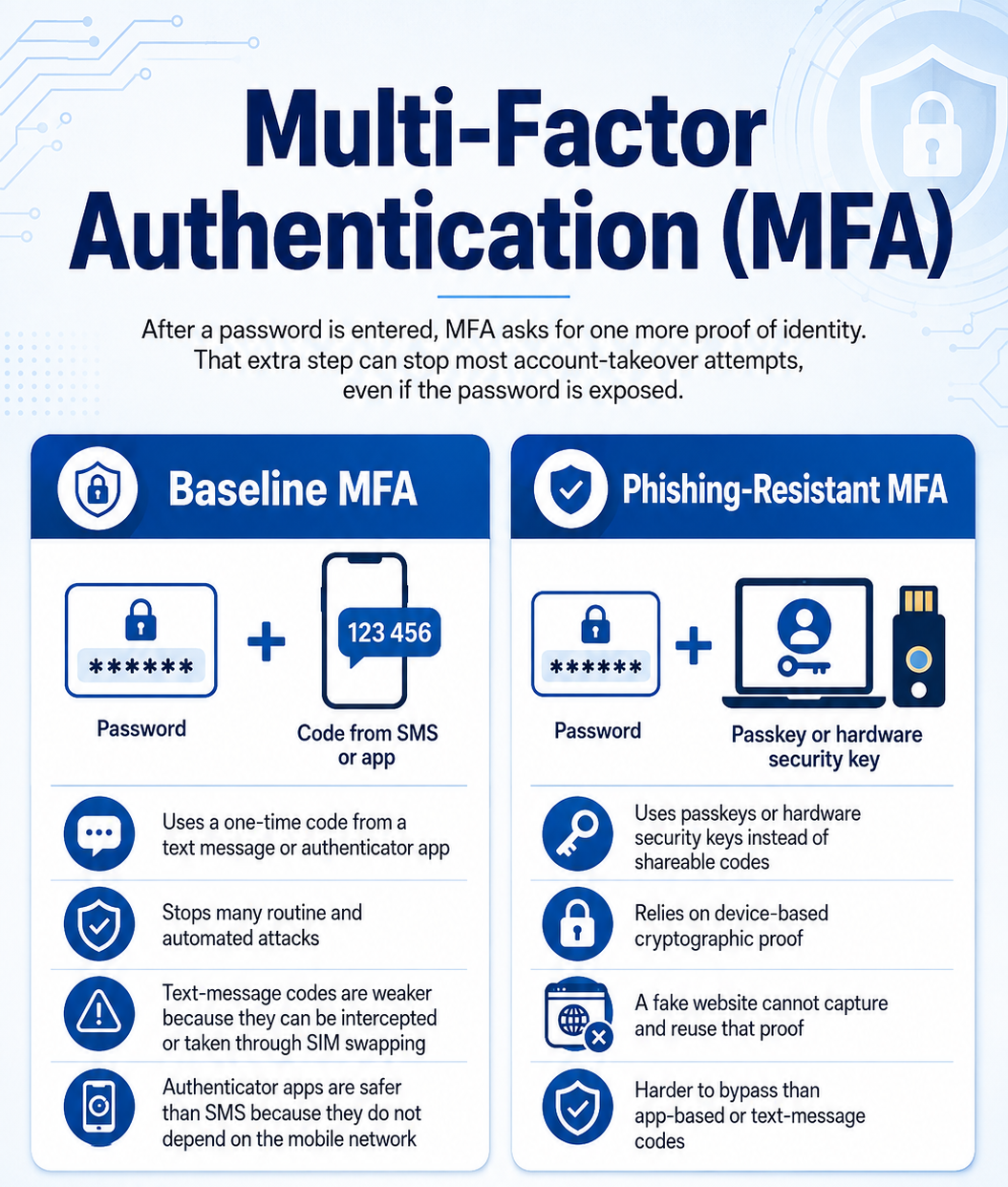
MFA requires a user to confirm their identity with a second factor after entering a password. This step blocks most account takeover attempts, even when a password leaks in a data breach. Not all MFA methods offer the same level of protection, so it helps to understand the difference between baseline and phishing-resistant options.
Baseline MFA (Authenticator Apps and SMS)
Authenticator apps and SMS codes are the most common form of MFA. A user enters a one-time code sent by text or generated by an app after their password. This method blocks many automated attacks, but SMS codes remain vulnerable to SIM-swapping and interception. Authenticator apps, such as Google Authenticator or Authy, offer a safer alternative since they do not rely on the mobile network.
Phishing-Resistant MFA (Passkeys and Hardware Keys)
Phishing-resistant MFA removes the codes that attackers can intercept or trick users into sharing. Hardware keys and passkeys use cryptographic proof tied to the specific device and website. A phishing site cannot capture or reuse this proof, which makes this method far harder to bypass than app-based codes.
Virtual Private Networks (VPNs)
A VPN encrypts internet traffic between a device and the network it connects to. This encryption protects login credentials from interception on unsecured networks, such as public Wi-Fi. A VPN does not replace a strong password, but it removes one of the paths attackers use to capture credentials in transit.
Passkeys and FIDO2/WebAuthn
Passkeys replace traditional passwords with a cryptographic key pair generated on a user's device. FIDO2 and WebAuthn are the open standards behind this technology, supported by major platforms including Apple, Google, and Microsoft. Since the private key never leaves the device, passkeys remove the risk of a stolen or reused password credential, as there is no shared secret for an attacker to phish or leak. Login happens through a fingerprint, face scan, or device PIN instead of a typed credential.
AI in Identity Threat Detection and Response (ITDR)
Identity threat detection and response tools use AI to flag suspicious login behavior in real time.
These systems analyze patterns such as:
- Login location. Flags sign-ins from unfamiliar countries or IP ranges.
- Device fingerprint. Detects logins from unrecognized hardware or browsers.
- Typing behavior. Identifies deviations from a user's normal typing rhythm.
AI-driven ITDR platforms also cross-reference login attempts against known breach data, alerting users when their credentials appear in a new leak.
Password Managers
A password manager stores login credentials in an encrypted vault and generates unique passwords for every account. This removes the need to memorize dozens of complex passwords, which reduces password reuse across accounts. Most password managers also autofill credentials and flag weak or breached passwords automatically.
Best Password Managers
Consider the following password managers for storing and generating strong passwords:
- Bitwarden. Free with unlimited passwords and devices; Premium costs $19.80 per year. With the latest early 2026 Premium price update, Bitwarden's free tier lost a few features, such as built-in two-factor codes and emergency access. Make sure to check what's included in each tier before choosing.
- Proton Pass. Free plan includes unlimited logins and devices; Pass Plus costs $23.88 per year ($1.99/month, billed annually), a price Proton has held since it cut prices in early 2024. Its unlimited storage and device support remove the restrictions common in other free plans, and it includes email aliases.
- 1Password. No permanent free tier, only a trial; the Individual plan costs $47.88 per year ($3.99/month) following a March 2026 price increase, its first since introducing subscriptions in 2016. It offers strong cross-platform support, passkeys, alerts, family vaults, and travel mode.
- Dashlane. No longer offers a personal free plan; Premium costs $59.88 per year ($4.99/month), with Friends & Family covering up to 10 accounts at $7.49/month. It bundles VPN, phishing-alert, and monitoring features for users who want an all-in-one option.
Whichever manager you choose, the goal remains the same: replace memorized, reused passwords with unique, securely stored credentials for every account.
Struggling to keep track of unique, complex passwords for every account? Read our article on password fatigue to understand why this happens and how to manage it without sacrificing security.
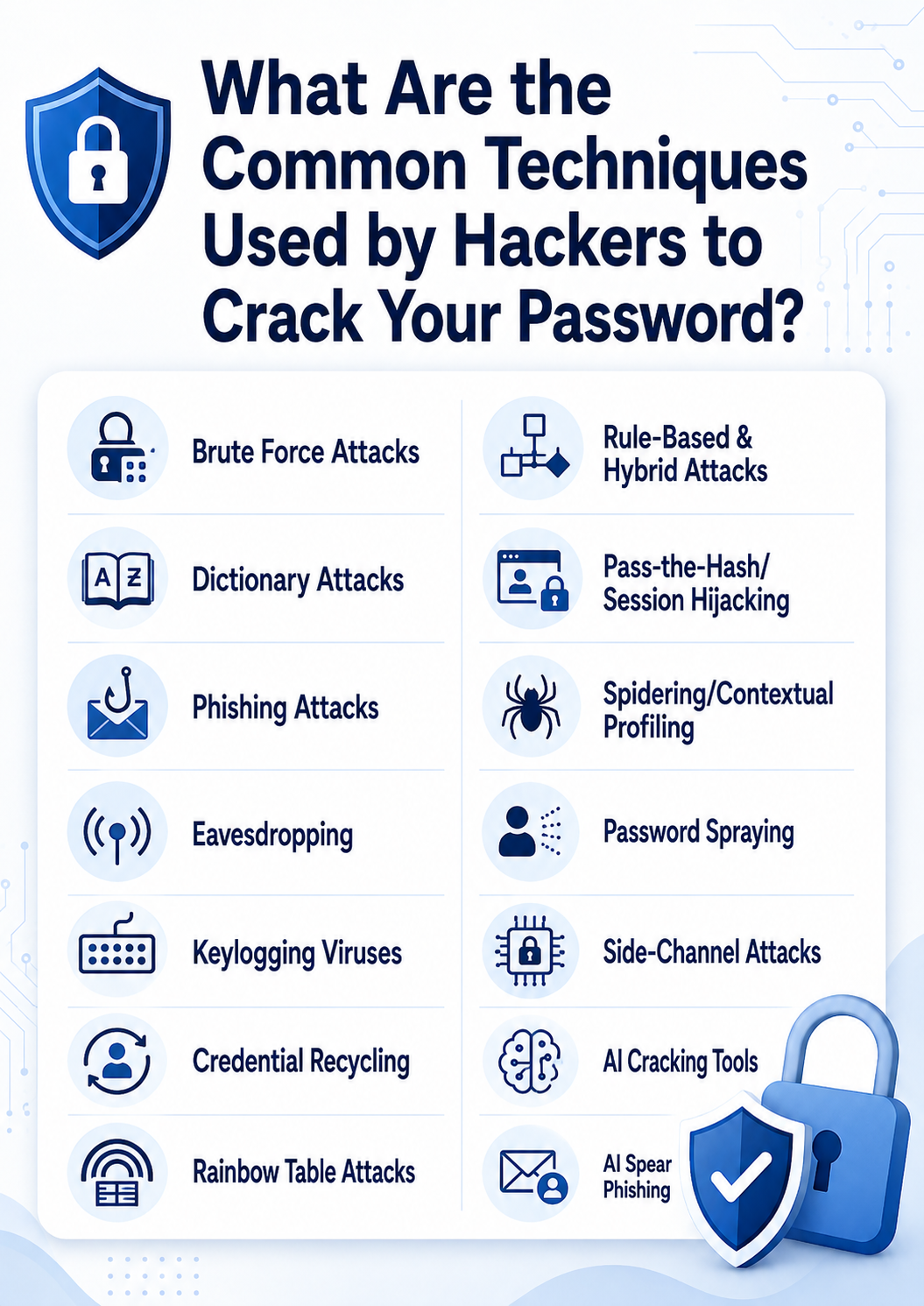
What Are the Common Techniques Used by Hackers to Crack Your Password?
Hackers rely on a wide range of techniques to obtain passwords, from brute computing power to psychological manipulation. Understanding these methods makes it easier to see why certain password habits leave accounts exposed. The following techniques represent the most common ways attackers gain unauthorized access to accounts.
Brute Force Attacks
A brute force attack tries every possible character combination until it finds the correct password. Modern hardware can test billions of combinations per second, which makes short passwords especially vulnerable.
Brute force attacks depend on the following factors:
- Password length. Every additional character multiplies the number of possible combinations.
- Character variety. Mixing uppercase, lowercase, numbers, and symbols expands the pool of guesses required.
- Computing power. Attackers use GPUs or cloud computing to test combinations faster than standard hardware allows.
Combining length and character variety remains the most effective way to keep a password out of reach of brute force tools, even as attacker computing power grows.
Dictionary Attacks
A dictionary attack tests a precompiled list of common words, phrases, and previously leaked passwords against a target account. This method succeeds against passwords built from real words or predictable phrases, since these already exist in most attacker wordlists.
The attack typically starts with common categories of words, such as:
- Sports teams.
- Names of celebrities, family members, friends, pets, TV/film characters, etc.
- Places (countries, cities, landmarks, etc.).
- Hobbies.
- Animal names.
A dictionary attack also tries substituting letters with symbols, such as 1 for an I or @ for an A. This cyberattack is the main reason why no security-aware person should use common words in their password. Adding random characters or avoiding dictionary words entirely reduces this risk.
Phishing Attacks
Phishing tricks a user into entering their password on a fake login page or through a deceptive email. The attacker then captures the credentials directly, bypassing the need to guess or crack anything.
Common phishing formats include:
- Fake login pages. Pages that mimic a real service to capture credentials on submission.
- Deceptive emails. Messages that impersonate a trusted sender and link to a malicious site.
- Urgent prompts. Messages that pressure users into acting quickly, such as fake account suspension warnings.
No password strength protects against phishing, which makes user awareness a critical point of defense.
Eavesdropping
Eavesdropping, also known as sniffing or snooping, involves intercepting data as it travels across a network, often on unsecured public Wi-Fi. An attacker positioned on the same network can capture login credentials transmitted without encryption. A VPN or an encrypted connection (HTTPS) closes this gap by scrambling the data in transit.
Unsecured networks expose data in transit to interception. Learn more about data in transit encryption and how it protects information as it travels.
Keylogging Viruses
A keylogger records every keystroke of a user, including passwords, and sends this data back to an attacker. This malware is often installed through infected downloads or malicious email attachments. Since keylogging captures passwords directly from the keyboard, even a complex password offers no protection once the malware is active.
To avoid keystroke viruses, you should:
- Know how to identify phishing emails, since infected attachments remain the most common delivery method.
- Keep your computer software up to date, so known vulnerabilities used to deliver keyloggers get patched.
- Install and use a reputable endpoint protection or antivirus tool to catch known keylogger signatures and suspicious behavior.
- Avoid questionable websites and downloads, a common infection point for bundled malware.
Even with strong habits in place, pairing them with MFA ensures a captured password alone is never enough to compromise an account.
Credential Recycling
Credential recycling, also known as credential stuffing, uses username-password pairs leaked from one breach to attempt logins on other services. This method succeeds because many users reuse the same password across multiple accounts. A unique password for every account eliminates this risk entirely.
Credential-based attacks are one of several ways businesses get breached. See our guide to attack vectors for a fuller picture of how these threats fit together.
Rainbow Table Attacks
A rainbow table attack uses precomputed tables of hash values to reverse-engineer a password from its stored hash. Instead of guessing passwords one at a time, the attacker looks up the hash directly in the table.
Two factors determine how effective this attack is:
- Hash complexity. Weak or outdated hashing algorithms produce hashes that are easier to precompute and match.
- Salting. Adding random data to a password before hashing defeats most rainbow table attacks by making precomputed tables ineffective.
Modern systems that combine strong hashing algorithms with salting make rainbow table attacks largely impractical.
Rule-Based and Hybrid Attacks
Rule-based attacks apply predictable transformations, such as capitalizing the first letter or appending numbers, to a base word or dictionary list. Hybrid attacks combine this approach with brute force, testing dictionary words alongside random character strings.
These methods target common tweaks people make to otherwise weak passwords, including:
- Capitalization. Changing "password" to "Password."
- Number appending. Adding digits like "123" or a birth year to the end.
- Character substitution. Replacing letters with similar-looking symbols, such as "@" for "a."
Since these tweaks follow predictable patterns, they add little real protection against rule-based and hybrid attacks.
Pass-the-Hash/Session Hijacking
Pass-the-hash attacks let an attacker authenticate using a stolen password hash, without ever needing to know the actual password. Session hijacking works similarly, stealing an active login session token to bypass authentication entirely. Both techniques target systems and networks rather than individual passwords, which is why network security and session management matter alongside password strength.
Spidering/Contextual Profiling
Spidering involves an attacker gathering information about a target, such as company names, employee details, or personal interests, to build likely password guesses. Contextual profiling extends this by combining social media activity with organizational data to predict passwords tied to a person's life.
This technique succeeds against passwords built from personal references, including:
- Names. A partner's, child's, or pet's name.
- Dates. Birthdates, anniversaries, or graduation years.
- Locations. Hometowns, street names, or employers.
Avoiding personal references in a password removes one of the easiest entry points attackers use to guess it.
Password Spraying
Password spraying tests a single common password, such as "Winter2026," across many different accounts before moving to the next guess. This approach avoids triggering account lockouts that occur when many attempts hit a single account. Organizations that enforce unique, complex passwords across all accounts reduce the success rate of this technique significantly.
Side-Channel Attacks
Side-channel attacks extract password information from indirect signals rather than the password itself. These attacks require specialized access or equipment, which makes them less common but still viable in targeted, high-value scenarios.
Examples of exploited signals include:
- Keystroke timing. Patterns in typing speed that reveal likely character sequences.
- Power consumption. Fluctuations that correlate with specific keys or operations.
- Audio recordings. Sound captured from typing that can be analyzed to identify keystrokes.
These signals are difficult for an average user to control, which makes side-channel attacks a threat best addressed through device and environment security rather than password choice alone.
AI Cracking Tools (PassGAN)
PassGAN uses a Generative Adversarial Network trained on real-world leaked passwords to generate new password guesses. The tool learns realistic password patterns directly from breach data instead of relying on human-written rules. Security researchers have noted that PassGAN's results are comparable to what conventional cracking tools can already achieve, so the underlying risk comes from predictable password habits rather than the AI itself.
AI Spear Phishing
AI spear phishing uses generative AI to craft highly personalized phishing messages at scale, mimicking a target's colleagues, writing style, or known contacts.
These messages draw on details pulled from real sources, such as:
- Social media activity. Posts, connections, and public profile details.
- Previous data leaks. Personal information exposed in past breaches.
- Writing style analysis. Patterns copied from a target's real emails or messages.
As with standard phishing, strong passwords offer no protection here, making MFA and user awareness training essential.
Do Not Take Any Chances with Your Passwords
Weak passwords remain one of the easiest ways for attackers to compromise an account, and the techniques used to exploit them keep growing more advanced. Apply the practices covered in this article: build long, unpredictable passwords, avoid personal information and reused credentials, and pair every account with MFA. Combine these habits with a password manager to remove the guesswork entirely. Taking these steps now closes the gaps attackers rely on and keeps your accounts protected against both current and emerging threats.