


SQL, or Structured Query Language, is a standard language used to work with data stored in relational databases.

What Is SQL in Simple Words?
SQL (Structured Query Language) is a declarative language used to communicate with relational database management systems by describing what data you want and what operations you want performed, rather than prescribing the exact steps to execute them. It defines a standardized way to query data from tables, combine related data across tables using joins, filter and aggregate results, and modify stored data through inserts, updates, and deletes.
SQL also includes capabilities for defining and evolving database structures, such as tables, columns, constraints, indexes, and relationships, and for managing permissions so only authorized users or applications can access or change specific data.
While SQL is standardized, most database platforms implement their own dialects that add features or syntax variations, but the core concepts remain consistent: organizing data into relations, enforcing integrity rules, and using queries to retrieve accurate results efficiently.
Types of SQL
SQL is often grouped into “types” based on what a statement is trying to accomplish, whether it’s defining database structures, querying data, changing data, or controlling transactions and access.
Data Definition Language (DDL)
DDL is used to create and manage database objects and schema. It defines what the database looks like, including tables, columns, indexes, and constraints. Common examples include CREATE, ALTER, DROP, and TRUNCATE.
Data Query Language (DQL)
DQL focuses on reading data without modifying it. In practice, this usually means SELECT queries that retrieve rows and columns, filter results (WHERE), sort them (ORDER BY), group them (GROUP BY), and aggregate them (like COUNT() or SUM()).
Data Manipulation Language (DML)
DML is used to add, change, and remove data stored in tables. It affects the contents of the database rather than its structure. Common examples include INSERT, UPDATE, DELETE, and (in many systems) MERGE for upserts.
Data Control Language (DCL)
DCL is used to manage security and access control, or who can do what in the database. It’s how you grant or revoke permissions on objects like tables, views, and procedures. Common examples include GRANT and REVOKE.
Transaction Control Language (TCL)
TCL manages transactions, which group multiple operations into an all-or-nothing unit of work. It helps ensure consistency when you need several changes to succeed together. Common examples include COMMIT (make changes permanent), ROLLBACK (undo uncommitted changes), and SAVEPOINT (set a checkpoint you can roll back to).
SQL Key Components
SQL has a few core building blocks that work together to store data reliably and retrieve it efficiently. Understanding these components makes it easier to read queries and design databases that behave predictably. The key components are:
- Tables. Tables are the main storage structure in a relational database. Each table represents a single entity (like users or orders) and stores data in rows and columns.
- Rows (records). A row is one complete item in a table; one user, one order, one log entry. Each row holds a set of related values across the table’s columns.
- Columns (fields). A column defines a specific attribute stored for every row, such as email, created_at, or total_amount. Columns also have data types that control what kind of values they can hold.
- Data types. Data types define how a value is stored and validated, such as integers, decimals, text, dates, timestamps, and Booleans. Choosing correct types affects correctness, storage size, and query performance.
- Keys (primary and foreign). A primary key uniquely identifies each row in a table. A foreign key links one table to another by referencing a primary key (or unique key), which is how relational databases represent relationships between entities.
- Constraints. Constraints enforce rules to keep data valid, such as NOT NULL (value required), UNIQUE (no duplicates), CHECK (must meet a condition), and FOREIGN KEY (must reference an existing row). They help prevent bad data from being stored.
- Indexes. Indexes are performance structures that speed up lookups, filtering, sorting, and joins by allowing the database to find rows without scanning the whole table. They improve read performance but add overhead to writes.
- Queries and clauses. Queries are SQL statements that retrieve or modify data. Clauses like SELECT, FROM, WHERE, JOIN, GROUP BY, HAVING, and ORDER BY define what data is returned and how it’s shaped.
- Joins. Joins combine rows from multiple tables based on related columns, such as a customer ID shared between customers and orders. They’re essential for working with normalized data split across tables.
- Views. A view is a saved query presented like a virtual table. It simplifies repeated querying, can hide complexity, and is often used to control access to sensitive columns.
- Transactions. Transactions group multiple statements into a single unit of work, so changes either all succeed or all fail. They support reliable updates and protect data integrity, especially in multi-step operations.
Common SQL Commands
Common SQL commands are the statements you use most often to define database structures, read data, and change data safely.
Querying data
- SELECT: Retrieves data from one or more tables or views. It’s typically combined with filters, joins, grouping, and sorting to shape the result set.
Filtering, sorting, and shaping results
- WHERE: Filters rows before they’re returned (or before an update/delete runs).
- ORDER BY: Sorts the result set by one or more columns.
- GROUP BY: Groups rows so you can aggregate them (for example, totals per customer).
- HAVING: Filters groups after aggregation (unlike WHERE, which filters rows).
- DISTINCT: Removes duplicate rows from results.
- LIMIT/OFFSET (or TOP): Restricts how many rows are returned and supports pagination (syntax varies by database).
Combining tables
- JOIN (e.g., INNER JOIN, LEFT JOIN): Combines rows from multiple tables based on a related key, such as customer_id.
Modifying data
- INSERT: Adds new rows to a table.
- UPDATE: Changes existing rows that match a condition.
- DELETE: Removes rows that match a condition.
- MERGE (or vendor-specific upsert syntax): Inserts or updates depending on whether a matching row already exists.
Defining and changing schema (DDL)
- CREATE: Creates objects like tables, indexes, views, and schemas.
- ALTER: Modifies existing objects (add/rename columns, change constraints, etc.).
- DROP: Removes objects entirely.
- TRUNCATE: Quickly removes all rows from a table (usually without row-by-row logging).
Controlling transactions
- BEGIN (or START TRANSACTION): Starts a transaction.
- COMMIT: Makes changes permanent.
- ROLLBACK: Undoes changes since the transaction began.
- SAVEPOINT: Sets a rollback point inside a transaction.
Permissions and security
- GRANT: Gives privileges (like SELECT or INSERT) to a user/role.
- REVOKE: Removes previously granted privileges.
How Does SQL Work?
SQL works by letting you describe the data you want (or the change you want to make) and then relying on the database engine to execute that request efficiently while enforcing rules like data types, constraints, and permissions. Here is exactly what it entails:
- You send a SQL statement to the database. An application, script, or user submits a command such as a SELECT query or an INSERT/UPDATE change, describing the target tables and the intended result.
- The database checks syntax and your permissions. The engine validates that the SQL is written correctly and confirms the user or role is allowed to access or modify the referenced objects.
- The query is parsed into an internal representation. The database breaks the statement into logical parts (tables, joins, filters, aggregates) so it can reason about what must happen to produce the result.
- The optimizer chooses an execution plan. The engine evaluates different ways to run the statement, such as which indexes to use, join order, and join algorithms, and picks a plan intended to minimize time and resource usage.
- The engine executes the plan and accesses the data. It reads the required rows using indexes or table scans, combines tables via joins, applies filters, and computes aggregates or sorts as needed.
- Changes are applied safely using transactions (for writes). For INSERT, UPDATE, or DELETE, the database records the changes and enforces constraints (like foreign keys and uniqueness). If something fails, it can roll back to keep the database consistent.
- Results are returned (or the change is committed). For reads, the final result set is sent back to the client. For writes, the transaction is committed to make changes permanent (or rolled back if the operation can’t complete).
What Is SQL Used For?
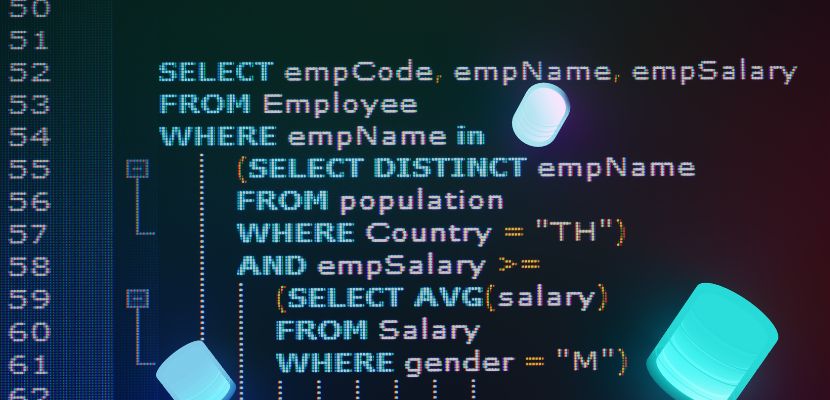
SQL is used to store, retrieve, and manage structured data in relational databases.
- Query data for applications and reports. SQL pulls the exact rows and columns you need, filters and sorts results, and combines related data across tables so apps and dashboards can display accurate information.
- Create and maintain database structures. It defines tables, relationships, constraints, and indexes that organize data and keep it consistent as systems evolve.
- Insert, update, and delete records. SQL is the standard way to add new data, correct existing data, and remove obsolete records while enforcing rules like uniqueness and referential integrity.
- Aggregate and analyze data. It supports calculations such as totals, averages, and counts, and can group results to answer questions like “sales by month” or “active users by region.”
- Control access and security. SQL manages permissions so users and applications can be limited to specific operations (read-only, write access, admin tasks) and specific objects.
- Run reliable multi-step changes with transactions. SQL transactions ensure related operations succeed or fail together, which is essential for workflows like payments, inventory updates, and order processing.
Advantages of SQL
SQL is widely used because it offers a reliable, efficient way to work with structured data, from simple lookups to complex reporting and transactional systems. The advantages of SQL include:
- Standardized and widely supported. SQL has an international standard and is implemented across most relational databases, so the core skills transfer well between systems even when dialects differ.
- Strong fit for relational, structured data. It’s designed for data stored in tables with defined relationships, making it ideal for domains like orders, billing, inventory, users, and other record-based systems.
- Powerful querying and data shaping. SQL can filter, join, group, and aggregate data in a single statement, which makes it efficient for reporting and analytics without moving large datasets into application code first.
- Performance and optimization features. Database engines can optimize SQL automatically using indexes, statistics, and query planners. With good schema design and indexing, SQL queries can scale to large datasets.
- Data integrity and consistency controls. Constraints (like primary keys, foreign keys, and checks) help prevent invalid or inconsistent data from being stored, reducing downstream bugs and cleanup work.
- Transaction support for reliable updates. Transactions provide atomic, all-or-nothing changes, which is critical for business operations where partial updates would cause errors (for example, charging a payment without creating an order record).
- Fine-grained security and access control. SQL databases typically support roles, permissions, and object-level access rules, allowing you to limit who can read or modify specific data.
- Mature ecosystem and tooling. SQL has decades of ecosystem support through administration tools, monitoring, backup/restore, replication, ORMs, and integrations, making it easier to operate in production.
Disadvantages of SQL
SQL is strong for structured, relational data, but it can be a poor fit in certain scenarios or create tradeoffs as systems grow and requirements change. The downsides are:
- Harder to model highly variable or nested data. Relational schemas work best when data is predictable. When records have many optional fields or deeply nested structures, tables can become complex, and joins or extra tables may be needed to represent the same information.
- Complex queries can become difficult to read and maintain. As business logic grows with multiple joins, subqueries, window functions, and edge-case conditions, SQL can become dense and harder to debug, review, and refactor safely.
- Vendor dialect differences reduce portability. While core SQL is standardized, real-world databases differ in syntax and features (data types, upserts, JSON functions, procedural extensions). Moving queries between platforms often requires rewrites.
- Performance tuning still requires expertise. The optimizer helps, but poorly designed schemas, missing/incorrect indexes, and inefficient query patterns can cause slow queries. Fixing performance issues often requires understanding execution plans and storage behavior.
- Write-heavy workloads can be costly at scale. Indexes, constraints, and transactional guarantees add overhead to inserts and updates. At very high write rates, maintaining consistency and secondary indexes can limit throughput unless carefully engineered.
- Schema changes can be disruptive. Altering large tables or adding constraints can lock resources, require migrations, or take significant time. Even with online schema change features, planning and testing are important.
- Impedance mismatch with application code. Applications often use objects and nested structures, while SQL works with sets of rows and columns. Bridging the two (especially through ORMs) can introduce inefficiencies or make behavior less transparent.
- Horizontal scaling is harder than in some NoSQL systems. Many relational databases scale vertically very well and can scale out with replication and sharding, but true horizontal scaling often adds operational complexity compared with systems designed for distributed storage from the start.
SQL FAQ
Here are the answers to the most commonly asked questions about SQL.
SQL vs. NoSQL
Here’s a clear, side-by-side comparison of SQL and NoSQL to highlight how they differ in data model, usage, and tradeoffs:
| Aspect | SQL (Relational Databases) | NoSQL (Non-Relational Databases) |
| Data model | Table-based with rows and columns. | Varies: document, key-value, wide-column, or graph. |
| Schema | Fixed, predefined schema. | Flexible or schema-less. |
| Data structure | Structured data with clear relationships. | Semi-structured or unstructured data. |
| Query language | Uses SQL (standardized, declarative). | Database-specific APIs or query languages. |
| Relationships | Explicitly modeled with foreign keys and joins. | Typically handled in application logic or embedded data. |
| Transactions | Strong ACID transaction support. | Often limited or scoped (some support ACID, others eventual consistency). |
| Consistency model | Strong consistency by default. | Often favors eventual consistency (configurable in some systems). |
| Scalability | Scales well vertically; horizontal scaling adds complexity. | Designed for horizontal scaling and distributed systems. |
| Performance focus | Optimized for complex queries and joins. | Optimized for high throughput and large-scale distributed workloads. |
| Typical use cases | Financial systems, ERP, CRM, reporting, transactional apps. | Real-time analytics, large-scale web apps, IoT, content stores. |
| Maturity and tooling | Very mature ecosystem and tooling. | Varies by database; often newer and more specialized. |
Is it Difficult to Learn SQL?
SQL is generally considered one of the easier languages to pick up because the core commands are small in number and read like structured English, and you can get useful results quickly with basic SELECT, WHERE, and simple joins.
The difficulty tends to increase when you move beyond straightforward queries into things like multi-table joins, grouping and aggregation, window functions, subqueries, and performance tuning with indexes and execution plans. It also helps to understand relational concepts, such as tables, keys, and normalization, because many “SQL problems” are really data-modeling problems.
With consistent practice on real datasets, most people become productive fairly quickly, but mastering more advanced querying and optimization takes longer.
What’s Easier, Python or SQL?
Neither is “easier” in general, since they’re easier for different kinds of tasks.
SQL is usually easier to start with if your goal is to pull, filter, and summarize data stored in a relational database. The core is small (mainly SELECT, WHERE, JOIN, GROUP BY), and you can get useful results quickly without learning programming fundamentals like functions, control flow, or data structures.
Python is usually harder at the very beginning, because you’re learning general programming concepts (variables, loops, functions, libraries, debugging). But once you have the basics, Python is more flexible for tasks beyond querying, such as automation, APIs, data cleaning, modeling, building apps, and complex logic that’s awkward in pure SQL.
A practical way to think about it: SQL is easier for “get me the data”; Python is easier for “do things with the data (and everything else)”. In real workflows, they complement each other, so you often use SQL to extract and shape data and Python to transform, analyze, or automate.
Does SQL Require Coding?
SQL does require coding in the sense that you write precise, structured statements that the database executes, and small syntax mistakes can break a query. However, it’s not the same as general-purpose programming: SQL is a declarative language where you describe what data you want (or what change you want) and the database figures out how to do it.
Many tools let you build queries visually, but understanding SQL is still important for writing correct filters and joins, troubleshooting results, and working efficiently with real datasets.
Will SQL Be Replaced by AI?
SQL is unlikely to be replaced by AI, but AI will increasingly change how people use SQL.
Relational databases still need a precise, deterministic way to define schemas, enforce constraints, guarantee transactions, and execute queries efficiently, and SQL is tightly integrated into how database engines are built. AI tools can generate SQL, suggest optimizations, or translate natural language questions into queries, but the underlying systems still rely on SQL (or SQL-like languages) to operate safely and predictably.
In practice, AI acts as a layer on top of SQL, not a replacement. It reduces friction for writing and understanding queries, especially for non-experts, while SQL remains the trusted interface for data integrity, performance, and long-term maintainability.
