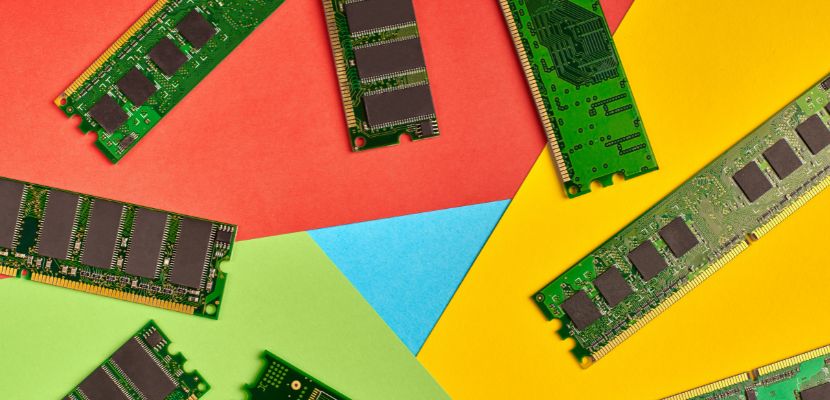
A single in-line memory module (SIMM) is an early type of computer memory module used to expand a system’s RAM capacity.
What Is the Meaning of Single In-Line Memory Module?
A single in-line memory module is a circuit board that holds several memory chips and connects them to a computer’s motherboard to provide system memory (RAM). The module is designed with a row of electrical contacts along one edge that fits into a dedicated memory slot on the motherboard. Despite the name “single in-line,” the contacts on both sides of the module are electrically identical, meaning they carry the same signals. This design differs from later memory modules, where each side of the connector can carry separate signals.
What Are the Different Types of SIMM?
SIMM modules were produced in several formats that differed in pin count, data width, and memory capacity. As computer systems evolved, these variations allowed SIMMs to support different hardware requirements and performance levels. The most common SIMM types are defined by the number of connector pins and the data width they provide.
30-pin SIMM
The 30-pin SIMM was one of the earliest and most widely used SIMM formats. It provides an 8-bit data path (9 bits when parity is included) and was commonly used in computers based on Intel 80286, 80386, and early 80486 processors. Because many systems required a wider memory bus, multiple 30-pin SIMMs often had to be installed together, typically in groups of four, to match the system’s bus width.
72-pin SIMM
The 72-pin SIMM was introduced to support wider memory buses and higher capacities. It provides a 32-bit data path (or 36 bits with parity), allowing a single module to match the 32-bit memory bus used by many 486 and early Pentium systems. This reduced the need to install memory in large groups and simplified system upgrades. The 72-pin SIMM also supported larger memory sizes and became the dominant SIMM format during the mid-1990s.
Parity and Non-Parity SIMMs
SIMMs were also categorized by whether they supported parity checking. Parity SIMMs include an additional memory bit used to detect errors during data transfer, resulting in configurations such as 9-bit or 36-bit modules. Non-parity SIMMs lack this extra bit and store only the standard data width. Systems that required memory error detection typically used parity SIMMs, while lower-cost consumer systems often used non-parity modules.
What Are the Characteristics of SIMM?
Single in-line memory modules have several defining characteristics that distinguish them from earlier memory chip installations and from later memory module technologies. These characteristics relate to their physical design, electrical layout, and how they interact with the system memory bus:
- Single electrical contact set. Despite having metal contacts on both sides of the module, SIMMs use the same electrical signals on each side. This means both sides of the connector are electrically identical, which is why the module is referred to as “single in-line.” This design differs from later memory modules, where each side of the connector carries different signals.
- Module-based memory design. SIMMs package multiple memory chips on a small printed circuit board that plugs into a memory slot on the motherboard. This design simplified memory installation and upgrades compared with earlier systems that required inserting individual memory chips directly into sockets.
- Narrow data path. SIMMs typically provide an 8-bit or 32-bit data path, depending on the module type. Because many systems required a wider memory bus, several SIMMs often had to be installed together to match the processor’s data width.
- DRAM-based memory. Most SIMMs use dynamic random-access memory (DRAM), which stores data in capacitors that must be refreshed periodically to maintain stored information. This technology allowed relatively large memory capacities at a lower cost compared with other memory types used at the time.
- Pin-based physical formats. SIMMs were manufactured primarily in two physical versions: 30-pin and 72-pin modules. These formats differed in connector size, memory capacity, and supported data width, allowing them to serve different generations of computer hardware.
- Angled installation mechanism. SIMM modules are typically inserted into a motherboard slot at an angle and then tilted upright until they lock into place. This installation method helped secure the module firmly in the socket while allowing easy removal and replacement during upgrades.
How Does SIMM Work?
A single in-line memory module works by providing temporary storage that the CPU can quickly read from and write to while running programs. The SIMM module connects several DRAM chips to the system’s memory bus, allowing the processor to store active data and instructions during operation. The following steps describe how a SIMM functions within a computer system:
- System requests data from memory. When the CPU needs instructions or data to execute a program, it sends a memory request through the system’s memory bus. The request includes the specific memory address where the required data is stored.
- The memory controller locates the address. The system’s memory controller receives the request and determines which memory module and memory cell correspond to the requested address. This controller manages communication between the processor and the SIMM modules.
- The request reaches the SIMM module. The memory controller sends the request through the motherboard’s memory slot to the SIMM module. Electrical signals travel through the module’s connector pins to the DRAM chips mounted on the SIMM.
- The DRAM chips access the stored data. Each DRAM chip contains a large array of memory cells organized in rows and columns. The chip selects the correct row and column that match the requested address, allowing the stored data to be retrieved.
- Data is sent back through the memory bus. Once the correct memory cells are accessed, the data stored in those cells is transmitted from the DRAM chips through the SIMM module and back across the memory bus to the memory controller.
- The CPU receives and uses the data. The memory controller forwards the retrieved data to the CPU. The processor then uses the data to execute instructions, perform calculations, or continue running the active program.
- Memory cells are refreshed to preserve data. Because SIMMs typically use DRAM, the stored data must be refreshed periodically. The memory controller automatically refreshes the memory cells to prevent stored information from fading, ensuring the module continues to hold valid data.
SIMM Uses
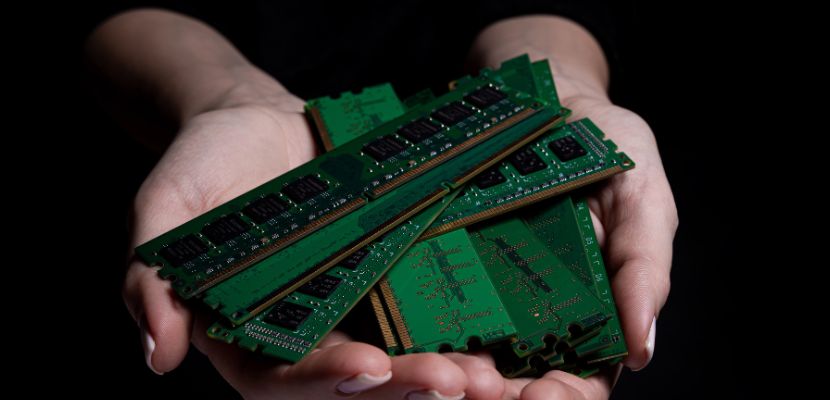
Single in-line memory modules were widely used to provide system memory in personal computers and other computing systems before newer memory technologies became standard. By packaging several memory chips on a single module, SIMMs made it easier to install, expand, and maintain RAM in early computer hardware. The common uses are:
- Desktop computer memory expansion. SIMMs were commonly used in desktop computers to increase the amount of installed RAM. Adding SIMM modules allowed systems to run larger programs, support multitasking, and improve overall performance.
- Workstations and engineering systems. High-performance workstations used SIMMs to support demanding applications such as computer-aided design (CAD), scientific simulations, and graphic processing. Expanding memory capacity enabled these systems to handle larger datasets and more complex computations.
- Servers and network systems. Early servers used SIMMs to support applications such as file sharing, database management, and network services. Larger memory configurations improved the system’s ability to handle multiple users and processes simultaneously.
- Memory upgrades and hardware maintenance. SIMMs simplified hardware upgrades by allowing technicians to replace or add memory modules instead of installing individual memory chips. This modular approach reduced maintenance time and made memory expansion more practical.
- Embedded and legacy systems. Some specialized or legacy systems continued to use SIMMs long after newer memory formats appeared. Industrial equipment, older networking devices, and legacy computing environments often relied on SIMM-based memory because it matched the hardware architecture of those systems.
What Are the Advantages and Limitations of SIMM?
Single in-line memory modules improved memory installation and expansion compared with earlier approaches that required installing individual memory chips directly onto the motherboard. However, as computer performance requirements increased, SIMMs also revealed several technical limitations that led to the development of more advanced memory module formats.
SIMM Advantages
SIMMs were introduced to make system memory easier to install, upgrade, and manage compared with earlier methods that relied on individual memory chips. By packaging multiple DRAM chips on a single module, SIMMs simplified hardware design and allowed users to expand memory capacity more efficiently. Several advantages made SIMMs a practical memory solution for many computer systems during their time, including:
- Simplified memory installation. SIMMs group multiple memory chips onto a single circuit board that plugs into a motherboard slot. This modular design made memory upgrades faster and easier than installing individual chips.
- Standardized memory modules. SIMMs introduced a standardized form factor for memory modules. This helped manufacturers design compatible hardware and allowed users to upgrade memory without replacing the entire motherboard.
- Cost-effective memory expansion. Because SIMMs used widely available DRAM chips and a relatively simple design, they offered an affordable way to increase system memory capacity in early personal computers.
- Reliable physical connection. The angled insertion mechanism and locking clips helped secure the module in the memory slot, reducing the likelihood of poor electrical contact or loose components.
SIMM Limitations
Although SIMMs improved memory installation and standardization, their design also introduced several limitations. As computer processors and applications became more demanding, the architectural constraints of SIMMs made it harder for systems to achieve higher memory speeds, larger capacities, and more flexible upgrades. These limitations eventually led to the adoption of newer memory module technologies:
- Identical contacts on both sides. SIMMs use the same electrical signals on both sides of the connector, which limits the number of available connections. This design restricts data width and overall performance compared with later memory technologies.
- Requirement for matched module sets. Many systems required multiple SIMMs to be installed together to match the width of the processor’s memory bus. This made memory upgrades less flexible and sometimes required purchasing several modules at once.
- Limited data bandwidth. SIMMs were designed for earlier computer architectures and offer lower memory bandwidth than modern modules. As processors became faster, SIMM-based memory systems struggled to keep up with performance demands.
- Smaller maximum capacity. Compared with newer memory modules such as dual in-line memory modules (DIMMs), SIMMs support smaller memory capacities. This limitation made them unsuitable for later systems that required significantly larger amounts of RAM.
Single In-Line Memory Module FAQ
Here are the answers to the most commonly asked questions about single in-line memory module.
Is SIMM a Type of RAM?
No, a SIMM is not a type of RAM itself, but a memory module format used to hold RAM chips.
A Single in-line memory module is a small circuit board that contains multiple memory chips, typically dynamic random-access memory (DRAM), and connects them to the computer’s motherboard through a memory slot. In other words, the SIMM is the physical packaging and interface that allows RAM to be installed and expanded in a system, while the actual memory technology performing the data storage is the RAM contained on the module.
Is SIMM Still Used Today?
SIMMs are no longer used in modern computers. They were widely used in personal computers, workstations, and servers during the late 1980s and early 1990s, but were eventually replaced by dual in-line memory modules (DIMMs), which offer higher data bandwidth, larger capacities, and more efficient electrical designs.
Today, SIMMs are mostly found only in legacy systems, such as older PCs, industrial equipment, and specialized hardware that was designed to operate with this memory format. In these environments, SIMMs may still be maintained or replaced to keep older systems operational, but they are no longer used in new computer hardware.
Single In-Line Memory Module vs. Dual In-Line Memory Module
Let’s compare a single in-line memory module with a dual in-line memory module:
| Feature | SIMM (Single in-line memory module) | DIMM (Dual in-line memory module) |
| Definition | A memory module where the electrical contacts on both sides of the connector are identical and carry the same signals. | A memory module where the contacts on each side of the connector are electrically independent, allowing more signal connections. |
| Data path width | Typically 8-bit (30-pin) or 32-bit (72-pin). Multiple modules were often required to match the system memory bus width. | Typically 64-bit in modern systems, allowing a single module to match the processor’s memory bus. |
| Connector design | Contacts on both sides of the module are connected to the same electrical pins. | Each side of the module has separate electrical contacts, effectively doubling the number of connections. |
| Installation requirements | Often installed in matched groups to meet the system’s memory bus width. | Usually installed individually because each module already matches the system bus width. |
| Performance | Lower memory bandwidth due to fewer electrical connections and narrower data paths. | Higher memory bandwidth and better performance due to wider data paths and improved signaling. |
| Common formats | 30-pin and 72-pin modules. | Common formats include 168-pin, 184-pin, 240-pin, and 288-pin DIMMs used in SDRAM, DDR, DDR2, DDR3, DDR4, and DDR5. |
| Era of use | Common in computers from the late 1980s to the mid-1990s. | Introduced in the mid-1990s and still used in modern computers. |
| Typical systems | Older PCs, early workstations, and legacy servers. | Modern desktops, servers, laptops (SO-DIMMs), and enterprise systems. |
