Pair programming is a collaborative software development practice where two developers work together on a task at the same time.
What Is Pair Programming?
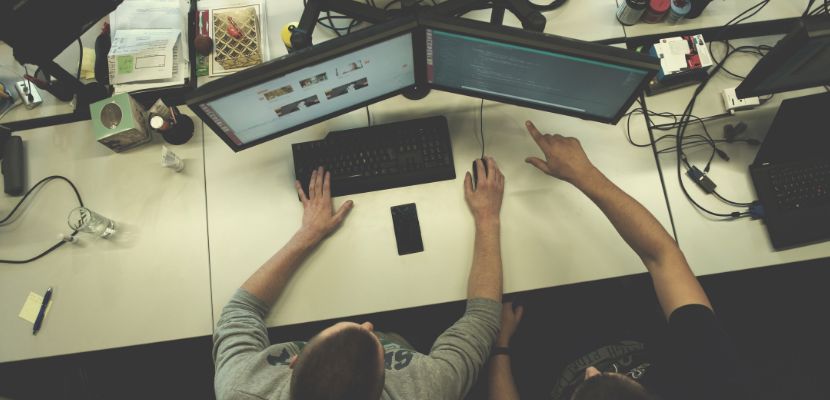
Pair programming is an agile development technique in which two developers collaborate at one workstation, working on the same codebase in real time to design, implement, and verify a solution. One person typically acts as the “driver,” operating the keyboard and translating the current plan into code, while the other acts as the “navigator,” continuously reviewing what’s being written, spotting defects early, thinking ahead about edge cases, and suggesting improvements to structure, naming, tests, and overall approach. The two roles are intentionally fluid and should switch regularly so both participants stay engaged and so knowledge is shared evenly.
Pair Programming Types
Pair programming can be practiced in a few different ways depending on the team’s goals, experience levels, and the kind of work being done. These common types describe how the two developers divide attention, responsibility, and flow while collaborating in real time:
- Driver–navigator (classic pairing). One developer (the driver) writes the code and focuses on the immediate implementation details, while the other (the navigator) reviews continuously and thinks a step ahead, catching mistakes, questioning assumptions, and watching for design and test gaps. The pair switches roles periodically to keep both people engaged and to spread context and ownership across the code.
- Ping-pong pairing. This style is built around test-driven development: one developer writes a failing test, then hands off to the other developer to make it pass, who then writes the next failing test, and so on. The tight alternation keeps feedback fast, encourages small, verifiable steps, and naturally enforces frequent role switching without needing a timer.
- Strong-style pairing. Here, the person at the keyboard only types what the other person directs, following the idea that “for an idea to go from your head into the computer, it must go through someone else’s hands.” This can be useful for mentoring, onboarding, or preventing one person from dominating, because it forces clear communication and deliberate decision-making.
- Unstructured or “tour guide” pairing. One developer leads most decisions and actions while the other follows along, asking questions and absorbing context; switching may happen less frequently than in classic pairing. This can work well for onboarding to a codebase or walking through a tricky system, but it’s most effective when it intentionally transitions toward more balanced participation over time.
How Does Pair Programming Work?
Pair programming works by turning development into a real-time collaboration loop: one person writes code while the other continuously reviews and guides decisions. The goal is to build the right solution faster by catching issues early and keeping both developers aligned. Here is how it works:
- Agree on the goal and the “done” criteria. The pair quickly clarifies what needs to be built or fixed, what constraints matter (performance, security, style), and how success will be verified. This prevents two people from heading in different directions and sets a clear target.
- Choose roles and set a switch rhythm. One developer starts as the driver (typing) and the other as the navigator (reviewing and thinking ahead), and they agree when to swap by timer, after a test passes, or after a small milestone. This keeps both people engaged and ensures shared ownership of the code.
- Break the work into small, testable slices. The pair decomposes the task into the next smallest change that can be implemented and validated, such as adding a function, handling an edge case, or writing a test. This reduces risk, makes progress visible, and keeps feedback cycles short.
- Implement while continuously reviewing in real time. The driver codes the current slice, and the navigator watches for correctness, readability, missing cases, and design issues, suggesting improvements immediately. This catches defects before they spread and improves the quality of decisions as they’re made.
- Run checks and validate behavior early and often. The pair runs tests, lints, builds, or a quick manual check to confirm the change works as intended. This provides immediate proof of progress and helps isolate problems while the context is fresh.
- Refactor and align the code with standards. Once the slice works, the pair cleans up naming, structure, duplication, and comments, and ensures the change matches team conventions. This prevents “working but messy” code from accumulating and makes future changes safer.
- Swap roles and repeat until the goal is met, then wrap up. They switch driver/navigator and continue in small slices until the acceptance criteria are satisfied, then finalize with a quick review of what changed and why. This reinforces shared understanding and leaves a clear trail for the rest of the team.
Pair Programming Best Practices

Pair programming works best when it’s treated as a focused, structured collaboration, not just two people coding side by side. These best practices help keep sessions efficient, balanced, and productive:
- Start with a clear goal and acceptance criteria. Agree on what “done” means (tests, edge cases, performance expectations) so you’re building toward the same outcome.
- Use frequent role switching. Swap driver/navigator on a timer or after a small milestone to keep both people engaged and share ownership of the code.
- Work in small, testable increments. Aim for changes that can be validated quickly to reduce rework and keep momentum.
- Talk continuously and narrate decisions. Explain intent, tradeoffs, and assumptions as you go so the collaboration stays aligned and knowledge transfers naturally.
- Keep the navigator active and specific. The navigator should watch for correctness, design, and edge cases (not just “review silently”) and propose concrete next steps.
- Respect focus and minimize interruptions. Treat pairing as deep work: silence notifications, avoid side conversations, and keep context switching to a minimum.
- Match the pairing style to the task. Use classic driver–navigator for general work, ping-pong for TDD-heavy tasks, or strong-style for mentoring and onboarding.
- Agree on tooling and workflow upfront. Ensure both can run tests, share environment context, and use the same formatters/lints to avoid friction.
- Capture decisions and follow-ups. Note key choices, TODOs, and open questions so the work is easy to review and continue later.
- Timebox and take short breaks. Pairing is mentally intense; short sessions with breaks help maintain quality and reduce fatigue.
Pair Programming Tools
Pair programming is easier when both developers can share context quickly, edit in real time, and run the same checks with minimal friction. These tools help support effective pairing in person or remotely:
- VS Code Live Share. Enables real-time collaborative editing, shared terminals, and debugging sessions directly inside VS Code, so both developers can navigate and work in the same workspace.
- JetBrains Code With Me. Provides collaborative editing and navigation for IntelliJ-based IDEs, with the host sharing a project session so guests can follow along and contribute.
- Tuple. A low-latency remote pairing app designed for smooth screen sharing with high-quality audio/video, which helps reduce “lag friction” during fast back-and-forth work.
- tmux (terminal multiplexing). Useful for pairing in terminal-centric workflows by sharing a session, letting both developers view and interact with the same CLI environment.
- Remote desktop/screen sharing (Zoom, Google Meet, Microsoft Teams). Common option for sharing a screen and talking through changes; works well when combined with good audio and clear driver/navigator roles.
- Collaborative whiteboards (Miro, FigJam). Helpful for sketching architecture, data flows, or edge cases before coding, especially for complex systems or refactors.
- Issue trackers and task boards (Jira, GitHub Issues). Keep the pair aligned on scope and acceptance criteria, and provide a shared source of truth for requirements and progress.
- Shared coding standards automation (formatters/linters like Prettier, ESLint, Black, gofmt). Reduces style debates during pairing and keeps feedback focused on correctness and design.
- CI and test runners (GitHub Actions, GitLab CI, local test tooling). Provide quick validation as you iterate, ensuring the pair’s changes remain stable and reviewable.
What Are the Benefits of Pair Programming?
Pair programming can pay off when the work benefits from fast feedback, shared context, and careful decision-making. Done well, it improves both the code and the team’s ability to deliver it consistently. The main benefits include:
- Higher code quality in the moment. Continuous review catches logic errors, edge cases, and unclear naming while code is being written, reducing cleanup later.
- Fewer defects reaching testing or production. Two sets of eyes help spot mistakes early, lowering bug rates and shortening the feedback loop compared to post-hoc reviews.
- Faster problem solving on complex tasks. Pairs can explore options, debug, and pivot quickly because one person can focus on implementation while the other keeps the bigger picture in view.
- Better design decisions and maintainability. Real-time discussion encourages clearer abstractions, simpler approaches, and more consistent patterns, which makes the code easier to extend.
- Stronger knowledge sharing and reduced “bus factor.” Context about systems, conventions, and historical decisions spreads naturally, so fewer areas are understood by only one person.
- More effective onboarding and mentoring. Newer team members learn workflows, tooling, and codebase patterns through guided practice, often reaching independence faster.
- Improved alignment on standards and practices. Teams converge on consistent testing habits, style, and architecture because these decisions are practiced together, not just documented.
- Less rework from misunderstandings. Requirements and assumptions are challenged immediately, reducing the risk of building the wrong thing and the need to redo it after review.
- Higher confidence when shipping changes. Shared ownership and frequent validation (tests, builds, checks) typically make releases feel safer and smoother.
What Are the Challenges of Pair Programming?
Pair programming can be highly effective, but it also introduces tradeoffs in time, energy, and collaboration style. These challenges are common when pairing isn’t matched to the task or isn’t structured well:
- Higher short-term cost. Two people on one task can look inefficient on paper, especially for simple work where solo execution would be faster, even if it reduces downstream bugs or rework.
- Mental fatigue and reduced focus over long sessions. Pairing requires constant attention and communication, so productivity can drop if sessions aren’t timeboxed with breaks.
- Skill and confidence imbalance. If one person dominates decisions or typing, the other can disengage, turning the session into “watching” instead of collaboration and limiting knowledge transfer.
- Personality or communication friction. Different working styles, speed, or tolerance for ambiguity can slow progress unless the pair actively aligns on how they’ll collaborate.
- Remote pairing overhead. Lag, audio issues, and tool setup can break flow, and poor ergonomics (small screens, bad microphones) can make sessions tiring and less effective.
- Context switching and scheduling complexity. Coordinating calendars can be hard, and pairing can be disrupted if one person is frequently pulled into meetings or urgent requests.
- Reduced individual exploration time. Some tasks benefit from quiet thinking or rapid solo experimentation; constant collaboration can slow discovery unless you intentionally split exploration and reconverge.
- Risk of shallow decisions under time pressure. Pairs may “agree quickly” to keep moving, which can hide unresolved design concerns unless the navigator actively challenges assumptions.
- Not ideal for every task. Routine changes, isolated refactors, or well-understood fixes may not justify pairing, and forcing it can create unnecessary overhead.
Pair Programming FAQ
Here are the answers to the most commonly asked questions about pair programming.
Is Pair Programming a Part of Agile?
Pair programming is commonly used in Agile teams, but it isn’t a required part of Agile itself. It originated as a core practice in Extreme Programming (XP), which sits under the broader Agile umbrella, and many Scrum or Kanban teams adopt it when they want faster feedback, higher code quality, and better knowledge sharing. In practice, it’s best viewed as an optional Agile-aligned technique that supports Agile values like collaboration and continuous improvement, rather than a mandatory process step.
What Is the Difference Between Pair Programming and Peer Programming?
Let’s examine the differences between pair programming and peer programming in more detail:
| Aspect | Pair programming | Peer programming |
| Core meaning | A specific technique where two developers work together at the same time on the same task and code in real time. | A broader, less standardized umbrella for developers collaborating as equals; may include pairing, ad-hoc collaboration, joint design, or mutual support. |
| Typical setup | Usually two people, one task, one code stream (often one workstation or shared remote session). | Can be two or more people, sometimes split across tasks, or collaborating intermittently rather than continuously. |
| Collaboration timing | Synchronous and continuous during implementation. | Can be synchronous or asynchronous (e.g., brainstorming now, review later, quick help in chat). |
| Roles | Often structured as driver/navigator with regular role switching. | Roles are usually informal; may or may not have defined responsibilities. |
| Primary goal | Build and verify code with continuous real-time review and shared problem solving. | Improve outcomes through peer-to-peer collaboration, knowledge sharing, and support, without necessarily coding together the whole time. |
| Output | Typically produces working code (and tests) during the session. | May produce code, design decisions, feedback, or guidance, depending on the collaboration style used. |
| Relationship to code review | Review is embedded in the act of coding. | Often complements existing workflows; may still rely on separate code reviews. |
| Common use cases | Complex features, tricky bugs, refactors, onboarding, high-risk changes. | Quick design syncs, debugging help, cross-team consultation, mentoring moments, collaborative planning. |
| How the term is used | Widely recognized with a consistent definition in Agile/XP contexts. | Less consistent; sometimes used as a synonym for pair programming, sometimes as a broader term. |
| Practical takeaway | If you mean “two people coding together live,” pair programming is the precise term. | If you mean “collaboration with peers in various forms,” peer programming is the broader term. |
Pair Programming vs. Code Review
Now, let’s go through pair programming and code review traits:
| Aspect | Pair programming | Code review |
| When it happens | Before and during implementation, in real time. | After code is written (often after a PR is opened). |
| Collaboration style | Synchronous, two people working together continuously. | Typically asynchronous (comments), sometimes synchronous in a review call. |
| Primary goal | Build the right solution with continuous feedback and shared problem solving. | Validate changes for correctness, quality, security, and maintainability before merging. |
| How feedback is delivered | Immediate, conversational, and integrated into each decision. | Written or verbal feedback on a completed or mostly completed change. |
| Defect detection | Catches issues early, before they spread into more code. | Catches issues later, when they may require rework. |
| Knowledge sharing | High, because context is shared while coding and roles often switch. | Moderate; context transfer depends on PR description quality and reviewer time. |
| Documentation trail | Light by default (decisions may be verbal unless noted). | Stronger: comments and approvals create an auditable trail. |
| Impact on throughput | Can speed complex work via faster decisions, but uses two people at once. | Uses fewer people at once, but review queues can create waiting time. |
| Best suited for | Complex features, tricky bugs, refactors, onboarding, high-risk changes. | Most changes, especially when teams need consistency, governance, and traceability. |
| Typical tools | Shared IDE/session (Live Share, Code With Me), screen share, shared terminal. | PR platforms (GitHub/GitLab/Bitbucket), inline diffs, CI checks, review workflows. |
| Common risks | Fatigue, imbalance (one person dominates), scheduling/tool friction. | Slow feedback, misunderstandings due to missing context, “drive-by” reviews. |
| Practical takeaway | Use when you want real-time co-creation and fast feedback on hard problems. | Use to ensure independent verification and a recorded quality gate before merge. |
Is Pair Programming Hard?
Pair programming can feel hard at first because it requires constant communication, shared focus, and comfort with exposing your thinking in real time. It’s mentally more demanding than solo coding and can be awkward if roles aren’t clear or if the pair has mismatched expectations. With practice, clear goals, regular role switching, and short, focused sessions, most teams find it becomes easier and more natural, especially for complex or high-risk work.
Is Pair Programming Effective?
Pair programming is effective when it’s applied to the right kind of work and done with clear structure. It tends to improve code quality, reduce defects, and speed up decision-making on complex tasks by providing continuous review and shared context. For simple or routine changes it may offer little benefit, but for challenging problems, onboarding, or high-risk changes, teams often find the gains in quality and learning outweigh the extra effort.
Can Pair Programming Be Done Remotely?
Yes, pair programming can be done remotely and is widely practiced by distributed teams. With screen sharing, collaborative IDE features, shared terminals, and reliable audio, two developers can work on the same code in real time almost as effectively as if they were co-located. Clear driver–navigator roles, frequent role switching, and short, focused sessions are especially important in remote setups to maintain flow and avoid fatigue.
