


A storage hypervisor is a software layer that simplifies how storage resources are managed and used across systems.
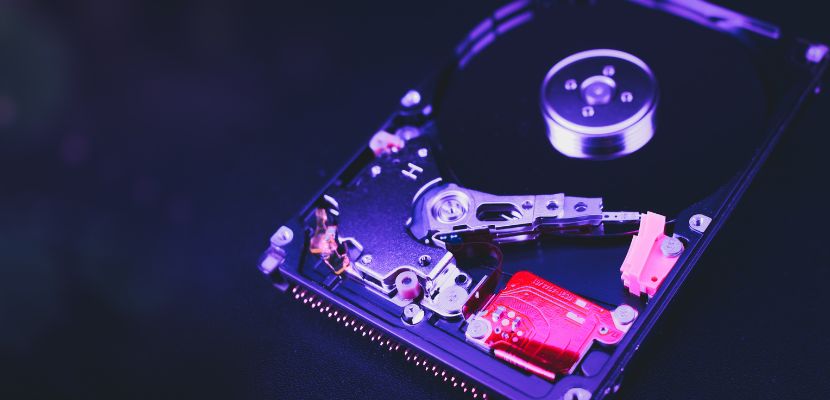
What Is a Storage Hypervisor?
A storage hypervisor is software that virtualizes storage by separating logical storage services from the underlying physical disks and arrays, then presenting that capacity as standardized, manageable virtual storage to servers and applications. It sits either directly in the I/O path between hosts and storage or alongside it as a control layer, intercepting or orchestrating how read/write requests are routed, cached, mirrored, tiered, or protected.
By aggregating capacity from different devices and vendors into shared pools, it lets administrators define virtual volumes and policies, such as performance targets, replication behavior, snapshots, encryption, or quality-of-service, without configuring every physical system individually. The result is that storage resources are provisioned and moved more dynamically, scaled with less disruption, and managed with consistent rules across heterogeneous storage, while the hardware beneath can be changed, expanded, or rebalanced with fewer application-visible impacts.
Types of Storage Hypervisors
Storage hypervisors come in a few common architectures, mainly defined by where they run and how they interact with the data path. Each type offers a different balance of performance, simplicity, and flexibility depending on your infrastructure and availability goals.
In-Band (Symmetric) Storage Hypervisor
An in-band storage hypervisor sits directly in the I/O path between hosts and storage, so every read and write flows through it. Because it “sees” all traffic, it can enforce policies consistently and provide services like caching, replication, snapshots, thin provisioning, and QoS in a centralized way. The trade-off is that it becomes a critical component: it must be sized for throughput and designed with redundancy, otherwise it can introduce latency or become a bottleneck.
Out-Of-Band (Asymmetric) Storage Hypervisor
An out-of-band storage hypervisor stays out of the direct data path and mainly handles control-plane tasks such as discovery, mapping, provisioning, and policy management. The actual data moves directly between the host and the storage array, which can reduce latency and performance risk compared to in-band designs. However, because it does not process every I/O operation, some advanced data services may be limited or implemented elsewhere (for example, on the host, array, or via a separate component).
Host-Based (Software-Defined) Storage Hypervisor
A host-based storage hypervisor runs on the server layer (often as a kernel module, driver, or storage stack) and virtualizes local disks and/or attached storage across multiple hosts. This is common in software-defined storage and hyperconverged designs, where compute and storage scale together and services like replication and erasure coding are distributed across nodes. It can be cost-effective and flexible, but it consumes CPU/RAM on hosts and requires careful design for networking, failure handling, and consistent performance under load.
Appliance-Based (Virtual or Physical) Storage Hypervisor
An appliance-based storage hypervisor is delivered as a dedicated physical box or virtual appliance that you deploy into the storage network. It typically provides a packaged control plane and, in some cases, an optimized data plane, making it simpler to adopt without re-architecting hosts or replacing arrays. This model speeds up rollout and standardizes features, but it adds another infrastructure layer to operate and may introduce vendor or platform dependencies around upgrades, scaling, and high availability.
Components of Storage HypervisorsTop of Form
Storage hypervisors are built from several core building blocks that work together to virtualize capacity, route I/O, and apply storage services consistently. The exact implementation varies by vendor and architecture (in-band, out-of-band, host-based), but these components show up in most designs. The main components are:
- Virtualization layer (abstraction engine). Pools physical capacity from one or more storage devices and exposes it as logical constructs such as virtual volumes, namespaces, or LUNs. This is the part that decouples “what the host sees” from where data physically lives.
- Data path (I/O layer). Handles or influences how read/write requests travel between hosts and storage. In in-band designs it processes every I/O, while in out-of-band designs it may be minimal or delegated to host/array components.
- Control plane (management logic). Orchestrates provisioning, mapping, policy enforcement, and lifecycle tasks. It’s responsible for actions like creating volumes, expanding capacity, moving data, and coordinating protection operations.
- Metadata services. Track where data is placed, how blocks map to physical devices, snapshot relationships, deduplication/compression references, and volume health/state. Strong metadata design is critical for rebuilds, failover, and consistent performance.
- Policy engine (automation + rules). Applies intent-based settings such as QoS limits, tiering rules, replication modes, encryption requirements, and snapshot schedules. It makes storage behavior consistent across different backend devices.
- Connectivity interfaces (protocol adapters). Provide access over storage protocols such as iSCSI, Fibre Channel, NVMe-oF, NFS, or SMB, depending on the product. These interfaces translate or present storage in the form hosts and apps can consume.
- Data services layer. Implements features like thin provisioning, snapshots, cloning, replication, caching, deduplication, compression, and erasure coding. Some hypervisors provide these natively; others coordinate them with arrays or host agents.
- HA and failover mechanisms. Provide redundancy so the storage layer keeps working during node, link, or component failures. This can include clustering, leader election, quorum/witness logic, and automated path failover.
- Monitoring and telemetry. Collects metrics and events such as latency, IOPS, throughput, cache hit rate, rebuild status, and capacity trends. This supports troubleshooting, alerting, and performance planning.
- Management interfaces (UI/API/CLI). The operational surface area (dashboards, REST APIs, automation hooks, RBAC, and audit logs) used to administer storage consistently and integrate with orchestration tools.
Storage Hypervisor Key Features
Storage hypervisor key features describe the capabilities that let it virtualize capacity, standardize management, and deliver storage services across different hardware. In practice, these features determine how efficiently you can provision storage, protect data, and maintain predictable performance at scale:
- Storage pooling and abstraction. Combines capacity from multiple disks, arrays, or nodes into shared pools and exposes consistent virtual volumes regardless of the underlying hardware. This makes it easier to expand or replace back-end storage without changing how hosts consume it.
- Dynamic provisioning. Creates volumes without reserving full physical capacity up front, then grows them online as needed. This improves utilization and reduces downtime when applications outgrow initial allocations.
- Policy-based management. Lets you define intent (performance, protection, placement, encryption) and apply it per volume, workload, or tenant. The hypervisor continuously enforces those policies even as the environment changes.
- High availability and non-disruptive operations. Uses clustering and failover logic so storage access continues through node failures, maintenance, or upgrades. Strong HA support also enables rolling updates and reduces planned downtime.
- Snapshots and cloning. Creates point-in-time copies for fast recovery, testing, or analytics. Efficient implementations use copy-on-write/redirect-on-write techniques to avoid full copies and keep snapshot operations quick.
- Replication and disaster recovery. Copies data to another node, site, or region with synchronous or asynchronous modes and configurable RPO/RTO targets. This is the core feature set for business continuity beyond local failures.
- Performance optimization (caching and tiering). Uses RAM/SSD caches and/or moves data between tiers (NVMe/SSD/HDD/object storage) based on access patterns. The goal is to keep hot data on faster media while reducing cost for colder data.
- Quality of service (QoS). Applies limits or guarantees for IOPS, throughput, and sometimes latency, per volume or workload. QoS prevents noisy neighbors from starving critical applications in shared environments.
- Data reduction (deduplication and compression). Reduces the physical footprint of stored data, either inline or post-process. This can lower costs significantly, but it must be implemented carefully to avoid CPU overhead or unpredictable latency.
- Encryption and key management integration. Supports encryption at rest and sometimes in transit, with integration to key management systems (KMS) where required. This helps meet compliance requirements and reduces exposure if media is lost or decommissioned.
- Multitenancy and access controls. Provides isolation between teams or customers using constructs like tenants, projects, and RBAC. It ensures administrators can delegate storage management without giving broad infrastructure access.
- Automation and APIs. Exposes REST/CLI integrations for provisioning, scaling, and policy changes, often designed to plug into orchestration platforms (Kubernetes, IaC pipelines). This enables repeatable, auditable storage operations instead of manual ticket-driven work.
- Observability and troubleshooting tools. Surfaces workload metrics (latency, IOPS, throughput), health status, capacity forecasting, and event logs. Good observability shortens incident resolution time and helps with performance planning.
How Do Storage Hypervisors Work?
A storage hypervisor works by turning physical storage from one or many devices into virtual, policy-driven storage that servers can consume consistently. While the exact flow depends on whether it’s in-band, out-of-band, host-based, or appliance-based, the core process is similar. Here is how it works:
- Discovering available storage resources. The hypervisor connects to storage systems and/or local disks, identifies usable capacity, and collects device capabilities so it knows what it can build on.
- Abstracting that capacity into shared pools. It groups physical disks or back-end volumes into logical pools, creating a clean separation between raw hardware and the storage presented to workloads.
- Creating virtual volumes and exposes them to hosts. From those pools, the hypervisor carves out virtual volumes (or shares/namespaces) and presents them over the required protocol, so servers see stable storage targets they can format and mount.
- Attaching policies to each volume. The admin defines rules for performance and protection (such as QoS limits, replication mode, snapshot frequency, encryption, or placement) and the hypervisor binds those rules to the volume so behavior is consistent and repeatable.
- Routing I/O and enforcing those policies during access. As applications read and write data, the hypervisor either processes I/O directly (in-band) or coordinates it through host/array components (out-of-band), ensuring requests go to the right physical location while applying controls like QoS, caching, or tiering.
- Providing data services to protect and optimize storage. In the background, it performs tasks such as snapshots, cloning, replication, deduplication/compression, and failover readiness, so data remains recoverable and performance stays within target.
- Monitoring health and adapting as conditions change. It tracks latency, IOPS, capacity, and failures, then rebalances, rebuilds, migrates data, or triggers failover when needed, keeping storage available while reducing manual intervention.
What Is a Storage Hypervisor Used For?
A storage hypervisor is used to virtualize and centralize storage management so you can present consistent, flexible storage to servers and applications without being tied to specific hardware. It pools capacity from one or many storage systems, then lets you provision virtual volumes quickly and apply policies for performance and protection, such as snapshots, replication, QoS, encryption, and tiering across the environment. This is especially useful in software-defined storage and multi-vendor data centers, where you want to scale storage, migrate data, or replace back-end arrays with minimal disruption while keeping operations standardized.
What Are the Challenges of Storage Hypervisors?
Storage hypervisors simplify operations and add valuable data services, but they also introduce design and operational trade-offs. The main challenges usually come from performance sensitivity, complexity at scale, and the extra layer they add between workloads and physical storage:
- Added latency and potential bottlenecks. If the hypervisor is in the data path (in-band), every I/O goes through it. Poor sizing, busy controllers, or suboptimal caching can increase latency or cap throughput during peak load.
- High availability complexity. Because the hypervisor can become a critical dependency, you need robust clustering, quorum/witness design, and carefully tested failover behavior. Misconfigurations here can cause outages or split-brain scenarios.
- Operational overhead and troubleshooting depth. The extra abstraction layer can make root cause analysis harder. When performance drops, you may need to correlate host metrics, hypervisor telemetry, network behavior, and back-end array stats to find the real constraint.
- Compatibility and feature mismatches across hardware. Pooling heterogeneous arrays sounds simple, but capabilities vary (snapshots, replication methods, NVMe features, queue depths). The hypervisor may only expose the “lowest common denominator” or require vendor-specific tuning.
- Data migration and vendor lock-in risks. Moving existing data into a new storage-virtualization layer can be disruptive, and exiting later can be equally complex. Depending on implementation, volumes and metadata formats can make migrations time-consuming.
- Performance predictability under mixed workloads. Multi-tenant pools can suffer from noisy-neighbor effects if QoS isn’t configured well. Random I/O, sequential throughput, and latency-sensitive apps can compete in ways that are hard to balance.
- Metadata growth and rebuild impact. Features like snapshots, cloning, deduplication, and distributed layouts rely on heavy metadata. Large metadata sets and rebuild/rebalance operations can degrade performance and extend recovery times after failures.
- Security and compliance surface area. The hypervisor adds another place to enforce encryption, access controls, audit logging, and secure admin access. Weak RBAC, poor key management integration, or outdated management interfaces can become a compliance problem.
- Upgrade and lifecycle coordination. You often need tightly managed upgrade paths across hypervisor nodes, host agents, firmware, and arrays. Incompatible versions or rushed rolling upgrades can cause instability or feature regressions.
- Cost and licensing complexity. Even if it reduces hardware spend, the hypervisor itself may add licensing per TB, per node, or per feature (replication, deduplication, disaster recovery). Total cost can rise quickly if the environment grows faster than planned.
Storage Hypervisor FAQ
Here are the answers to the most commonly asked questions about storage hypervisors.
Storage Hypervisor vs. Compute Hypervisor
Let’s examine the differences between storage hypervisors and compute hypervisors in more detail:
| Aspect | Storage Hypervisor | Compute Hypervisor |
| Primary purpose | Virtualizes and manages storage resources across disks, arrays, or nodes. | Virtualizes and manages compute resources (CPU, memory) for virtual machines. |
| What it abstracts | Physical storage hardware and capacity. | Physical servers and their compute resources. |
| Main output | Virtual volumes, pools, or namespaces presented to hosts or applications. | Virtual machines (VMs) running operating systems and applications. |
| Position in the stack | Operates at the storage layer, below or alongside applications and hosts. | Operates at the compute layer, directly hosting guest operating systems. |
| I/O focus | Read/write data paths, latency, throughput, durability, and data placement. | CPU scheduling, memory management, and VM isolation. |
| Typical responsibilities | Storage pooling, snapshots, replication, tiering, QoS, data protection. | VM creation, isolation, live migration, resource scheduling. |
| Dependency model | Relies on underlying disks, arrays, networks, and sometimes host agents. | Relies on underlying server hardware and firmware. |
| Failure impact | Can affect data availability and integrity if misconfigured or unavailable. | Can stop or pause VMs running on the affected host. |
| Performance sensitivity | Highly sensitive to latency and I/O contention. | Sensitive to CPU and memory contention. |
| Common use cases | Centralized storage management, software-defined storage, multi-vendor storage. | Server consolidation, cloud platforms, virtualized data centers. |
| Examples of outcomes | One virtual storage pool spanning multiple devices. | Multiple VMs running on a single physical server. |
| Relationship to workloads | Indirect: workloads consume storage it presents. | Direct: workloads run inside the VMs it hosts. |
Is a Storage Hypervisor Hardware?
A storage hypervisor is not hardware by itself, it’s software that virtualizes and manages storage resources by abstracting the underlying physical disks and storage systems into logical pools and volumes. That said, some vendors package the software as an appliance (physical or virtual), which can make it look like “a box,” but the core concept is still a software layer running on servers or dedicated controller nodes.
Does a Storage Hypervisor Impact Performance?
Yes, storage hypervisors can impact performance, either positively or negatively, depending on the architecture and how they’re configured.
If the hypervisor sits in the data path (in-band), it adds an extra layer that every I/O must pass through. That can introduce latency and become a throughput bottleneck if the hypervisor nodes, networking, or caching aren’t sized correctly. In contrast, out-of-band designs usually have less direct impact on latency because data flows more directly between host and storage, though there can still be overhead from coordination, path management, and policy enforcement.
Are Storage Hypervisors Secure?
Storage hypervisors can be secure, but they’re not secure by default. Rather, their security depends on how well the platform is designed and how it’s configured and operated. A well-implemented storage hypervisor typically supports strong access controls (RBAC), tenant isolation, encryption at rest (and sometimes in transit), secure key management integration, audit logging, and hardened management interfaces.
At the same time, it adds a critical control point in your infrastructure: if admin credentials are compromised, RBAC is too permissive, management APIs are exposed, or patching lags, the blast radius of an attack can be large because the hypervisor governs many volumes and hosts.
In practice, storage hypervisors are secure when you treat them like core infrastructure through lock down management access, enforcing least privilege, enabling encryption and auditing, keeping firmware/software updated, and validating isolation and failover behavior in your environment.
