


A power supply unit (PSU) is a fundamental hardware component that provides electrical power to a computer or electronic system.
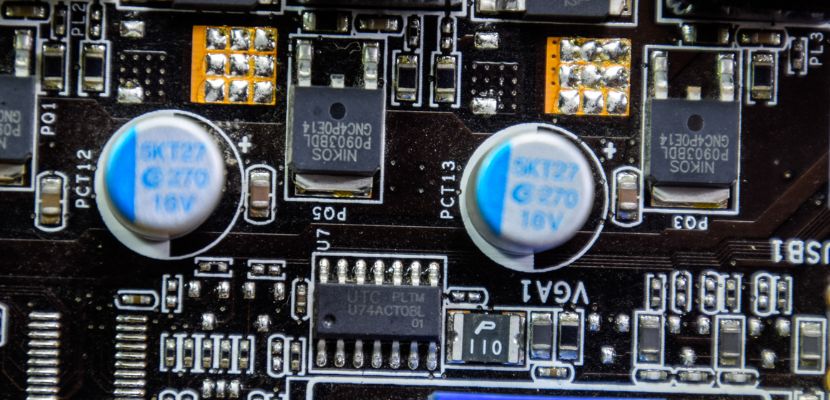
What Is a Power Supply Unit?
A power supply unit is the component responsible for converting incoming electrical power into the regulated direct-current (DC) voltages that computer hardware and other electronic devices require to run.
In most desktop PCs and many servers, the PSU takes alternating current (AC) from a wall outlet, typically 100–240 V AC, and converts it into multiple DC output rails, commonly +12 V, +5 V, and +3.3 V, delivered through standardized connectors to the motherboard, CPU power input, graphics cards, storage devices, and peripherals.
Internally, a PSU uses a switch-mode power supply (SMPS) design that rectifies AC to DC, smooths it with filtering, and then switches it at high frequency through transformers and control circuitry to produce stable outputs with tight voltage regulation and low electrical noise (ripple), even as system load changes.
Power Supply Unit Components
A PSU is made up of electrical, control, and cooling parts that work together to convert AC wall power into clean, stable DC power for your components. Here are the main PSU parts and what each one does:
- AC inlet and switch (and fuse). The entry point for wall power. The fuse is a last-resort safety device that opens if there’s a serious fault or overcurrent event.
- EMI/RFI input filter. A set of capacitors, inductors, and chokes that reduces electrical noise going into the PSU and prevents the PSU from injecting switching noise back into the building’s power line.
- Bridge rectifier. Converts incoming AC into high-voltage DC as the first stage of power conversion.
- Active PFC (power factor correction) circuit. Improves the PSU’s efficiency in drawing power from the grid and stabilizes the input stage across a wide voltage range. In modern PSUs, this is typically a boost converter controlled by a PFC controller IC.
- Primary bulk capacitors. Large capacitors that smooth and store energy after rectification/PFC, helping the PSU ride through short dips in input power and reducing ripple on the high-voltage DC bus.
- Primary switching stage (MOSFETs + controller IC). The “engine” of a switch-mode PSU. High-speed transistors chop the high-voltage DC at high frequency so it can be transformed efficiently, while the controller regulates switching behavior based on feedback.
- High-frequency transformer. Provides voltage step-down and galvanic isolation between the high-voltage primary side (mains) and the low-voltage secondary side (your PC), which is essential for safety.
- Secondary rectification (diodes or synchronous MOSFETs). Converts the transformer’s high-frequency AC back into DC on the output side. Higher-end PSUs often use synchronous rectification (MOSFETs) to reduce losses and heat.
- Output filtering (inductors and capacitors). Smooths the DC outputs and reduces ripple/noise so sensitive components receive stable power, especially important under rapidly changing CPU/GPU loads.
- DC-DC regulation modules. Many modern PSUs generate a strong +12 V rail first, then use DC-DC converters to derive +5 V and +3.3 V with better regulation and efficiency than older group-regulated designs.
- Feedback and control circuit (opto-isolator/supervisor IC). Monitors output voltages and sends regulation signals back to the primary controller while keeping electrical isolation. A supervisor IC also manages protections and “power good” signaling.
- Protection circuits (OCP/OVP/UVP/OPP/SCP/OTP). Safety logic that shuts the PSU down during abnormal conditions like short circuits, overheating, or drawing more current than the design allows.
- Standby power rail (5VSB). A small always-on power supply that runs even when the PC is “off,” enabling functions like soft power-on, wake-on-LAN, and USB charging (if supported).
- Cooling system (heatsinks, fan, fan controller, airflow path). Removes heat generated by switching and rectification. Fan control balances noise and temperature, while heatsinks dissipate heat from high-loss components.
- Output connectors and cables. Physical delivery of power to components, typically 24-pin ATX for the motherboard, EPS 4/8-pin for CPU power, PCIe or 12VHPWR/12V-2x6 for GPUs, and SATA/Molex for drives and accessories.
- PSU casing and insulation barriers. The metal enclosure provides structural protection and helps with airflow, while internal insulation sheets and spacing maintain safety clearances between high- and low-voltage sections.
What Are the Different Types of Power Supply Units?
Power supply units come in several common types, usually grouped by how they convert and deliver power, where they’re used, and how they fit into a device or chassis. Below are the main PSU types and what makes each one distinct.
ATX (Internal Desktop PC PSU)
ATX PSUs are the most common type for desktop PCs, designed to mount inside a tower case and provide standardized outputs and connectors for motherboards, CPUs, GPUs, and drives. They typically accept a wide AC input range and generate multiple DC rails, with modern designs delivering most capacity on the +12 V rail and using DC-DC conversion for +5 V and +3.3 V. ATX models vary by wattage, efficiency, acoustics, and cable approach (non-modular, semi-modular, fully modular).
SFX / SFX-L (Small Form Factor Internal PSU)
SFX and SFX-L PSUs serve compact PCs where space is limited, such as mini-ITX builds and small-form-factor cases. They use the same basic ATX electrical standards but in a smaller enclosure, often requiring higher component density and more aggressive cooling for a given wattage. SFX-L is slightly longer than SFX to allow a larger fan and improved thermal and noise characteristics.
TFX (Slim Desktop PSU)
TFX PSUs are designed for low-profile and slim desktop cases that cannot fit standard ATX units. They provide similar output roles but are optimized for narrow chassis layouts and different mounting points. Because of size constraints, TFX models commonly target modest wattages and may have fewer high-power GPU connectors compared to mainstream ATX units.
Flex ATX (Very Small Internal PSU)
Flex ATX PSUs are used in very compact systems, certain 1U-style enclosures, and specialty small PCs where even SFX is too large. Their narrow shape and small fan often mean higher noise under load, and wattage/connectors may be limited depending on the model. They’re chosen primarily for fitment rather than maximum power delivery.
Server PSUs (Redundant Hot-Swap Modules)
Server power supplies are built for continuous operation, high efficiency at steady loads, and easy maintenance in racks. Many are modular, hot-swappable units installed in pairs (or more) for N+1 redundancy, so a server can keep running if one PSU fails. They’re engineered for reliability and airflow patterns typical of server chassis, and they often use different connector standards than consumer ATX unless paired with adapter backplanes.
External AC Adapter (Power Brick)
External adapters convert AC to one DC output outside the device (commonly 12–20 V DC), with additional voltage regulation happening inside the laptop, monitor, router, or mini PC. Moving the conversion stage outside reduces heat inside the device and simplifies internal design, but it also means the adapter’s rating and connector compatibility are critical. This type is common for laptops, small networking gear, and compact desktops.
Open-Frame/Enclosed Industrial PSU
Industrial PSUs are used in automation, embedded systems, and equipment cabinets, typically delivering fixed DC outputs such as 12 V, 24 V, or 48 V. Open-frame designs mount inside a larger enclosure with controlled airflow, while enclosed units are self-contained with protective housings and terminal blocks. They prioritize long service life, stable regulation, and operation across wider environmental conditions compared to consumer PC PSUs.
Linear PSU (Non-Switching)
Linear power supplies regulate voltage by dissipating excess energy as heat, which can produce very low electrical noise but at the cost of size, weight, and efficiency. They are less common in modern PCs because they don’t scale well to high power, but they’re still used in some audio, lab, and specialized electronics where extremely “clean” power matters. For most computing use cases, switch-mode PSUs dominate due to their much higher efficiency and compact design.
Uninterruptible Power Supply (UPS) as a PSU layer
A UPS is not a PSU in the PC-internal sense, but it functions as an upstream power supply system that conditions power and provides battery-backed runtime during outages. It feeds AC (or sometimes DC in specialized setups) to the device’s PSU while protecting against sags, surges, and brief interruptions. In environments where uptime and graceful shutdown are important, a UPS is often treated as part of the overall power supply solution.
Power Supply Unit Efficiency
Power supply unit efficiency is the share of input power from the wall that is converted into usable DC power for your components, rather than being lost as heat inside the PSU.
For example, if a PC is drawing 300 W of DC power and the PSU is 90% efficient at that load, it will pull about 333 W from the outlet and waste roughly 33 W as heat. Efficiency matters because wasted power increases internal temperatures, can raise fan noise, and increases electricity costs over time, especially in systems that run many hours per day or operate in warm environments.
Efficiency is not a single fixed number; it changes with load level and input voltage, typically peaking somewhere around mid-load and dropping at very low or very high loads. This is why a PSU that is significantly oversized for a system may operate more often in a less efficient range at idle and light workloads.
Industry programs like 80 PLUS classify PSUs based on measured efficiency at specific loads (commonly 20%, 50%, and 100%), which helps compare models, but they don’t fully capture factors like voltage regulation quality, ripple, transient response, or how well a PSU handles short power spikes from modern CPUs and GPUs.
In practice, a more efficient PSU reduces heat and operating costs, but it should still be chosen for stable power delivery, protections, and the right capacity for the system’s real workload.
How Does a Power Supply Unit Work?
A power supply unit works by taking electricity from the wall and converting it into stable, safe DC power that computer components can use. In a modern PC PSU, this is done through a switch-mode design that can efficiently handle changing loads from the CPU, GPU, and other hardware. Here is exactly how it works:
- Accepting AC input and filtering noise. The PSU receives alternating current (AC) from the wall through the inlet, then passes it through an EMI/RFI filter that reduces electrical interference so the PSU doesn’t emit noise back into the power line or ingest excessive noise from it.
- Converting AC to high-voltage DC. A rectifier converts the incoming AC into DC, creating a high-voltage DC “bus” that serves as the starting point for the rest of the conversion process.
- Improving power factor with PFC (typically active PFC). The power factor correction stage shapes how the PSU draws current from the wall so it’s more efficient and stable across different input voltages, while also producing a steadier high-voltage DC bus for the next stage.
- Switching the DC at high frequency. High-speed transistors (MOSFETs) rapidly switch the high-voltage DC on and off under control of a PWM/LLC controller. This high-frequency switching is what allows the PSU to be compact and efficient compared to older linear designs.
- Stepping down voltage and providing isolation. The switched energy passes through a high-frequency transformer, which lowers the voltage to safer levels and electrically isolates the low-voltage outputs from the mains side, improving safety and reducing fault risk.
- Rectifying and smoothing low-voltage outputs. On the secondary side, the PSU converts the transformer’s high-frequency output back into DC (using diodes or synchronous rectification) and then filters it with capacitors and inductors to reduce ripple and produce clean rails such as +12 V, +5 V, and +3.3 V.
- Regulating, monitoring, and protecting the system. Feedback circuitry continuously monitors output stability and adjusts switching to keep voltages within tolerance as load changes, while supervisor and protection circuits can shut the PSU down during faults (over-current, over-voltage, short circuit, overheating). At the same time, the PSU provides a standby rail and a “power good” signal so the system can start and run reliably.
Who Needs Power Supply Units?
Anyone using an electronic device that runs on controlled, usable power needs a power supply unit, whether it’s built into the device or provided externally.
Desktop PCs and workstations rely on internal PSUs to power the motherboard, CPU, GPU, storage, and peripherals. Servers, storage systems, and network appliances also depend on robust PSUs designed for continuous operation and stable output under changing loads. Laptops, monitors, routers, and many small electronics still need a PSU, but it’s often an external adapter (“power brick”) that converts wall power into DC for the device.
Industrial equipment, embedded systems, and automation controllers use specialized PSUs (often 12 V/24 V/48 V) to deliver reliable power in cabinets and harsh environments. Even battery-powered devices typically include internal power-management circuits that act as a PSU layer by converting battery voltage into the exact rails the electronics require.
How to Choose a Power Supply Unit?
Choosing the right power supply unit ensures your system runs reliably, efficiently, and safely under real workloads. The goal is not just to meet wattage requirements, but to match the PSU’s electrical behavior, form factor, and features to your hardware and usage. Here is how to choose one:
- Estimate realistic power requirements. Start by calculating the combined power draw of your CPU, GPU, storage, and peripherals under peak load, then add headroom for transient spikes and future upgrades. For modern systems, this usually means choosing a PSU that can comfortably supply the required current on the +12 V rail rather than focusing on total wattage alone.
- Select the correct form factor. Make sure the PSU physically fits your case and mounting points, such as ATX, SFX, SFX-L, or TFX. A PSU that doesn’t match the case form factor or airflow layout can cause installation problems or poor cooling, regardless of its electrical quality.
- Check connector compatibility. Verify that the PSU provides the right power connectors for your components, including CPU EPS connectors, GPU power (PCIe 6/8-pin or 12V-2x6/12VHPWR), and sufficient SATA or peripheral connectors. This avoids unsafe adapters and ensures stable power delivery to high-demand parts.
- Evaluate efficiency and thermal behavior. Look for an efficiency level appropriate to your usage pattern, such as 80 PLUS Bronze, Gold, or higher, since higher efficiency reduces wasted power and heat. Lower heat output generally means quieter operation and longer component lifespan.
- Assess voltage regulation and protections. A good PSU maintains tight voltage regulation and low ripple under changing loads and includes comprehensive protection circuits like over-current, over-voltage, short-circuit, and over-temperature shutdown. These features protect expensive components from electrical faults.
- Consider cable management and airflow. Decide between non-modular, semi-modular, and fully modular designs based on how much cable flexibility you need. Better cable management improves airflow, simplifies installation, and makes future upgrades easier.
- Match the PSU to workload and reliability needs. For gaming or workstation builds, prioritize strong transient handling and quality internals; for always-on systems or servers, look for higher efficiency at sustained loads and proven reliability. The right PSU is one that supports how the system will actually be used, not just its maximum specifications.
What Are Common Power Supply Unit Problems?
Common PSU problems usually show up as instability, failed startups, unexpected shutdowns, or unusual noise because the PSU can’t deliver clean, sufficient power, or its protection circuits are triggering. The common issues are:
- PC won’t turn on or shows no signs of power. This can happen if the PSU has failed, the rear switch is off, the outlet/cable is bad, a fuse/protection circuit has tripped, or the motherboard isn’t receiving standby power (5VSB) to start the boot sequence.
- Random shutdowns or sudden reboots under load. Often caused by insufficient capacity on the +12 V rail, transient spikes from CPU/GPU boosting, overheating inside the PSU, or over-power/over-current protection (OPP/OCP) shutting the unit down to prevent damage.
- System instability (freezes, crashes, WHEA errors, GPU driver resets). Poor voltage regulation or excessive ripple/noise can destabilize components, especially GPUs and CPUs during rapid load changes. Marginal cabling, loose connectors, or using splitters/adapters can make this worse.
- Fan noise, rattling, or “fan not spinning” concerns. Bearings can wear out and cause grinding or rattling. Some PSUs use semi-passive modes where the fan intentionally stays off at low loads, but if the fan never spins even under heavy load, it may indicate a fault or thermal issue.
- Electrical noises (coil whine or buzzing). High-frequency switching and magnetics can produce audible noise, especially with certain GPUs or at specific load patterns. While coil whine isn’t always dangerous, new or worsening buzzing can also indicate component stress or poor power quality.
- Burning smell, discoloration, or heat buildup. These are red-flag symptoms of overheating, failing components (like capacitors), dust blockage, or overloaded operation. A PSU running excessively hot can degrade faster and become unsafe.
- Loose/melted connectors or scorching on GPU/CPU power cables. High-current connectors (especially GPU power) can overheat if not fully seated, if cables are sharply bent near the plug, or if adapters are used improperly. This can cause intermittent power loss and, in severe cases, visible damage.
- Aging and capacitor wear (“works sometimes” behavior). Over time, electrolytic capacitors can degrade, leading to poor stability, delayed startup, or inability to hold voltage during load changes. This tends to show up more after years of heat exposure.
- Compatibility issues with modern hardware. Some older or lower-quality PSUs struggle with low-power states, rapid transient loads, or newer GPU power standards, resulting in black screens, restarts, or failure to boot until settings are changed or the PSU is replaced.
How to Fix a Computer Power Supply Problem?
Power supply problems can range from simple connection issues to full hardware failure. The steps below move from the safest and easiest checks to actions that require replacement, helping you isolate the cause without risking damage to other components. Here is how to do it:
- Check the power source and external connections. Start by confirming that the wall outlet, power strip, and power cable are working. Try a different outlet or cable and make sure the PSU’s rear switch (if present) is set to on. This rules out external power issues before opening the system.
- Inspect internal power connections. Open the case and reseat all PSU cables, including the 24-pin motherboard connector, CPU EPS connector, and GPU power cables. Loose or partially seated connectors are a common cause of no-boot issues, random shutdowns, or GPU instability.
- Remove unnecessary components and test a minimal setup. Disconnect non-essential devices such as extra drives, RGB controllers, or expansion cards, then try booting with only the motherboard, CPU, one RAM stick, and (if required) the GPU. This reduces load and helps identify whether the PSU is struggling or another component is causing the fault.
- Check for overheating and airflow problems. Make sure the PSU fan can spin freely, vents are not blocked by dust, and case airflow is adequate. Overheating can trigger protective shutdowns even if the PSU is otherwise functional.
- Look for visible signs of damage. Inspect cables and connectors for discoloration, melting, or burn marks, and watch for unusual smells or buzzing sounds. Any of these signs indicate a serious PSU fault and mean the unit should not be reused.
- Test with a good PSU (or PSU tester). If possible, temporarily install a reliable PSU with sufficient wattage and proper connectors. If the system becomes stable, the original PSU is the likely cause. A basic PSU tester can also confirm whether rails are present, though it won’t catch all load-related problems.
- Replace the PSU if faults persist. PSUs are not user-serviceable and internal repairs are unsafe due to stored high voltage. If instability continues or protections are triggering repeatedly, replacing the PSU with a properly sized, modern unit is the safest and most reliable fix.
Power Supply Unit FAQ
Here are the answers to the most commonly asked questions about power supply units.
What Happens When a Power Supply Fails?
When a power supply fails, the system may not turn on at all, may shut off or reboot unexpectedly, or may become unstable under load because components are no longer receiving clean, sufficient power. In many cases, the PSU’s protection circuits (such as over-current, over-voltage, short-circuit, or over-temperature protection) trigger and shut the unit down to prevent damage, which looks like sudden power loss or a “dead” PC.
If the failure is severe or the PSU is low quality, it can deliver out-of-spec voltage or excessive ripple, potentially corrupting data, crashing the OS, or in worst cases damaging parts like the motherboard, GPU, drives, or cables.
Can a Bad PSU Damage My PC?
Yes. A bad PSU can damage a PC if it delivers out-of-spec voltage, excessive ripple/noise, or unstable power during load changes, which can stress or degrade components over time.
In a well-designed PSU, protection circuits (OVP/UVP/OCP/OPP/SCP/OTP) usually shut the unit down before damage occurs, so the more common outcome is crashes, reboots, or failure to start rather than immediate hardware loss. The highest-risk situations are severe internal failures, overheating, or poor/incorrect cabling and connectors (especially high-current GPU power plugs) that can overheat and melt, and power events (surges/brownouts) that a failing PSU can’t handle cleanly.
How Often Should a PCU Be Replaced?
A PC power supply unit is typically replaced every 5 to 10 years, depending on its quality, usage, and operating conditions. High-quality PSUs with good cooling and premium components can run reliably for many years, while lower-end units or those exposed to heat, dust, and heavy loads may degrade faster. Replacement is recommended sooner if you experience instability, frequent shutdowns, electrical noise, or if you upgrade to significantly more power-hungry hardware, since aging components (especially capacitors) can no longer maintain stable output under modern load patterns.
Power Supply Unit Price
In the United States and European Union, PSU prices vary widely based on wattage, efficiency certification, brand, and features, but there are recognizable ranges that reflect common market offerings.
Budget or entry-level PSUs (around 500–650 W, 80 PLUS Bronze) typically start around $50–$90 in the U.S., with occasional deals pushing them lower during sales, while mid-range 80 PLUS Gold models suitable for most gaming or productivity PCs often sit in the $90–$150 range. High-efficiency, modular, or high-wattage units can exceed $200–$300 or more, especially for premium brands or larger power designs.
In the EU market, prices follow a similar pattern but can be influenced by VAT and regional supply factors. Typical mid-range PSUs (e.g., 650–850 W, 80 PLUS Bronze/Gold) are often found around €50–€150, with more advanced or high-wattage units above €150–€200 depending on certification and modularity.
